
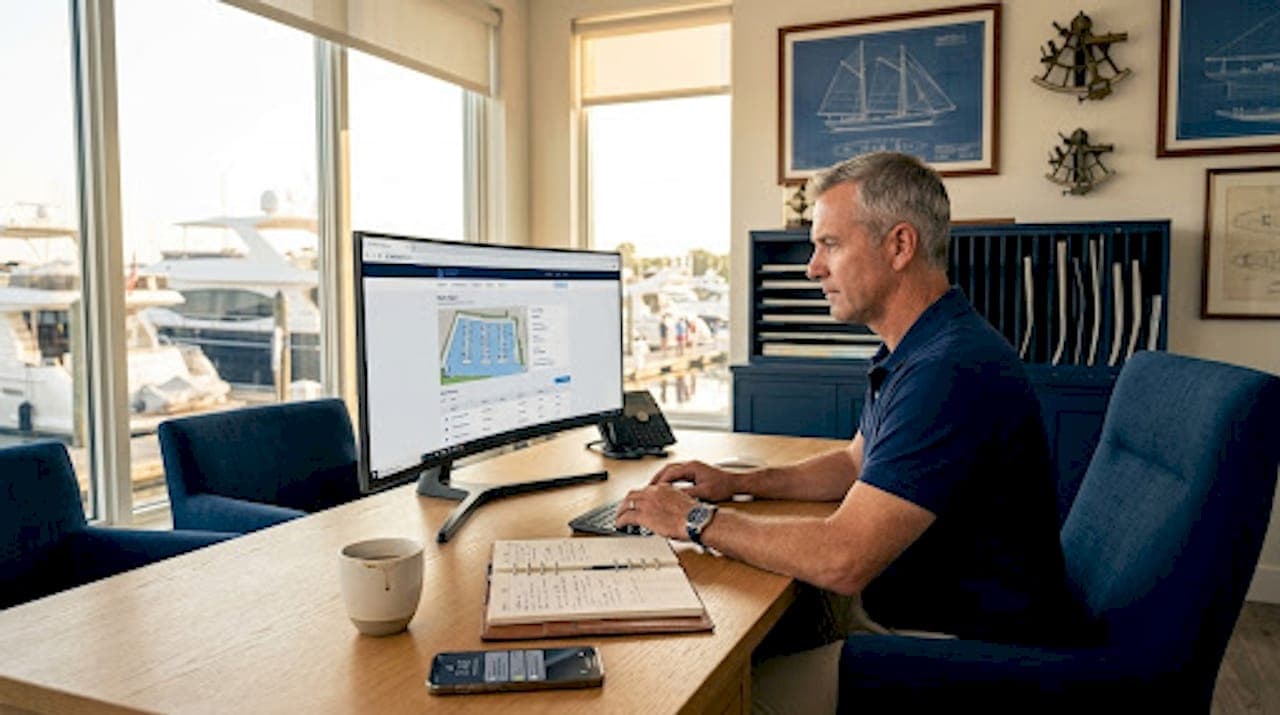
A marina customer portal is an online self-service platform that enables boat owners to manage accounts, submit requests, and complete transactions without calling or visiting the front desk. This guide covers the marina customer portal explained from the ground up: what features to expect, how portals improve daily operations, and how to avoid the implementation mistakes that turn a promising tool into an ignored one. Platforms like Atlantis-marina have built customer portal functionality directly into their marina management software, making this capability accessible to independent marinas and yacht clubs that previously relied on phone calls, paper forms, and email chains.
What features are included in a marina customer portal?
A marina customer portal typically includes invoice viewing, online payment processing, slip reservation management, service request submissions, document uploads, and direct messaging between boaters and marina staff. These are not isolated tools. They work together as a connected workflow that moves a boater from request to resolution without requiring staff intervention at every step.
The core feature set most marina managers should evaluate includes:
- Invoice viewing and online payment. Boaters see current charges, outstanding balances, and payment history. They pay directly through the portal without calling the office.
- Slip and reservation management. Boaters request or modify slip assignments, view availability, and receive confirmation through the portal.
- Service request submissions. Boaters submit maintenance or repair requests with vessel details attached. Staff receive structured requests rather than vague phone messages.
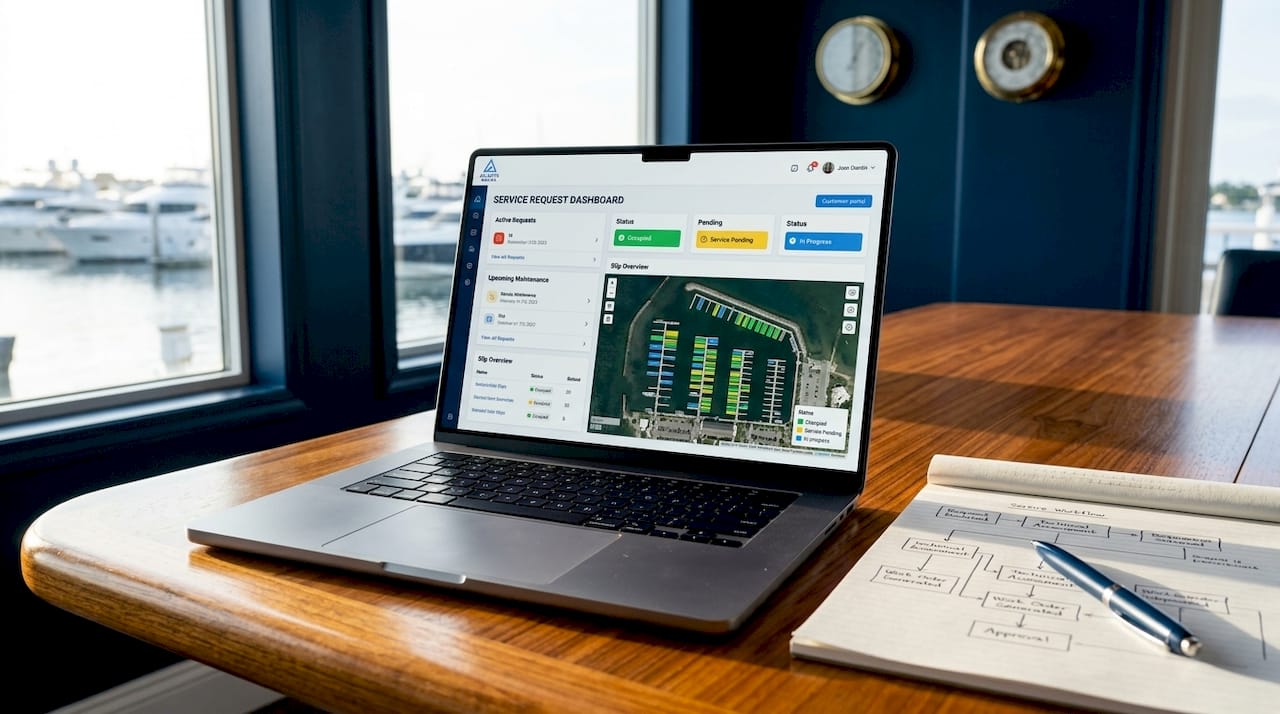
- Status tracking. A multi-step workflow links request, admin review, approval, scheduling, job status, and billing so customers track progress without making calls.
- Document uploads and contract signing. Boaters upload insurance certificates, vessel registration, and signed agreements directly to their account.
- Account profile management. Boaters update vessel details, contact information, and stored payment methods on their own schedule.
- Direct messaging. Structured message threads between boaters and marina staff replace scattered email and text chains.
Pro Tip: Prioritize service request tracking and status visibility when launching a portal. Boaters who can see where their request stands stop calling the office. That single change reduces front desk interruptions faster than any other feature.
The membership management layer matters too. Yacht clubs with tiered memberships can use the portal to display membership status, renewal dates, and associated benefits. This gives members a reason to log in regularly, which is the foundation of consistent portal adoption.
How does a customer portal improve marina operations and customer communication?
A marina customer portal improves operations by replacing repeated status inquiries and document requests with structured self-service flows that include request forms, status tracking, admin reviews, message history, and document uploads. The operational impact is direct and measurable across several dimensions.
Here is how the improvement plays out in practice:
- Fewer repetitive inquiries. A portal is successful when customers stop asking the same status questions and support becomes less dependent on memory and chat history. Staff spend time on work that requires judgment, not on answering "Is my boat ready?"
- Faster, more accurate billing. A unified checkout flow consolidates all charges into a single transaction including fuel, slip rental, repair service tickets, utility charges, and retail purchases. Consolidated billing reduces disputes because boaters see exactly what they owe and why.
- Reduced document chasing. When boaters upload insurance and registration through the portal, staff no longer send reminder emails or wait at the counter for paperwork. Renewals become a notification, not a manual follow-up task.
- Improved service prioritization. Structured service requests give dockmasters a clear queue with vessel details, request type, and urgency. That replaces the informal system where the loudest caller gets the fastest response.
- Real-time transparency. Automated notifications update boaters when their request status changes. This keeps communication current without requiring staff to send individual updates.
"Adopting integrated billing and unified checkout systems is becoming essential for marinas to improve accuracy, reduce disputes, and support business growth." — Unified Marina Checkout: Why It Matters in 2026
The communication benefit compounds over time. When boaters trust that the portal reflects accurate, current information, they use it consistently. That usage pattern shifts the relationship between marina staff and boaters from reactive to proactive. Staff can focus on facility improvements and service quality rather than fielding the same questions repeatedly.
A marina POS system that combines sales, reservations, and service operations into one platform allows staff to focus on customers rather than reconciling data across disconnected systems. The customer portal is the boater-facing layer of that same integration.
What makes an effective marina customer portal?
The biggest failure mode in marina portal implementation is building a customer UI without clarifying the admin workflow, which causes the portal to become another inbox instead of reducing workload. Marina managers who avoid this mistake share a few consistent practices.
- Define the admin workflow before launch. Decide where requests appear, who handles them, what each status label means, and when notifications fire. Staff need to know the process before boaters start submitting requests.
- Start narrow. Portals should start narrow with one clear pain point such as status updates or repeated document collection to reduce login friction. A portal that does one thing well earns trust faster than one that does ten things poorly.
- Reduce login friction with clear value. Login adds friction since users need accounts and passwords. Portals must give users reasons to return such as checking history, managing requests, and receiving notifications. Make the first login experience fast and immediately useful.
- Link all workflow steps visibly. Do not design the portal around payments alone. Success comes from linking all workflow steps so customers can see progress and next actions at every stage.
- Train staff before boaters. If staff cannot navigate the admin side confidently, portal requests pile up unanswered. That erodes boater trust faster than not having a portal at all.
- Automate notifications at key transitions. Notify boaters when a request moves from submitted to under review, from approved to scheduled, and from completed to invoiced. Each notification replaces a potential phone call.
- Collect feedback and iterate. Survey boaters after their first three portal interactions. The friction points they identify are almost always different from what the implementation team anticipated.
Pro Tip: Run a 30-day pilot with a small group of engaged boaters before full launch. Their feedback will surface workflow gaps that internal testing misses, and their positive word-of-mouth will drive adoption among the rest of your membership.
The major success factor for customer portals is balancing customer convenience with clear, manageable workflows for marina staff to avoid operational overload. That balance is not a one-time configuration. It requires ongoing attention as usage grows and new request types emerge.
How to get started with a marina customer portal
Getting started with marina customer account management requires a structured approach that connects portal features to real operational pain points. The following steps reflect how successful marina operators have moved from manual workflows to a functioning portal without disrupting daily operations.
- Audit your current pain points. List the five most common reasons boaters contact the office. Those are your first portal features. If "Is my invoice ready?" tops the list, start with billing visibility.
- Choose software with integrated portal capabilities. Select marina management software that includes a customer portal as part of its core platform, not as a bolt-on add-on. Integration with billing, reservations, and service workflows is non-negotiable.
- Map your workflows before configuration. Document the steps for each request type: who receives it, who approves it, what triggers the next step, and how billing connects at the end.
- Configure and test with staff first. Run the portal internally for two weeks. Submit test requests, process approvals, and generate invoices. Fix workflow gaps before boaters encounter them.
- Onboard boaters with a clear value statement. Tell boaters specifically what they can do in the portal and why it saves them time. "Check your invoice and pay online anytime" is more compelling than "We have a new portal."
- Monitor usage and adjust. Track which features boaters use and which they ignore. Low usage on a feature usually signals a friction point, not a lack of interest.
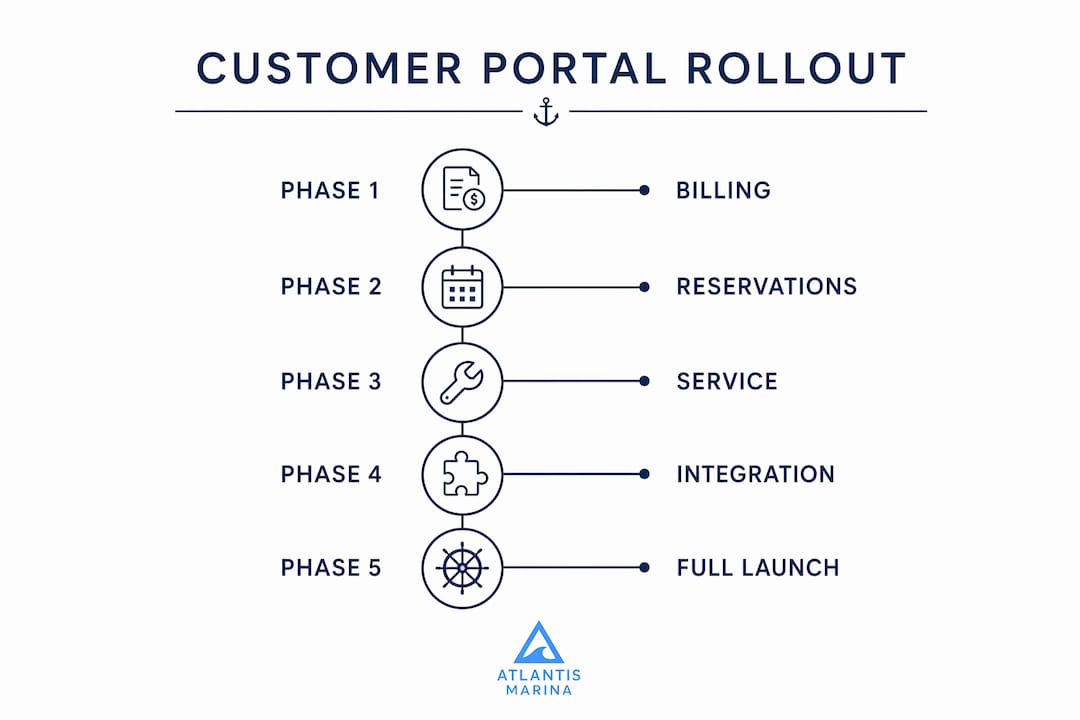
The table below outlines a phased rollout approach that reduces risk and builds adoption progressively.
| Phase | Focus area | Expected outcome |
|---|---|---|
| Phase 1 | Billing visibility and online payment | Fewer payment-related calls; faster collections |
| Phase 2 | Service request submission and status tracking | Reduced front desk interruptions; structured request queue |
| Phase 3 | Document uploads and account management | Eliminated document chasing; current vessel records |
| Phase 4 | Reservations and slip management | Self-service booking; reduced reservation errors |
Real-time integration between fuel dock POS, repair service tickets, slip rentals, and billing systems reduces manual reconciliation and improves customer invoice clarity. Plan for that integration from the start rather than retrofitting it later.
Key takeaways
A marina customer portal reduces operational workload and improves boater satisfaction by replacing manual, repetitive communication with structured self-service workflows tied directly to billing, reservations, and service management.
| Point | Details |
|---|---|
| Define admin workflows first | Configure who handles requests and what each status means before boaters start submitting. |
| Start with one pain point | Launch with billing visibility or status tracking to build adoption before adding features. |
| Link all workflow steps | Connect request, review, approval, scheduling, and billing so boaters track progress without calling. |
| Integrate billing from day one | Unified checkout consolidates charges and reduces payment disputes across all revenue streams. |
| Train staff before boaters | Staff confidence in the admin workflow determines whether the portal reduces or adds workload. |
Why portals are the next front desk, not just a feature
I have watched marina operators invest in customer portals and then wonder why adoption stalled after the first month. The answer is almost always the same: the portal was built for boaters without being built for staff. The admin side was an afterthought, and when requests piled up unanswered, boaters went back to calling.
The marinas that get this right treat the portal as an operational system first and a customer convenience second. They map every workflow before they configure a single form. They know exactly who sees a new service request, what happens if no one responds within 24 hours, and how the billing step connects to the approval step. That operational clarity is what makes the boater experience feel reliable.
The next evolution is already visible. Portals are beginning to connect with IoT devices, smart lift controls, and fuel dock systems. A boater who can see their lift status, check their fuel balance, and pay their monthly invoice from one screen is not just a satisfied customer. They are a retained one. Marinas that build toward that unified experience now will not need to catch up later.
The portals that will define marina operations in the next five years are not the ones with the most features. They are the ones where every workflow step is visible, every notification is timely, and every staff member knows exactly what to do when a request arrives. That is a management decision before it is a technology decision.
— John
See how Atlantis-marina handles the portal workflow
Atlantis-marina, developed by Atlantis Control Systems, builds the customer portal directly into its marina management platform so billing, reservations, service requests, and boater communication operate from a single system. Dockmasters manage the full request lifecycle from the operations dashboard while boaters track progress, upload documents, and pay invoices from any device. The platform supports recurring billing, utility charges, and stored payment methods, with real-time updates that keep both sides of the workflow current. For marinas moving away from fragmented manual processes, Atlantis-marina provides the integrated foundation that makes portal adoption practical rather than aspirational.
FAQ
What is a marina customer portal?
A marina customer portal is an online self-service platform where boat owners manage accounts, view invoices, submit service requests, upload documents, and communicate with marina staff without front desk interaction. It functions as the boater-facing layer of a marina's management software.
What features should a marina portal include?
A marina portal should include online payment, slip reservation management, service request submission with status tracking, document uploads, and direct messaging. Linking these features into a connected workflow, rather than offering them as isolated tools, is what drives consistent boater adoption.
How does a portal reduce marina staff workload?
Portals replace repeated status inquiries and document requests with structured self-service flows, which means staff handle fewer phone calls and spend less time chasing paperwork. The reduction is most significant when automated notifications update boaters at each workflow transition.
What is the biggest mistake in portal implementation?
The most common failure is building the customer interface without defining the admin workflow first. When staff do not know where requests appear or who handles them, the portal becomes an additional inbox rather than a workload reduction tool.
How long does it take to roll out a marina customer portal?
A phased rollout starting with billing visibility and online payment can go live within four to six weeks for most mid-sized marinas. Full deployment including service requests, document management, and reservations typically takes three to four months when staff training and workflow mapping are included.