

Properly configured mobile alerts are one of the most critical safety tools a marina operator can deploy, yet most facilities run on fragmented systems that leave gaps during storms, emergencies, and time-sensitive operational events. This marina mobile alert configuration guide covers everything from hardware prerequisites and software setup to layered notification strategies and ongoing maintenance. Whether you manage a small private yacht club or a mid-sized commercial marina, the steps here will help you build a reliable, redundant alert system that reaches every member and staff member when it counts.
Table of Contents
Key Takeaways
| Point | Details |
|---|---|
| Prepare before you configure | Audit hardware, update contact records, and map geographic alert zones before touching any settings. |
| Layer your alert channels | Combine NOAA Weather Radio, WEA, text, email, and app notifications to eliminate single points of failure. |
| Control notification intervals | Set intervals that balance real-time updates with enough open bandwidth to allow voice communication. |
| Keep contact data current | Alerts only reach members whose numbers are on file; assign clear ownership of contact list updates. |
| Test and document regularly | Schedule monthly delivery tests and maintain written escalation protocols for every alert type. |
Marina mobile alert configuration guide: prerequisites
Before you touch a single setting, preparation determines whether your alert system works on the first real emergency or fails precisely when it matters most. Think of this phase as building the foundation. Skip it, and every configuration step that follows sits on unstable ground.
Hardware and software inventory
Start by cataloging every device in your alert chain. This typically includes:
-
Mobile alert docking stations (such as satellite-based units that connect to your marina’s communication network)
-
Staff smartphones and tablets enrolled in your alert distribution system
-
NOAA Weather Radio receivers with SAME (Specific Area Message Encoding) capability
-
Backup power sources: UPS units, generators, or battery packs for each device
-
A Windows-based management workstation if you are using satellite docking hardware that requires vendor software for configuration
Firmware matters more than most operators realize. Firmware and software setup for docking stations requires a physical USB or serial cable connection and specialized vendor tools, and proper configuration is the difference between reliable alerts and repeated false alarms.
Contact data and geographic zone planning
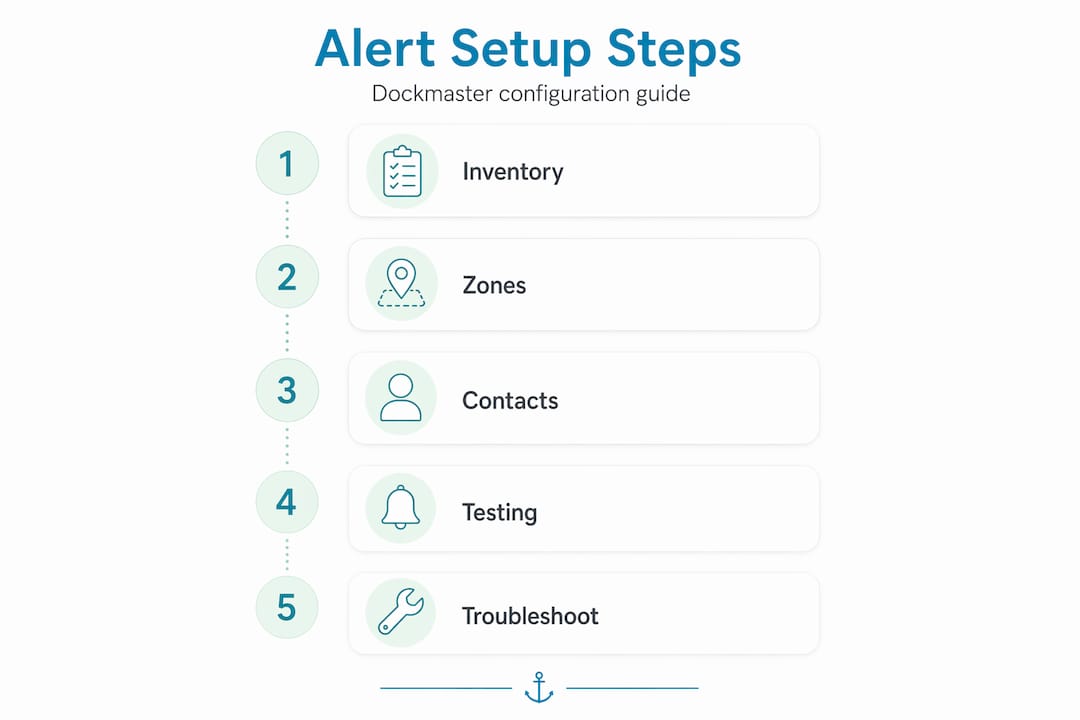
Collect and verify mobile numbers and email addresses for every slip tenant, seasonal member, and staff member. This is not a one-time task. Alert sending only to numbers on record means any member with an outdated or missing number simply will not receive your storm warning. Assign a staff member to own this data and update it at every lease renewal and check-in.
Map your marina’s geographic zones before programming any alert boundaries. Identify which docks, fuel stations, and dry-stack areas need zone-specific alerts versus facility-wide broadcasts. SAME code programming and geographic boundary precision in NOAA Weather Radio tools let you target alerts to exact marine zones, avoiding unnecessary notifications that train members to ignore your system.

Pro Tip: Create a simple spreadsheet with columns for member name, slip number, primary mobile, secondary mobile, and email. Review it quarterly and require members to confirm their contact details during annual slip renewals.
Finally, confirm cellular coverage across your entire property. Walk the docks with a test device and note any dead zones. Those gaps need a backup method, whether that is a PA system, dock attendant protocol, or a secondary radio channel.
Step-by-step alert system configuration
With prerequisites complete, you can move through configuration methodically. The sequence below applies to most marina alert setups, though specific menu paths will vary by hardware and software vendor.
-
Connect and power your docking station. Use the vendor-supplied USB or serial cable to connect the device to your management workstation. Confirm the device appears in your software’s device list before proceeding.
-
Run firmware updates. Open the vendor management tool and check for available firmware. Install updates before configuring any settings. Outdated firmware is the most common cause of alert delivery failures that are difficult to diagnose after the fact.
-
Set your notification interval. The default notify interval is 15 minutes for many satellite docking systems. Adjust this based on your operational needs, but never set it so frequently that it saturates your communication channel. More on this in the troubleshooting section.
-
Configure emergency alarm loops. Use normally-closed switch logic when setting up alarm loops in your software. This prevents a wiring fault from triggering a continuous false alarm. Test each loop by physically simulating the trigger condition before going live.
-
Program geographic alert zones. Enter your SAME codes for the relevant marine forecast zones in your NOAA receiver. For software-based systems, draw GPS boundaries around your marina’s distinct operational areas. Label each zone clearly so staff can identify them at a glance during an event.
-
Integrate layered alert channels. NOAA Weather Radio with SAME alert codes set to specific marine zones provides the most reliable official alert source. Layer on top of it: outbound text messages to your member contact list, email broadcasts, and push notifications through any marina app your facility uses. WEA has been used nearly 96,000 times since 2012 and reaches WEA-capable phones automatically through FEMA’s IPAWS system, but it is a public-safety layer, not a replacement for your marina-specific communications.
-
Assign user and device profiles. Create individual profiles for each staff member in your alert management software. Assign roles such as dockmaster, fuel dock attendant, and harbormaster so you can target role-specific alerts without broadcasting everything to everyone.
Pro Tip: After completing initial configuration, run a full end-to-end test with a colleague at the far end of your property. Confirm they receive the alert on their device, note the delivery time, and log the result. This baseline gives you a benchmark for future testing.
Troubleshooting and mistakes to avoid
Even well-configured systems develop problems over time. The issues below appear repeatedly across marina operations of every size.
-
Alert interval set too high. Overly frequent notification intervals in satellite alert systems can prevent voice calls from connecting because constant alert traffic occupies the channel. If staff cannot reach each other by phone during an event, your interval is too short.
-
Stale contact records. This is the most common and most preventable failure. A member who sold their boat six months ago still has a slip in your system, but their number is disconnected. Build contact verification into your annual renewal workflow without exception.
-
No backup power plan. A power outage during a storm is exactly when you need your alert system most. Every alert device should have a tested backup power source. Test backup power quarterly, not just when you install it.
-
Skipping regular delivery tests. Operators often configure a system, verify it once, and assume it works indefinitely. Schedule a monthly test broadcast to a small staff-only group and confirm delivery. Log the results.
-
Untrained staff generating unnecessary calls. During a marina-wide alert, members and staff may flood the dockmaster’s line with calls, making it impossible to manage the actual event.
Clear governance matters as much as technical configuration. Communicate your alert policies to members in writing before storm season: what each alert type means, what action they should take, and when they should not call the marina office. Operational governance during storm alerts requires clearly communicated policies, such as restricting calls to the Harbormaster during critical response windows. Source: Harbour Village Marina
Pro Tip: Create a one-page alert response guide for members and post it in your marina office, slip rental agreement, and member portal. It reduces inbound call volume by 40 to 60 percent during active events, based on real operator experience.
Best practices for long-term alert reliability
Getting your system configured correctly is the first milestone. Keeping it reliable over months and seasons requires deliberate maintenance practices.
The table below compares a reactive approach to alert management against a proactive one. The difference in outcomes is significant.
| Practice area | Reactive approach | Proactive approach |
|---|---|---|
| Contact data updates | Update when members report missed alerts | Verify at every lease renewal and quarterly audits |
| Firmware updates | Apply when a problem occurs | Schedule updates on a fixed quarterly calendar |
| Delivery testing | Test after a reported failure | Monthly staff-only test broadcasts with logged results |
| Backup power | Check when power fails | Quarterly backup power tests with documented results |
| Alert zone boundaries | Adjust after a coverage complaint | Review boundaries annually as marina layout changes |
| Staff training | Train when a new hire joins | Annual refresher for all staff before storm season |
Layering official and app-based alerts improves coverage reliability and operational decision-making for marina operators. No single channel reaches everyone every time. A member on the water may miss a text but catch a WEA alert. A staff member in the fuel shed may miss an app notification but hear the PA. Build redundancy into the design, not as an afterthought.
Document your escalation protocols in writing. Define who receives each alert type, who is responsible for follow-up, and what the chain of command looks like if the primary dockmaster is unreachable. Pair this with your marina management solution so staff can access protocols and member data from the same platform during an event.
My take on what actually works in the field
I’ve worked with marina operators across a range of facility sizes, and the pattern I see most often is this: operators invest in alert hardware, configure it once, and then treat it like a smoke detector. They assume it works until it doesn’t.
The single biggest operational gap I’ve observed is not technical. It’s contact data. I’ve seen marinas where 20 to 30 percent of member phone numbers were outdated or missing entirely. During a storm, that means roughly one in four slips didn’t receive the alert. No amount of sophisticated hardware solves a data problem.
The second thing I’d push back on is the idea that WEA covers your communication needs. WEA is routed through FEMA and carriers and is a public-safety broadcast. It is not a marina-specific tool. It won’t tell your members which docks are flooding, which gates are locked, or what your staff needs them to do. You need your own layer on top of it.
What I’ve found actually works is treating your alert system like a living operational asset. Monthly tests. Quarterly data reviews. Annual staff training. And a written policy that members receive before they ever need it. The marinas that handle emergencies well are not the ones with the most expensive hardware. They’re the ones that treat communication as an ongoing operational discipline, not a one-time setup task.
— John
How Atlantis-marina simplifies your alert workflow
Managing contact lists, alert channels, and member communication across separate tools creates the exact fragmentation that causes alert failures during emergencies. Atlantis-marina consolidates member data, communication workflows, and marina operations into a single cloud-based platform, so your alert system has access to current contact records at all times.
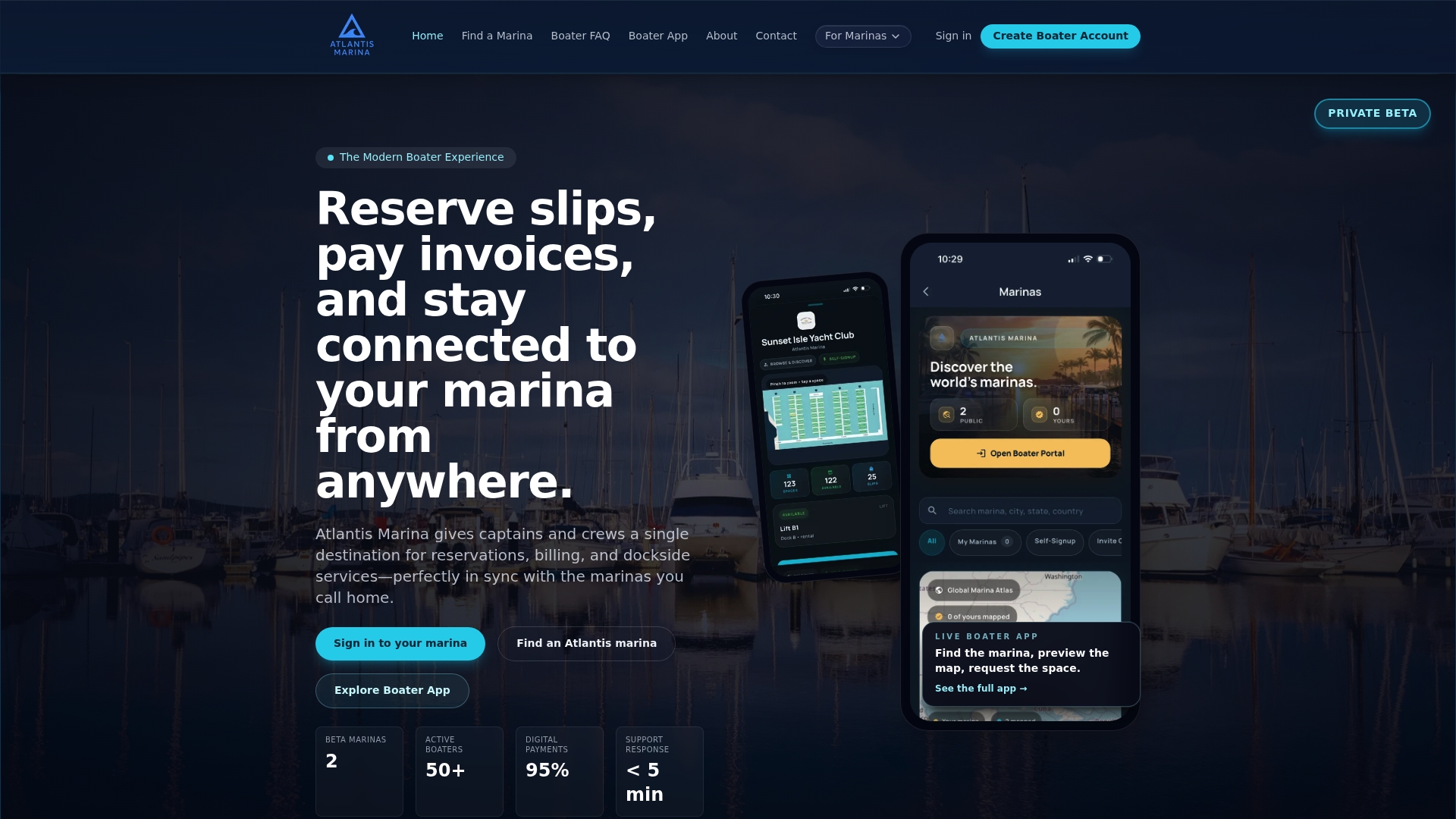
With Atlantis-marina, dockmasters can broadcast text alerts directly from the operations dashboard, maintain verified contact records tied to active slip assignments, and integrate mobile notifications with the Atlantis Boater App for an additional push notification layer. The platform also supports camera security integration so visual monitoring and alert management work together. If you’re ready to replace fragmented workflows with a connected system built for modern marina operations, explore Atlantis-marina’s management platform to see how it fits your facility.
FAQ
What is a marina mobile alert system?
A marina mobile alert system is a combination of hardware devices, software tools, and communication channels used to deliver time-sensitive safety and operational notifications to marina members and staff via text, app, radio, or WEA broadcasts.
How often should marina alert intervals be set?
Most satellite docking systems default to a 15-minute notify interval. Set intervals based on your operational needs, but avoid frequencies so high that they block voice communication channels during active events.
Why do some members miss marina alert texts?
Alerts are sent only to phone numbers currently on record. Members with outdated, missing, or disconnected numbers will not receive text alerts, which is why regular contact data audits are critical to full coverage.
What is the difference between WEA and marina-specific alerts?
WEA delivers geographically targeted public-safety messages through FEMA’s IPAWS to compatible phones automatically. Marina-specific alerts are operator-controlled messages that communicate facility-level details WEA cannot provide, such as dock conditions or gate status.
How do I test my marina alert system?
Send a monthly test broadcast to a staff-only distribution group, confirm delivery on multiple device types, and log the time and results. Test backup power sources quarterly and run a full member-facing drill at least once per year before storm season.