
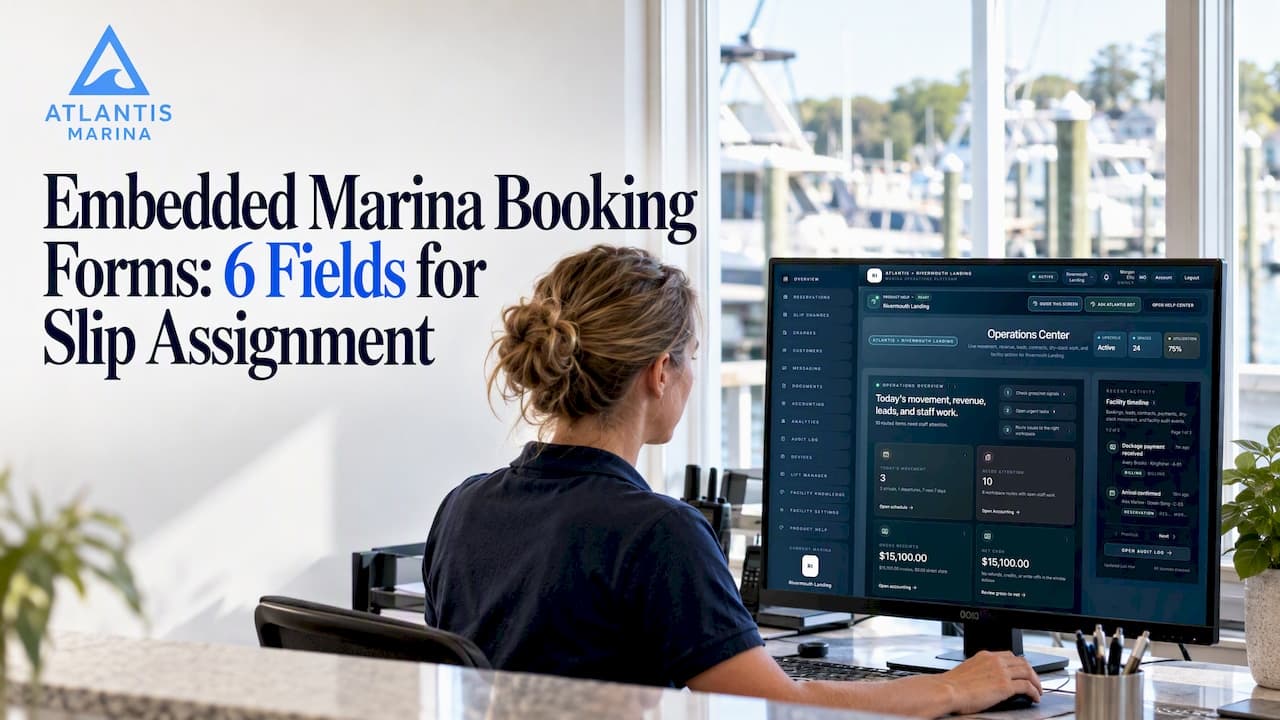
An embedded booking form, built with an iframe or hosted fields, gives marinas the strongest mix of conversion, integrated operations, and reduced PCI scope. Marina-focused platforms also offer ready-made widgets that plug straight into reservations, billing, and dockmaster workflows. Either way, the move is the same: pick an embedding method, map it to your operational needs, and test it in staging before it touches a live reservation.
TL;DR:
- Collect contact details, vessel dimensions and registration, insurance documents, dates, payment authorization, and signed terms; add trailer dimensions or shore power only when relevant.
- An iframe or hosted fields from a payment processor keep raw card data off marina servers and can help marinas qualify for SAQ A.
- Test in a sandbox across browsers and devices, then verify webhook alerts, token generation, failed payments, and accounting reconciliation before switching to live credentials.
- Connect submissions to live slip availability, staff alerts, billing, and documents; keep a visible phone or email fallback that staff can log centrally.
Table of Contents
- What an embedded marina booking form does and when to use it
- Must-have fields and data to collect for slip and parking reservations
- Embedding methods explained: iframe, hosted fields, JavaScript SDKs, and redirects
- Payment capture and PCI considerations when embedding forms
- Design and UX best practices for embedding booking forms on marina websites
- Implementation checklist: embed, test, and go live
- Why a marina-focused platform is often the fastest path to a production-ready embeddable booking widget
- Integration of the embedded booking form with your marina management backend
- Handling multi-property and multi-location reservations in embedded forms
- Automation of contract signing and electronic signature integration within the booking flow
- Managing user accounts for returning boaters: single sign-on and profile reuse
- Offline or fallback booking options when embedding fails or connectivity issues occur
- Author perspective: pragmatic priorities when choosing an embed approach
- Atlantis Marina: embeddable booking widgets built for marina operations
- FAQ
- Sources
What an embedded marina booking form does and when to use it
An embedded form lives directly on your marina's website: the boater fills it out without leaving your page. A redirect, by contrast, sends the visitor to a third-party checkout or intake page, often breaking the visual flow and adding a moment of doubt right when a boater is ready to commit.
For marinas, embedding matters because the form isn't just collecting a name and a date. It's the front door to several operational tasks at once:
- Transient and seasonal slip reservations, where availability and pricing need to be visible in real time
- Boat parking and dry stack registration, which typically requires vehicle and trailer details alongside vessel data
- Event or vendor registration, where capacity limits and payment collection happen together
- Waitlist signups for marinas that are full but want to capture demand
Embedding keeps the boater on your domain, which supports trust and reduces drop-off compared to sending them elsewhere mid-booking. It also means the data lands in one place for staff, rather than in a separate inbox or spreadsheet that someone has to reconcile by hand later. When a dockmaster can see a new reservation request the moment it's submitted, without rekeying it from an email, the whole intake process moves faster for everyone involved.
Must-have fields and data to collect for slip and parking reservations
Every embedded marina form should collect enough information to confirm a reservation without a follow-up phone call. Here's the order that keeps the form logical for boaters and useful for staff:
- Contact and account information: name, email, phone, and, where applicable, a link to an existing boater account so repeat visitors aren't treated as strangers.
- Vessel details: length, beam, draft, make, and registration number, since slip assignment depends on accurate dimensions.
- Insurance and registration uploads: a simple file upload field for proof of insurance and vessel registration, required before a slip is confirmed.
- Reservation dates and times: arrival and departure, plus any recurring or seasonal pattern for long-term slips.
- Billing intent: payment method capture or at least a billing authorization, tied to the reservation record.
- Signature on terms and marina rules: a checkbox or e-signature step acknowledging slip agreements, liability waivers, and marina policies.
Beyond those essentials, a few optional fields pay off for specific marinas: trailer dimensions for dry stack or parking registration, shore power requirements, and add-on services like pump-out or fuel. Including these up front avoids a second round of emails once the boater has already committed.
Pro Tip: Keep the form to one scrollable page for short reservations, but break longer intake flows (new vessel registration plus insurance upload plus payment) into two or three steps so boaters don't abandon halfway through.
Fields that feel optional to you but are mandatory for operations, like insurance upload, should be marked required at the form level rather than caught later by a staff member reviewing the submission.
Embedding methods explained: iframe, hosted fields, JavaScript SDKs, and redirects
Four approaches cover almost every marina booking scenario, and each one shifts the balance between control and compliance burden differently.
- Iframe embedding loads a form, or just the payment portion, inside a frame on your page. The content itself can live on a PCI DSS compliant provider's servers, which keeps sensitive data off your infrastructure. PCI Security Standards Council guidance lists iframe embedding and hosted fields among the common methods it evaluates for how they affect the scope of merchant controls. Getting the sandbox attributes right matters: incorrect sandboxing or missing attributes can reduce isolation and cause cross-origin failures that break the booking flow entirely.
- Hosted fields render individual payment inputs, card number, expiration, CVV, as small PSP-hosted frames that you can style with your own CSS. According to Braintree's hosted fields documentation, this lets a merchant keep brand control over the checkout look while the PSP handles the raw card data and returns a token for server-side use.
- JavaScript SDKs and direct post give the most layout control because the merchant's own code handles more of the form logic, but that control comes with a larger compliance footprint, since more of the payment path touches merchant-controlled code.
- Redirects send the boater to a separate hosted page entirely. They're the simplest to set up and carry the lowest technical overhead, which makes them a reasonable starting point for a very small marina with minimal development resources, though they trade away the on-site experience.
Using an iframe that loads payment content from a PCI DSS compliant service provider can shift a merchant toward the simpler SAQ A self-assessment path, because PCI DSS iframe integration guidance notes that raw card data moves directly from the customer's browser to the processor rather than through the marina's own servers. For most marinas, that combination of brand presence and reduced scope is why iframe and hosted field approaches win out over building a custom payment form from scratch.
Payment capture and PCI considerations when embedding forms
Where card data actually travels determines how much PCI DSS compliance burden lands on your marina, and the embedding method you choose is the single biggest factor in that equation.
When a PSP-hosted iframe or hosted fields solution isolates cardholder data from your servers, you're typically eligible for the SAQ A self-assessment, the lightest path under PCI DSS iframe integration guidance. Building your own payment form with direct post or a JavaScript SDK that touches raw card numbers pulls you into a heavier assessment category, with more controls to document and maintain. For background on how marinas specifically navigate these controls, our guidance on PCI risks for marina operators covers the on-site workflow side of this question.
Before you commit to a PSP, confirm these capabilities:
- Tokenization of card data so your systems never store raw numbers
- 3D Secure (3DS) support for added fraud protection on card-not-present transactions
- End-to-end encryption between the customer's browser and the processor
- Reliable webhooks so your backend knows the moment a payment succeeds or fails, rather than relying on the boater to confirm
- Reconciliation exports that match transactions to your accounting software without manual entry
Pro Tip: Run every payment flow through the PSP's sandbox environment first, testing webhook delivery, token generation, and a few deliberately failed transactions, before switching to live keys.
A practical pre-launch workflow includes staging with sandbox keys, verifying that webhooks actually fire and land where expected, and reconciling a handful of test transactions against your accounting system, a sequence PCI DSS iframe integration guidance recommends as standard practice before go-live. Skipping this step is how marinas end up discovering a broken webhook only after a boater has paid and no one on staff was notified.
Design and UX best practices for embedding booking forms on marina websites
A technically sound embed can still lose bookings if the experience feels clunky on a phone, and most boaters are checking availability from a dock or a boat, not a desktop.
- Design mobile-first: size the iframe or widget to scale with viewport width rather than fixing pixel dimensions that break on smaller screens.
- Use lazy-loading for the embed so it doesn't slow down the rest of the page, especially if your homepage already carries photos and marina maps.
- Break long flows into steps: vessel details, then documents, then payment, with a visible progress indicator, keeps the form from feeling like a wall of fields.
- Make file uploads forgiving: accept common formats for insurance and registration documents, show a clear upload confirmation, and validate file size before submission fails silently.
- Confirm immediately: an on-screen confirmation plus an email with a calendar invite reduces no-shows and support calls asking "did that go through?"
- Check accessibility basics: sufficient color contrast, labeled form fields, and keyboard navigation matter for boaters using assistive technology, and they're easy to overlook in a rushed embed.
None of this requires custom development for every marina. Hosted fields and modern embeddable widgets generally expose CSS hooks that let you match your site's look without touching the underlying payment logic, which is part of why they've become the default choice for marinas that don't have a dedicated development team on staff.
Implementation checklist: embed, test, and go live
A booking form embed is a short project if you sequence it correctly, and a frustrating one if you skip the testing stage to launch faster.
- Decide your required fields before touching any code: contact info, vessel details, insurance upload, dates, and signature on terms.
- Choose your PSP and embedding method: hosted fields or iframe for most marinas, direct post only if you have development resources to maintain the larger compliance scope.
- Draft your privacy policy and terms language so the e-signature or checkbox step references the correct documents.
- Embed in a staging environment first, using sandbox API keys rather than production credentials.
- Test cross-origin behavior: confirm the iframe loads correctly across browsers and that sandbox attributes don't block legitimate interactions like resizing or postMessage callbacks.
- Verify webhook delivery by submitting test reservations and confirming staff notifications arrive.
- Reconcile test transactions against your accounting system before processing a single real payment.
- Go live, then monitor the first batch of real submissions closely for a week or two.
Pro Tip: Keep a rollback plan ready, a simple phone number or fallback email listed near the form, in case the embed has an issue in its first days live.
Marinas that skip the sandbox step tend to discover problems the hard way: a webhook that silently fails, a sandbox attribute that blocks a mobile browser, or a reconciliation mismatch that takes hours to untangle after the fact.
Why a marina-focused platform is often the fastest path to a production-ready embeddable booking widget
Building a compliant, well-tested embed from individual PSP components is a real project. A marina platform that already ships an embeddable booking widget skips most of that work because the integration points, payments, document uploads, contracts, and reservations, are built to work together from the start.
With Atlantis Marina, reservation widgets embed directly into a marina's website and connect to the same backend that runs slip assignments, billing, and vessel records. A boater's insurance upload, vessel details, and signed contract land in one account record instead of three disconnected systems. Payments route through Stripe and ACH processing with autopay and Instant Pay already built in, so a reservation and its billing status stay in sync without a staff member bridging the gap manually.
Atlantis Bot, the platform's built-in AI assistant, answers boater questions directly on the marina's website, reducing the number of basic reservation questions that land in a staff inbox. QR-code account workflows mean a returning boater's profile, billing status, and reservation history are available to staff in seconds rather than a manual lookup. For marinas weighing a custom embed against a platform-native one, the difference usually comes down to how many separate systems the reservation data has to pass through before it's actually usable by staff.
Integration of the embedded booking form with your marina management backend
A booking form is only as useful as the system behind it. If slip availability isn't synced in real time, an embedded form can accept a reservation for a slip that was just assigned to someone else five minutes earlier, which creates exactly the kind of conflict that erodes boater trust.
The backend connection needs to handle a few things automatically: checking live availability before confirming a reservation, updating the slip map the instant a booking is accepted, and flagging the reservation to the dockmaster dashboard without anyone refreshing a spreadsheet. When the embed and the backend are part of the same platform, this sync happens by default rather than requiring a custom API integration that someone has to build and maintain.

This also matters for waitlists. If a slip opens up because of a cancellation, a connected system can notify the next boater in line automatically, rather than relying on staff to remember who was waiting. Reservation status, billing, and document completeness should all update in the same record, so a staff member checking a single boater's account sees the full picture: is the insurance uploaded, is the contract signed, is the first payment collected, without hunting across separate tools. That single source of truth is what turns an embedded form from a lead-capture tool into an actual operational system.
Handling multi-property and multi-location reservations in embedded forms
Marina groups running more than one property face a question single-location marinas don't: does the embedded form need to show availability across all locations, or just the one it's embedded on?
The cleanest approach lets a boater select a property from a dropdown or location picker at the top of the form, with slip availability, pricing, and terms updating based on that selection. This avoids building a separate form for every property, which becomes a maintenance headache the moment pricing or field requirements change at one location but not another.
Behind the scenes, reservation data still needs a property identifier attached to every submission so staff at each marina see only their own bookings, while a regional manager overseeing several properties can see all of them in one dashboard. This is where a platform built for multi-property scalability earns its keep: a single embed code can serve multiple locations, with the backend routing each reservation to the correct property's slip inventory, billing rules, and staff notifications automatically. Trying to replicate that with separate standalone forms per property usually means separate billing reconciliation too, which multiplies the manual work rather than reducing it.
For marina groups still in that spreadsheet-per-location stage, consolidating onto one embeddable form with property selection is often the single biggest time saver in the entire booking process.

Automation of contract signing and electronic signature integration within the booking flow
Collecting a signature on marina rules and slip agreements shouldn't require a separate email thread after the booking form is already submitted. Electronic signature integration built into the flow keeps the reservation, the contract, and the payment moving together instead of becoming three loose ends a staff member has to chase down.
A well-built flow presents the relevant agreement, seasonal slip contract, transient rules, liability waiver, right where the boater is already reviewing reservation details, and captures a legally recognizable signature before the booking is marked confirmed. That timing matters: a reservation that's "confirmed" before the contract is signed creates ambiguity about what the boater actually agreed to.
With Atlantis E-Sign built into the reservation workflow, contract signing happens as part of the same session as the booking itself, and the signed document attaches directly to the boater's account record rather than living in a separate file somewhere. That means a dockmaster pulling up a vessel's record sees the signed contract alongside the reservation and payment status, without searching email attachments or a shared drive. For marinas handling seasonal renewals, the same automation can route a new or updated contract to a returning boater each season without rebuilding the paperwork process from scratch every year.
Managing user accounts for returning boaters: single sign-on and profile reuse
A returning boater filling out the same vessel details, insurance information, and contact information every season is wasted effort on both sides. Once an account exists, the booking form should recognize it and pre-fill what's already on file.
This requires the embedded form to check for an existing account at the start of the flow, typically by email or a login prompt, rather than treating every submission as a brand-new lead. Reused profile data also reduces errors: a vessel's length or registration number typed fresh each time is one more chance for a typo that throws off slip assignment.
The Atlantis Boater App carries a boater's profile, documents, and reservation history across the Atlantis Marina Network, so a boater who has stayed at one participating marina doesn't start from zero at another. Account access this way also supports a smoother login experience: boaters sign in once and reach their reservations, payment methods, and documents without re-entering information the system already has. For marina staff, this shows up as fewer support calls asking "can you resend my insurance upload" and fewer duplicate records to clean up later.
Offline or fallback booking options when embedding fails or connectivity issues occur
No embed is immune to an outage, a slow connection at the dock, or a boater whose browser blocks third-party frames entirely. Planning for that failure mode before it happens keeps a lost reservation from becoming a lost customer.
The simplest fallback is a visible phone number or email address near the embedded form, clearly presented as the backup path rather than buried in a footer. For marinas that take a meaningful share of walk-up or phone reservations anyway, staff should have a quick manual entry option in the backend system so a phone-booked reservation lands in the same record system as a web-booked one, rather than living on a sticky note until someone remembers to log it.
Connectivity issues at the marina itself, spotty Wi-Fi on a dock, for instance, are a different problem: boaters calling or walking in to book in person need staff to pull up the same real-time slip availability the web form uses, so no one accidentally double-books a slip that just filled up online. A dockmaster dashboard that reflects the same backend as the embedded form solves this by keeping one inventory of truth regardless of which channel the reservation came through.
Testing your fallback path matters as much as testing the embed itself: if the plan is "call the office," make sure someone actually answers, and that whoever does has access to the same availability data the website shows.
Author perspective: pragmatic priorities when choosing an embed approach
Operators often over-index on form design before the integration is solid, and that's backward. A beautifully styled form that doesn't sync with your slip map or notify your dockmaster in real time creates more work than a plain one that does.
My advice: start with a PSP-hosted iframe or a marina platform's built-in widget, since both reduce your compliance scope and get you live faster than custom-building a payment form. Get the data flowing correctly first, availability, billing, documents, all in sync, then spend your polish time on UX. Watch dockmaster feedback and boater drop-off rates closely in the first month, and adjust the flow based on where people actually get stuck, not where you assumed they would.
— John R
Atlantis Marina: embeddable booking widgets built for marina operations
If you're weighing a custom-built embed against a platform that already handles the pieces, Atlantis Marina gives you a booking widget that connects directly to slip availability, Stripe and ACH payment processing, document uploads, and e-signed contracts in one account record. Atlantis Bot answers routine boater questions on your site, and your dockmaster dashboard reflects every reservation the moment it comes in, no separate systems to reconcile.

Plans scale from Micro at $150 per month up through Large at $900 per month, with Enterprise pricing available on request for larger marina groups. Explore pricing or reach our sales team to see the reservation widget in action for your marina.
FAQ
Does an embedded payment form reduce PCI compliance scope?
Yes, when the form uses an iframe or hosted fields from a PCI DSS compliant provider, cardholder data moves directly from the boater's browser to the processor rather than through your servers. This setup often qualifies for the simpler SAQ A self-assessment path rather than a more demanding compliance category.
What fields are essential on a marina slip reservation form?
Every form should collect contact information, vessel details like length and registration number, insurance documentation, reservation dates, and a signature on marina terms. Optional fields like trailer dimensions or shore power needs can be added for marinas offering dry stack or parking registration.
How should we test an embedded booking form before launch?
Run the full flow in your payment provider's sandbox environment first, checking that webhooks fire correctly and that tokenized test transactions reconcile against your accounting software, a sequence PCI DSS iframe guidance recommends before switching to live credentials. Also test the embed across browsers and devices to confirm sandbox attributes aren't blocking normal interactions.
Should we build a custom embedded form or use a marina management platform?
A marina platform with a built-in reservation widget typically gets you live faster because payments, document uploads, and backend slip availability are already connected. Building a custom embed from individual components gives more control but requires more development time and a larger compliance footprint to maintain.
What happens if the embedded booking form goes down?
A visible phone number or email near the form gives boaters an immediate fallback, and staff should have a manual entry option that logs phone or walk-up reservations into the same system as web bookings. Keeping one shared inventory of slip availability across all booking channels prevents double-booking when the embed is temporarily unavailable.
Sources
- Best practices for securing e-commerce by PCI SSC
- PCI DSS iframe integration guidance (Vercel)
- Braintree hosted fields documentation