
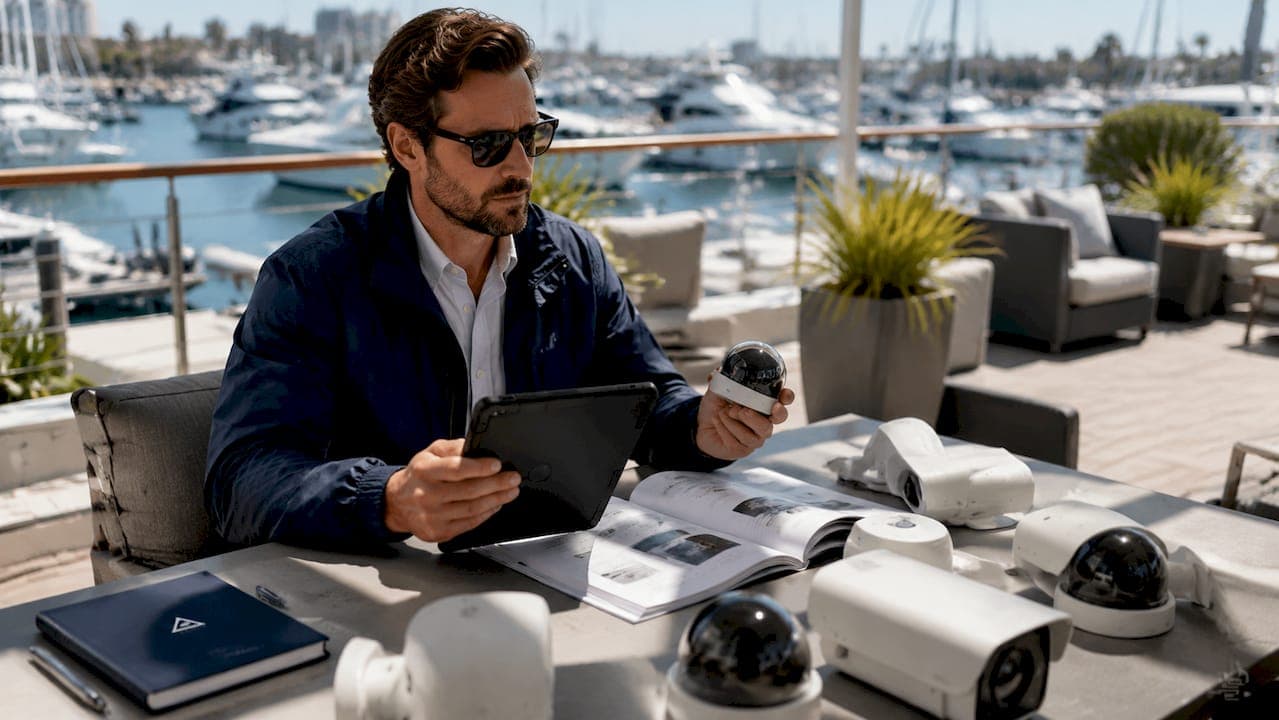
Marina camera integration is the process of connecting marine-grade IP cameras with marina management platforms and surveillance networks to enable real-time monitoring, security alerts, and berth occupancy tracking. The industry term for this process is CCTV integration, though modern deployments go far beyond closed-circuit recording. This guide covers the full dock security camera walkthrough: hardware prerequisites, step-by-step network and software configuration, common pitfalls, and advanced AI-powered features. Atlantis-marina's platform supports this integration directly, connecting camera feeds to a centralized operations dashboard for complete waterfront visibility.
What does a marina camera integration walkthrough cover?
Before touching a single cable, marina managers need to understand what the integration process actually involves. A complete marina surveillance system setup connects physical cameras to a network video recorder (NVR), routes feeds through a managed network, and links that network to a marina management platform. Each layer has its own requirements.
Hardware requirements
Marine-grade cameras are not optional. Standard commercial cameras fail quickly in saltwater environments. Professional marine cameras operate reliably in conditions ranging from -22°F to 140°F, carry IP66 environmental protection ratings, and use marine-grade stainless steel housings. That rating means the camera survives direct water jets, salt spray, and UV exposure without corrosion.
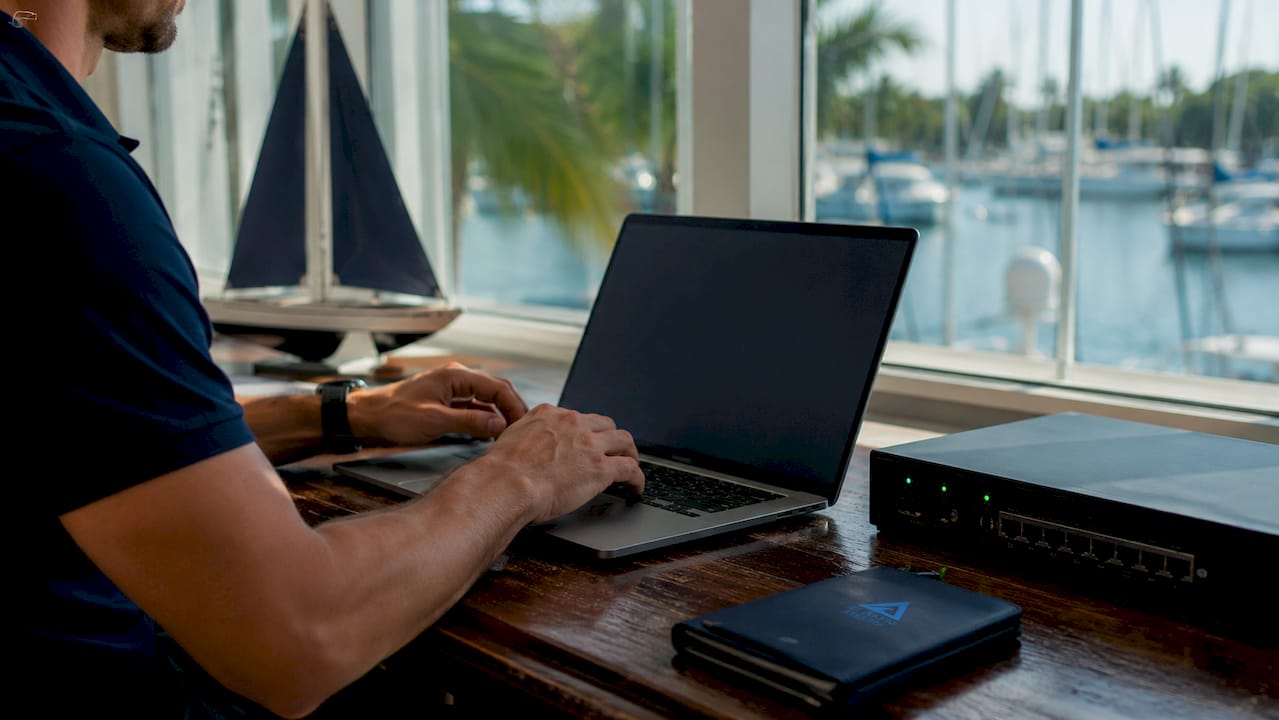
Key hardware components for a marina surveillance system setup include:
- Marine-grade IP cameras with IP66 or IP67 ratings and stainless steel or UV-resistant housings
- Network video recorder (NVR) with sufficient storage for continuous recording across all camera channels
- Managed network switch with Power over Ethernet (PoE) support to simplify camera wiring
- Marine-grade cabling rated for outdoor, UV, and moisture exposure
- Uninterruptible power supply (UPS) to protect the NVR and network switch during power fluctuations
Software and network prerequisites
The software side requires a marina management platform with API access or native camera integration support. Firmware versions matter. Cameras and NVRs must run firmware that supports ONVIF or RTSP protocols, since those are the two standards that allow third-party software to pull live video feeds. Network bandwidth must be planned carefully. Integrating cameras with navigation displays requires specialized network management to avoid bandwidth overload that can impair critical systems. NMEA 2000 network load management is a specific concern when cameras share infrastructure with navigation electronics.
Pro Tip: Before purchasing cameras, confirm that your marina management platform supports ONVIF or RTSP natively. Retrofitting protocol compatibility after installation adds significant cost and delay.
How do you install and configure marina cameras step by step?
This is the core of any camera integration guide. Follow these steps in order. Skipping steps, especially in network configuration, is the leading cause of failed integrations.
-
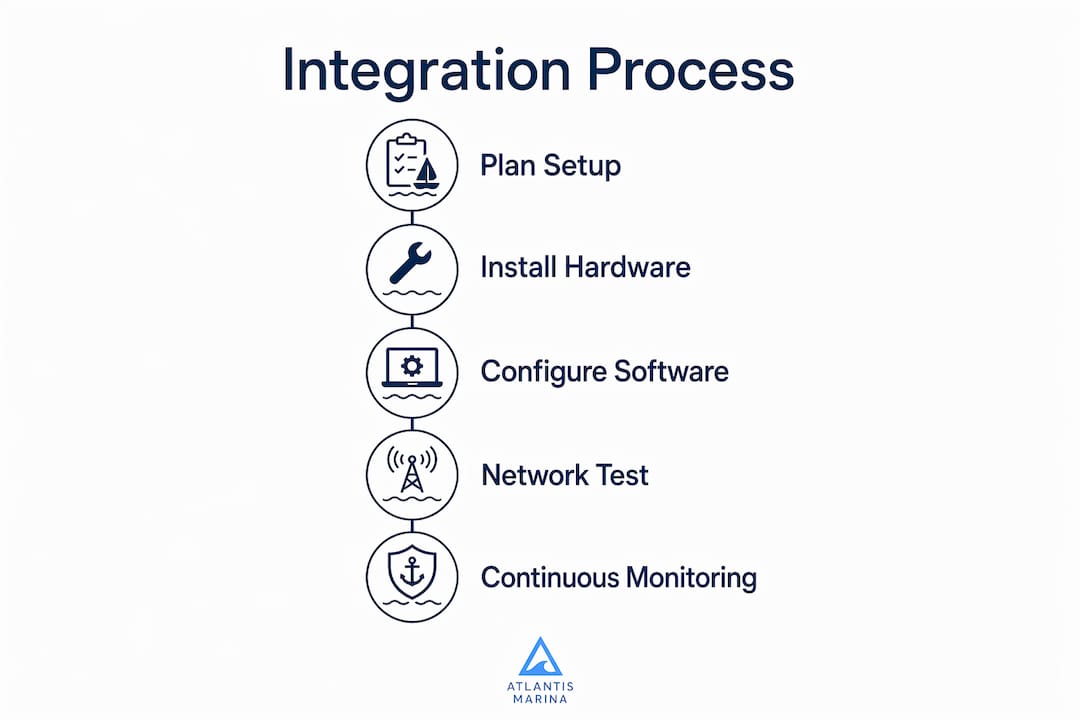
Plan camera placement before installation. A single well-placed camera can monitor up to 100 berths when the viewing angle is optimized to minimize blind spots caused by masts and rigging. Placement quality matters more than camera quantity. Map your dock layout, identify high-traffic zones, entry points, and fuel docks, then assign camera positions to eliminate overlap and blind spots.
-
Mount cameras at elevation. Elevated mounting positions, typically 10 to 20 feet above dock level, provide wider coverage angles and reduce the risk of physical tampering. Use marine-grade mounting brackets rated for the camera's weight and wind load.
-
Run cabling before powering any equipment. Route marine-grade Cat6 or coaxial cable through conduit where possible. Seal all penetrations with marine-grade silicone to prevent moisture ingress. Label every cable run at both ends before connecting anything.
-
Assign static IP addresses to each camera. Dynamic IP addressing causes cameras to drop off the network after router reboots. Assign each camera a static IP within your network's reserved range. Document every address in a network map.
-
Configure ONVIF and RTSP settings on each camera. ONVIF protocol requires manual configuration of digest authentication and correct port settings. Common mistakes include misconfiguring port 554 for RTSP and port 80 or 8000 for ONVIF. Set these correctly before attempting software integration.
-
Connect cameras to the NVR and verify local feeds. Confirm each camera appears in the NVR interface with a live feed before proceeding. This isolates hardware and cabling issues from software configuration problems.
-
Integrate camera feeds into your marina management platform. Add each camera's RTSP stream URL to the platform's camera management module. Atlantis-marina's camera security solution supports direct IP camera connections, displaying feeds within the operations dashboard alongside slip assignments and occupancy data.
-
Test integration with access control and alarm systems. Trigger a test alarm and confirm the platform displays the relevant camera feed automatically. Verify that mobile alerts fire correctly when motion detection activates.
-
Verify feeds on multifunction displays (MFDs) if applicable. If your marina uses MFDs at the dockmaster station, confirm camera feeds render correctly without degrading navigation data performance.
Pro Tip: Run a bandwidth audit after connecting all cameras. Calculate total stream bitrate and compare it against your network switch capacity. Leave at least 30% headroom for management traffic and future expansion.
What are the most common marina camera integration problems?
Even well-planned installations encounter problems. Knowing the failure points in advance makes troubleshooting faster and less disruptive.
- IP address conflicts. Two devices sharing the same IP address causes both to drop off the network intermittently. This is the most common cause of cameras disappearing from the NVR. Prevent it with a documented static IP plan before installation begins.
- ONVIF authentication failures. Digest authentication mismatches between the camera and the integration software cause the software to reject the camera's feed entirely. Double-check username, password, and authentication mode settings on both sides.
- Bandwidth overload on shared networks. Improper DIY installation often leads to network conflicts that disrupt navigation electronics. Cameras streaming at high bitrates on the same network segment as NMEA 2000 devices can degrade navigation data. Use VLANs to segment camera traffic from navigation traffic.
- Corrosion and weatherproofing failures. Connectors are the most vulnerable point. Even IP66-rated cameras fail when connectors are left unsealed. Apply marine-grade dielectric grease to all connectors and inspect them every six months.
- Feed degradation over time. Camera feeds that start clear but degrade over weeks usually indicate a failing PoE switch port or a deteriorating cable connection. Use the NVR's health monitoring tools to log feed quality metrics and flag drops automatically.
Surveillance systems should not be stand-alone DIY projects. Professional NMEA-certified technicians ensure safe marine network integration, preventing critical system conflicts that DIY installations routinely cause.
Monitoring camera uptime proactively is more effective than waiting for staff to report a blank screen. Configure your NVR or marina management platform to send alerts when a camera feed drops for more than two minutes.
What advanced features make marina camera integration more powerful?
Basic video recording is the floor, not the ceiling. Modern marina CCTV integration delivers operational intelligence that goes well beyond security footage.
AI-powered berth occupancy detection
AI-based marina management systems can identify berth occupancy with 99.7% precision using standard IP cameras, updating every 30 seconds for real-time awareness. That level of accuracy means dockmasters can see live occupancy data without walking the docks. The AI layer runs on top of existing IP camera feeds, so marinas do not need to replace hardware to gain this capability.
Centralized monitoring and AI-driven alerts
AI-enabled, cloud-connected camera systems allow operators to act proactively by centralizing surveillance feeds with access control and alarms. Visual verification before dispatching security staff reduces false alarms and eliminates unnecessary manual patrols. This shift from reactive to proactive security management is the defining advantage of modern marina video surveillance over traditional CCTV. Atlantis-marina's operations dashboard centralizes these feeds alongside slip management and billing data.
Phased deployment strategy
| Deployment phase | Capabilities included |
|---|---|
| Phase 1: Basic monitoring | Live feeds, NVR recording, manual review |
| Phase 2: Alert integration | Motion detection alerts, access control linkage, mobile notifications |
| Phase 3: AI analytics | Berth occupancy detection, automated reporting, cloud storage |
| Phase 4: Full automation | Emergency response integration, environmental sensor linkage, two-way video |
Phased deployment is the recommended approach, starting from simple monitoring and progressing toward property-wide automation including two-way video for emergency response. This strategy reduces risk and improves staff adoption at each stage.
Pro Tip: Start Phase 1 with your highest-risk zones: fuel docks, entry gates, and transient slip areas. These locations deliver the fastest return on investment and build staff confidence in the system before you expand.
Key Takeaways
Successful marina camera integration requires marine-grade hardware, correct ONVIF and RTSP configuration, dedicated network segmentation, and a phased deployment plan tied to a centralized management platform.
| Point | Details |
|---|---|
| Hardware standards matter | Use IP66-rated, marine-grade cameras with stainless steel housings for reliable outdoor performance. |
| Network segmentation prevents conflicts | Separate camera traffic from NMEA 2000 navigation networks using VLANs to protect critical systems. |
| ONVIF configuration is the top failure point | Manually configure digest authentication and correct RTSP and ONVIF ports before software integration. |
| AI adds occupancy intelligence | AI analytics on existing IP feeds deliver real-time berth occupancy data without replacing hardware. |
| Phased deployment reduces risk | Start with basic monitoring in high-risk zones and expand capabilities in planned stages. |
Why I think most marina camera projects fail before they start
Most marina camera integration projects fail at the planning stage, not the installation stage. Managers focus on camera specs and miss the network architecture entirely. I have seen facilities spend heavily on high-resolution cameras, then connect them to a flat, unmanaged network shared with navigation electronics. The cameras work for a week, then the NMEA 2000 network starts dropping data, and everyone blames the cameras.
The real problem is almost always bandwidth and IP address management. These are not glamorous topics, but they determine whether your integration holds up six months after go-live. A managed switch with VLAN support costs a fraction of a camera system and prevents the majority of post-installation failures.
The other mistake I see consistently is skipping professional installation to save money. Hiring NMEA-certified technicians is not a luxury for large marinas. It is the baseline for any facility where cameras share infrastructure with navigation or safety systems. The cost of a failed integration, including downtime, rework, and potential safety incidents, far exceeds the cost of professional installation upfront.
My strongest recommendation is to treat camera integration as a phased infrastructure project, not a one-time purchase. Start small, validate each phase, and expand only when the current phase is stable. The marinas that do this consistently end up with systems that actually get used. The ones that try to deploy everything at once usually end up with a partially functional system that staff ignore.
— John
How Atlantis-marina supports your camera integration goals
Atlantis-marina connects IP camera feeds directly to a unified marina operations platform, giving dockmasters live video alongside slip assignments, reservations, and billing data in one place.
The platform's camera security module supports ONVIF and RTSP-compatible cameras, so existing hardware investments carry forward without replacement. Managers can view live feeds, receive motion-triggered mobile alerts, and monitor berth occupancy from any device. For marinas ready to move from fragmented tools to a connected waterfront operation, the marina management platform brings cameras, slips, and customer data into a single, cloud-based workflow.
FAQ
What is marina camera integration?
Marina camera integration is the process of connecting marine-grade IP cameras to a network video recorder and marina management platform for real-time surveillance, berth monitoring, and security alerts.
What protocols do marina cameras use for software integration?
Marina cameras use ONVIF and RTSP protocols to connect with management software. ONVIF requires manual configuration of digest authentication and correct port settings, typically port 554 for RTSP and port 80 or 8000 for ONVIF.
How many berths can one camera monitor?
A single well-placed camera can monitor up to 100 berths when the viewing angle is optimized to eliminate blind spots caused by masts and rigging.
Do I need a certified technician to install marina cameras?
Yes. Professional NMEA-certified technicians are required when cameras share network infrastructure with navigation electronics. DIY installation frequently causes network conflicts that disrupt critical safety systems.
What is the best deployment strategy for marina camera integration?
A phased deployment approach is the most effective strategy, starting with basic live monitoring in high-risk zones and progressing toward AI analytics, access control integration, and full automation in planned stages.