
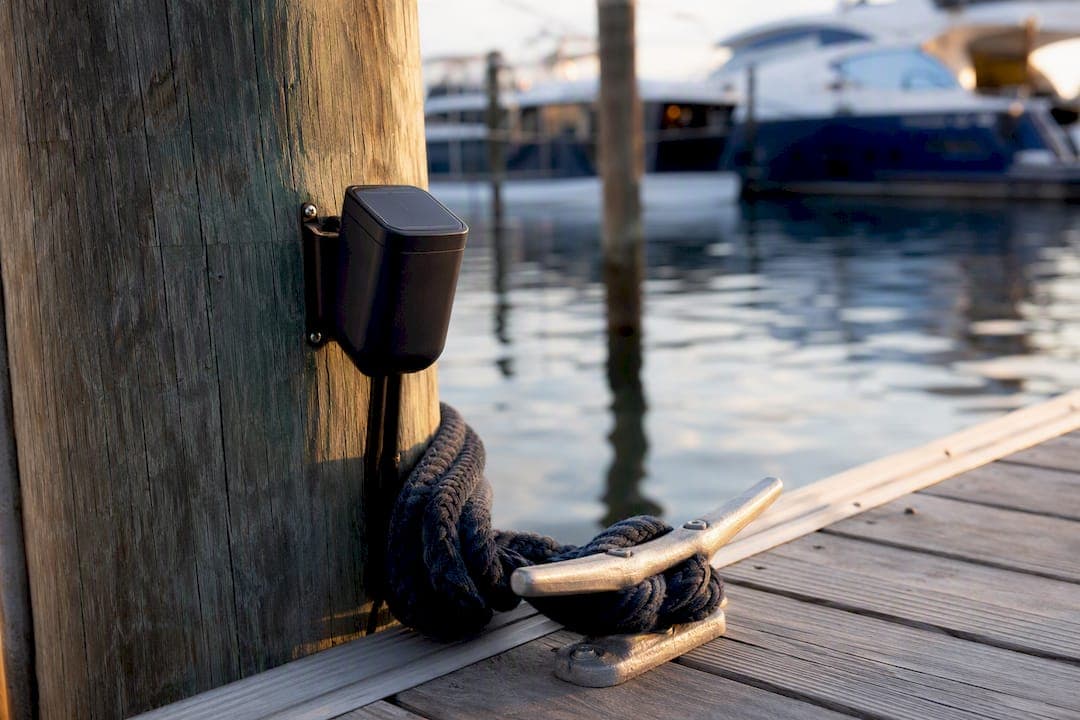
A dockmaster facility alert system is a monitoring and notification setup that automatically sends real-time updates to dockmasters and marina staff about slip activity, equipment status, security events, and billing exceptions. It watches the marina around the clock so your team does not have to walk the docks to find out what already happened.
- Faster incident response: staff learn about an unauthorized entry or a failed lift within seconds, not after the next patrol.
- Revenue protection: reservation and billing exceptions get flagged before they turn into lost income or awkward customer conversations.
- Fewer manual checks: dockmasters stop walking every slip to confirm arrivals, departures, and equipment condition.
Platforms like Atlantis Marina build this monitoring directly into daily operations, and John R, who covers marina technology for Atlantis Marina, has watched it change how dockmasters run a shift.
Key Takeaways
A dockmaster facility alert system works because it routes the right event to the right person through the right channel before a small problem becomes a costly one.
| Point | Details |
|---|---|
| Six core alert categories | Cover unauthorized access, arrivals/departures, reservations, equipment faults, billing exceptions, and weather notices. |
| Architecture has five steps | Detection, rules engine, notification routing, escalation, and logging keep alerts accurate and traceable. |
| Escalation timing prevents fatigue | Use a 0 to 5, 5 to 30, 30-plus minute window so alerts reach humans without overwhelming them. |
| Track KPIs after deployment | Measure mean time to acknowledge, repair time, and patrol hours saved over a 90-day window. |
| Atlantis Marina unifies the workflow | The platform connects occupancy sensors, lift controllers, and billing automation into one dashboard for dockmasters. |
Further Reading and Product Resources
For configuration details, see the mobile alert configuration guide and the breakdown of mobile alert types for dockmasters. Product pages worth bookmarking include the Marina Management Solution and the Atlantis Boater App. For general IoT sensor concepts, ARMiT Marine's smart-marina overview offers optional technical background.
Table of Contents
- What Does a Dockmaster Facility Alert System Actually Alert On?
- How Does a Dockmaster Alert System Work Behind the Scenes?
- How Do You Set Up an Alert System at Your Marina?
- How Do You Avoid Alert Fatigue on the Docks?
- What ROI Can Marinas Expect From Alert Systems?
- How Atlantis Marina Turns Alerts Into Daily Workflows
- What Security and Privacy Steps Do Alert Systems Require?
- Ready to See Alerting Built Into Your Operations?
- FAQ
What Does a Dockmaster Facility Alert System Actually Alert On?
Not every event deserves the same response, and a well-built alert system sorts them by category before it ever reaches a phone. Here are the six event types marina operators run into most:
- Unauthorized access: a gate or dock access point opens outside a boater's registered hours; security or the dockmaster gets a push notification with a timestamp and location.
- Arrivals and departures: occupancy sensors detect a vessel leaving or entering a slip; the front desk sees a dashboard update so waitlisted boaters can be offered the spot.
- Reservation status changes: a cancellation or no-show triggers a message to staff so the slip can be reassigned instead of sitting empty.
- Equipment faults: a boat lift or bilge pump trips a fault code; maintenance gets an SMS with the equipment ID and error type for immediate diagnosis.
- Billing or paperwork exceptions: an expired insurance document or failed autopay charge routes to the office via email or dashboard flag.
- Weather or safety notices: a storm surge or high-wind warning pushes to all staff devices so dock lines and lifts can be secured in advance.
Delivery channels vary by urgency: mobile push and SMS for anything time-sensitive, email for administrative items, and dashboard notifications for anything a dockmaster needs to see during a normal desk check.
How Does a Dockmaster Alert System Work Behind the Scenes?
The mechanics are simpler than most operators expect once you break the pieces apart. A functioning system relies on a handful of connected components working in sequence rather than one single piece of hardware.
Core components include:
- Edge sensors for occupancy, water level, and power draw
- Smart lift controllers with fault detection and remote monitoring
- Cameras and access control hardware at gates and gangways
- Marina management software that centralizes the data
- Mobile apps for staff and boaters
- APIs and webhooks that connect third-party hardware to the software layer
The alert flows in a fixed sequence:
- A sensor or controller detects an event, such as a lift motor exceeding its normal current draw.
- A rules engine checks the event against configured thresholds to confirm it is real, not noise.
- The system routes a notification to the correct channel, whether mobile push, SMS, email, or dashboard.
- If nobody acknowledges the alert within a set window, it escalates to a backup contact.
- The event and its resolution get logged for reporting and audit purposes.
Network reliability matters more than most operators plan for. Cellular backup for Wi-Fi dead zones, low-latency connections near lifts, and hysteresis logic that waits for a stable reading before firing an alert all prevent the kind of false positives that erode staff trust, a pattern merkaio's IoT berth management research documents in detail for occupancy sensors near wave-affected slips.
How Do You Set Up an Alert System at Your Marina?
Deployment goes smoother when you treat it as a project with checkpoints rather than a single hardware install. Here is the sequence Atlantis Marina customers typically follow.
- Define objectives and recipients. Decide which alert categories matter most for your facility and who owns each one.
- Inventory existing hardware. Note which lifts, cameras, and access points already support remote monitoring versus what needs upgrading, using resources like the Marina Management Solution page to check integration compatibility.
- Verify network capacity. Confirm Wi-Fi, cellular, or Ethernet coverage reaches every sensor location, especially remote dock arms.
- Choose integration endpoints. Decide whether devices connect via API, webhook, or a native integration.
- Install sensors and controllers, then register every device inside your marina software.
- Configure alert rules, thresholds, and quiet hours so non-urgent notices do not fire at 2 a.m.
- Test with simulated events before going live, confirming that role-based routing actually reaches the right person.
- Document your escalation SOP.
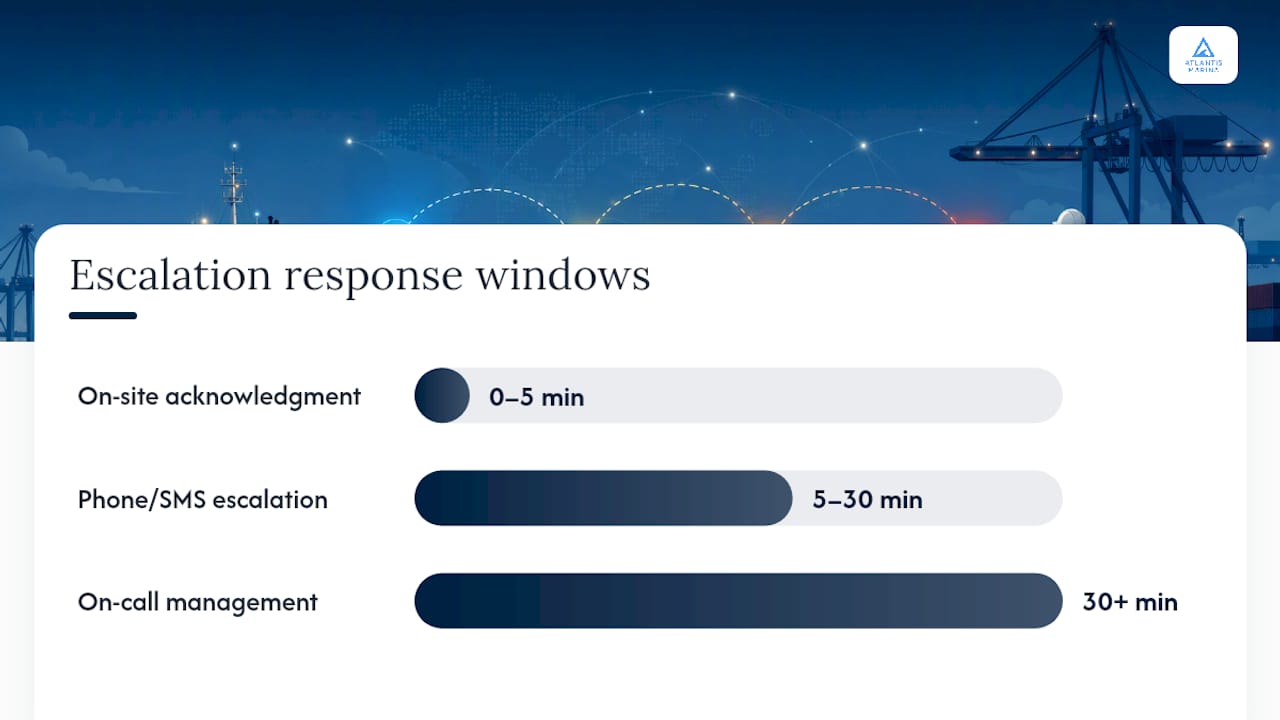
A workable escalation timeline looks like this: 0 to 5 minutes for on-site staff acknowledgment, 5 to 30 minutes for a phone or SMS escalation if unacknowledged, and 30-plus minutes for on-call management involvement.
Pro Tip: Run your test phase during a normal business day first, not overnight. You want staff present to catch routing mistakes before an alert genuinely matters.
How Do You Avoid Alert Fatigue on the Docks?
Alerts only work if staff trust them enough to act. A system that pages the same person for every minor fluctuation gets ignored within a week, and that defeats the entire purpose of installing one.
Do:
- Set thresholds based on severity, not raw sensor activity.
- Group related events into a single notification when they stem from the same root cause.
- Require acknowledgment on critical alerts so the system knows a human has responded.
Don't:
- Send the same alert to five people when one owner is enough.
- Let low-priority notices interrupt staff during posted quiet hours.
- Treat every equipment blip as an emergency; reserve SMS and phone escalation for genuine faults.
A sample flow: a lift motor fault first pushes to the maintenance app. No acknowledgment in 10 minutes triggers an SMS to the on-call technician. No response in 20 more minutes escalates to a phone call from the dockmaster on duty.
What ROI Can Marinas Expect From Alert Systems?
The benefits show up first in response time, then in the numbers that matter to ownership.
- Faster response to lift faults, security events, and reservation exceptions
- Fewer lost reservations from unnoticed cancellations or no-shows
- Reduced equipment damage from catching faults before they cascade
- Better boater satisfaction from proactive communication instead of surprises
- Lower patrol labor since staff stop physically checking slips that sensors already monitor
Track these KPIs after deployment: mean time to acknowledge, mean time to repair, number of prevented no-shows, patrol hours saved, and uptime percentage for critical lifts and pumps. Pull a baseline before rollout, then run a 90-day comparison. Marinas that automate billing and paperwork alerts alongside operational ones tend to see the fastest measurable gains, since billing exceptions are often the most frequent alert category of all.
How Atlantis Marina Turns Alerts Into Daily Workflows
Atlantis Marina builds alerting directly into its operations dashboard rather than bolting it on as an afterthought. Occupancy detection feeds the Atlantis Boater App and staff dashboard simultaneously, so a departure updates the waitlist in real time. A lift fault routes an SMS to maintenance through the platform's smart boat lift controller integrations, while a reservation exception lands in the staff inbox with Atlantis Bot flagging the likely cause before a human even opens the ticket.
| Feature | Typical Alert | Recommended Recipient | Operational Outcome |
|---|---|---|---|
| Occupancy sensors | Slip vacated or filled | Dockmaster / front desk | Waitlist reassignment within minutes |
| Smart lift controller | Motor fault or overcurrent | Maintenance staff | Repair dispatched before failure |
| Billing automation | Failed autopay or missing document | Office / billing staff | Payment recovered without a phone tag chain |
| Access control | After-hours gate entry | Security / dockmaster | On-site verification within minutes |
The operations dashboard becomes the single screen where dockmasters see every category at once instead of checking four separate tools.
Pro Tip: Ask any vendor demo to show you an actual escalation path, not just a notification popup. The routing logic matters more than the alert itself.
What Security and Privacy Steps Do Alert Systems Require?
Every alert system touches sensitive data, from vessel locations to boater contact details, so access control cannot be an afterthought.
- Use role-based permissions so front desk staff cannot see billing alerts meant for the office.
- Require multi-factor authentication on every admin account with access to the dashboard.
- Authenticate devices before they can push data into the system, not after.
- Apply least-privilege access: staff see only what their role needs.
- Redact sensitive boater details from alerts sent to shared devices or displays.
- Segment IoT devices onto their own network so a compromised sensor cannot reach billing systems.
- Keep firmware updated on lift controllers and cameras, and audit access logs periodically.
Atlantis Marina hosts its platform in the cloud with structured access controls across roles, keeping sensor data, billing records, and boater documents separated by permission level rather than pooled into one open system.
Pro Tip: Review your access-control list quarterly. Staff turnover is the most common reason old permissions stay active long after they should have been revoked.
A Dockmaster's View of a Normal Shift
A quiet Tuesday afternoon, a lift fault alert hits my phone before the boater even notices anything wrong. Maintenance gets there in ten minutes instead of finding out the next morning when the boat won't lower. That is the entire value of the system in one sentence: problems get caught while they are still small.
Ready to See Alerting Built Into Your Operations?
Most marinas piece together alerts from a mix of cameras, spreadsheets, and whoever happens to be on the dock that day. Atlantis Marina replaces that patchwork with one connected system where occupancy sensors, lift controllers, billing automation, and the Atlantis Bot assistant all feed the same dashboard, so nothing falls through the cracks between shifts.
You can request a walkthrough of the platform's alerting features, ask for a hardware compatibility check against your existing lifts and cameras, or pilot the system on a single dock before rolling it out marina-wide. The Atlantis Marina sales team can also map out how billing exceptions, reservation alerts, and equipment monitoring connect to your current workflow during a live operations review. Start with a demo request and see exactly where the alerts would fire on your own docks.
FAQ
What Is a Dockmaster Facility Alert System?
It is a monitoring setup that sends automated notifications to dockmasters and marina staff about access events, arrivals, reservation changes, equipment faults, and billing exceptions.
How Do Alerts Get Delivered to Marina Staff?
Alerts typically arrive through mobile push notifications, SMS, email, or a staff dashboard, with the channel matched to how urgent the event is.
What Equipment Triggers a Fault Alert?
Boat lifts, bilge pumps, and power systems most commonly trigger fault alerts when their sensors detect abnormal current draw or a stalled motor.
Does Atlantis Marina Support Alert Systems?
Yes. Atlantis Marina connects smart lift controllers, occupancy sensors, billing automation, and its operations dashboard so alerts route to the correct staff role automatically.
How Do You Prevent Too Many False Alerts?
Configure thresholds with a stability window before an alert fires, group related events together, and reserve SMS or phone escalation for genuinely critical faults.