
The fastest reliable way to give boaters one unified account is identity account linking: mapping verified identifiers (email, phone, social sign-in) to a single customer record and attaching invoices and payment methods to that primary account. This is the standard approach behind customer account linking marina platforms use to eliminate duplicate profiles and scattered billing history.
Getting there requires four moving parts working together:
- Verified sign-in through an identity provider your boaters already trust
- User-initiated linking so customers can merge a secondary login themselves
- Automatic-match fallback for the easy cases, with staff review for anything ambiguous
- Billing sync that keeps invoices, autopay, and deposits attached to the correct account
Your immediate next step: enable linking on a staging site, sync your existing customer data, and run two test flows. First, a new signup that should match an existing customer. Second, a user-initiated link from a secondary identifier. Both should resolve to one clean account before you touch production.
Key Takeaways
Reliable customer account linking depends on verified identity matching, a clearly defined primary account, and billing data that stays attached to that account through every merge.
| Point | Details |
|---|---|
| Pick a primary before linking | Make the account with active subscriptions or deposits the primary to avoid orphaned billing data. |
| Combine automatic and manual linking | Auto-link single exact matches; route multiple matches to staff review and user confirmation. |
| Verify before every merge | Require OTP or re-authentication on both accounts, per Auth0 and MojoAuth guidance. |
| Keep billing synced, not guessed | Map invoices, autopay, and payment methods to customer IDs via API and webhook, then reconcile after merges. |
| Atlantis Marina delivers this natively | Boater accounts, autopay, Stripe/ACH, and QuickBooks sync run on one platform with staff audit and merge tools. |
Table of Contents
- How Customer Account Linking Maps Identity to Billing
- Should You Use Automatic or Manual Account Linking?
- What Billing Data Should Follow a Linked Account?
- What UX and Security Rules Prevent Linking Mistakes?
- How Do You Handle Duplicate Records and Merge Errors?
- What's the Implementation Checklist for Marinas?
- How Does Atlantis Marina Handle Account Linking in Production?
- A Marina Operator's Take on Unified Accounts
- Give Boaters One Account and Your Staff One Source of Truth
- Sources
- FAQ
How Customer Account Linking Maps Identity to Billing
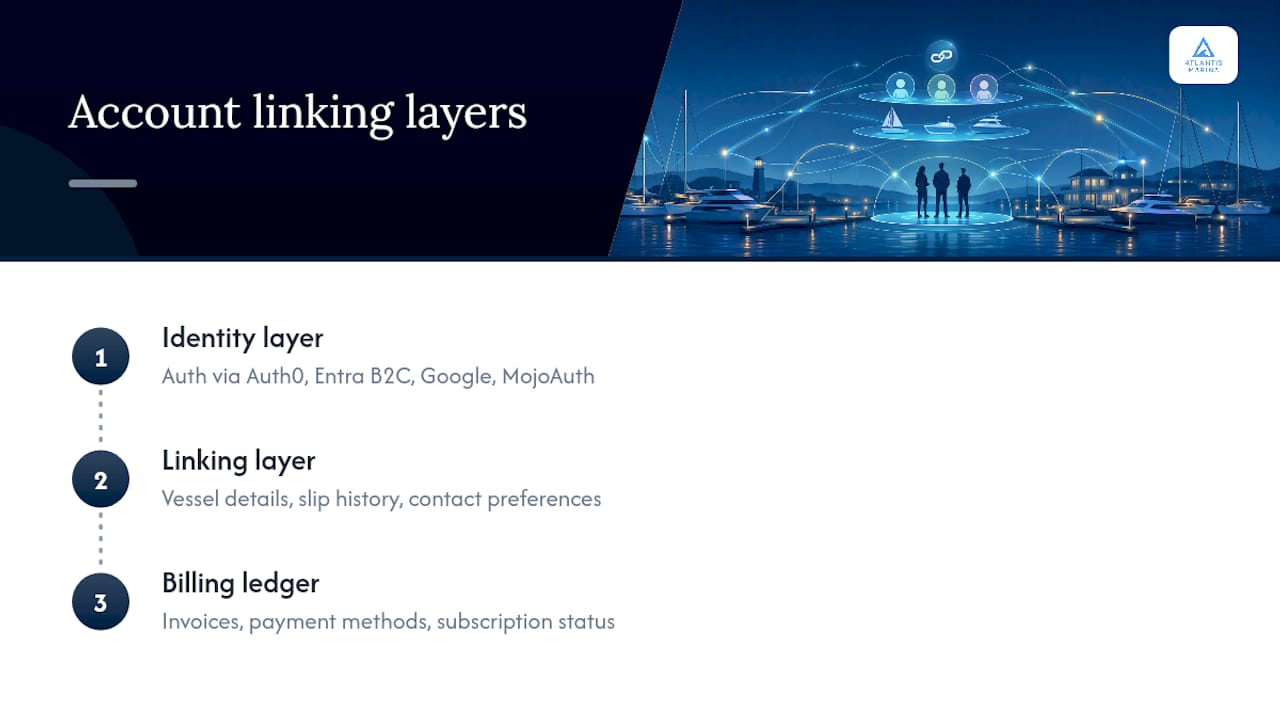
Account linking works in three layers, and understanding where each one lives keeps you from breaking billing during a merge.
The identity layer is where authentication happens, through a provider like Auth0, Microsoft Entra B2C, Google, or MojoAuth. The linking layer connects that identity record to your customer record, the profile holding vessel details, slip history, and contact preferences. The billing ledger sits on top, storing invoices, stored payment methods, and subscription status against the customer record, not the login.
Primary-account behavior matters here. When two identities link, one account becomes primary, and that's the account whose token represents the customer going forward. Billing and subscriptions stay wherever the primary account lives, so a sign-in, link request, and token exchange all have to resolve to the same customer record or you get orphaned invoices.
Pro Tip: Always design the UI so users explicitly choose or confirm which account they want to keep when a merge risks changing billing ownership. A silent auto-merge that flips the primary account is how marinas end up with autopay charging the wrong card.
Should You Use Automatic or Manual Account Linking?
Automatic linking matches a new signup against an existing customer record, usually on verified email, and links it without user action. Dynamics 365 Commerce handles this by searching sign-up emails across customer records: a single match links automatically, and multiple matches trigger a specific error rather than a silent guess. Manual linking asks the customer to click "Link accounts" and verify ownership of the target account through OTP or re-authentication, which Auth0's documentation frames as the safer default because both accounts get authenticated before anything merges.
The tradeoff is friction versus control. Automatic linking feels invisible to the boater but can misfire on shared family emails or old test accounts. Manual linking adds a step but gives you a clean audit trail.
| Provider | User friction | Verification | Auto-link rule | Merge behavior |
|---|---|---|---|---|
| Auth0 | Low to moderate | Both accounts authenticated | Suggested, not forced | Primary/secondary profile merge |
| Microsoft Entra B2C / Dynamics Commerce | Low | Email match check | Single match auto-links; multiple matches error | Customer record linked to identity |
| MojoAuth | Very low (OTP) | One-time passcode | Attach or merge decided automatically | Signed-in account stays primary |
For most marinas, the practical rule is: auto-match on a single exact identifier, but always prompt the user and flag staff review when more than one record matches.
What Billing Data Should Follow a Linked Account?
Once two identities link, billing has to follow the primary account cleanly, or you'll spend weeks reconciling duplicate invoices. Connect these elements at minimum:
Billing data such as invoices, payment methods, deposits, subscription statuses, and accounting export references should follow the primary account.
The rule of thumb: billing data stays where the primary account lives, so plan your linking flow so the account you intend to keep is the one that already holds active subscriptions and credits, not the other way around. Reversing that order can orphan billing records and break lookups in downstream accounting systems. On the technical side, map billing objects to customer IDs through your payment API, use webhooks to catch payment updates in real time, and run a reconciliation pass after every merge to catch duplicate invoices before they hit a statement.
Pro Tip: Pause automated collections and dunning emails during any merge window. A customer mid-link is the last person who should get a "your card was declined" notice for a charge that's about to be reassigned.
Atlantis Marina's payment processing tools handle this by keeping Stripe and ACH transactions tied to the customer ID rather than the login session, so a merge doesn't disturb an active autopay schedule.
What UX and Security Rules Prevent Linking Mistakes?
Every identifier added to an account needs ownership verification, whether that's an OTP sent to email or phone, or re-authentication through the social provider being linked. MojoAuth's implementation uses a two-step request and verify OTP flow specifically so a boater can't link an account they don't control.
Put a visible "Link accounts" action in profile settings, and show the consequence before the customer confirms: which account becomes primary, and what data carries over. Require authentication of both accounts before any merge completes, log every linking action in an audit trail, and give staff an undo option for when a customer links the wrong pair.
Error messaging deserves the same care as the flow itself:
- "Multiple accounts found. Please sign in to the account you want to keep."
- "Your signup succeeded, but our team needs to review this before linking."
Pro Tip: Add a one-line inline explanation next to the link button, like "linking keeps your invoices and autopay in one place." Customers who don't understand why they're being asked to link tend to abandon the flow and call the office instead.
How Do You Handle Duplicate Records and Merge Errors?
Every marina running linked accounts will eventually hit the same handful of edge cases. Build a short runbook now rather than improvising at the front desk.
Common scenarios include multiple matching customer records, two accounts with conflicting active subscriptions, a secondary account still holding a live payment plan, incomplete identity verification, and social login collisions where two boaters share a household email.
For each case, staff should follow the same basic sequence:
- Identify which account should be primary, usually whichever one holds an active contract or deposit.
- Verify ownership of both accounts before touching anything.
- Preserve subscriptions and credits by confirming they sit on the intended primary before the merge.
- Merge profile metadata, then reconcile invoices for duplicates.
- Document the change in the audit log with a timestamp and staff name.
Undo controls matter as much as the merge itself. If a customer links the wrong account, staff need a clean way to unmerge identifiers without losing invoice history, and a documented threshold for when a full account split is warranted instead of a quick fix.
What's the Implementation Checklist for Marinas?
Roll this out in stages rather than flipping a single switch.
- Enable the linking feature in a test channel or staging environment only.
- Run a full customer data sync so existing records are current before linking goes live.
- Set verification rules (OTP thresholds, which identifiers require re-authentication).
- Wire billing objects, invoices, payment methods, and autopay, to customer IDs via API.
- Configure a staff review queue for multiple-match cases.
- Test: create a customer with two identifiers, run the automatic-link flow for a single match, then run the manual link flow via OTP.
- Test merge and undo on a sample record.
- Verify webhook sync with your accounting and payment tools, including QuickBooks and Stripe, before go-live.
For readiness, prepare a staff training script, canned responses for common errors, audit logging turned on from day one, and a rollback plan in case linking behaves unexpectedly in production. Track these KPIs during rollout: number of accounts successfully linked, support tickets related to linking, failed link attempts, and billing reconciliation exceptions. A spike in the last two usually means your verification rules are too loose or too strict.
Atlantis Marina's customer portal guide for managers walks through a similar staged rollout for boater-facing self-service tools.
How Does Atlantis Marina Handle Account Linking in Production?
Atlantis Marina builds this exact model into its boater account platform: one account per boater, accessible through the web portal or the Atlantis Boater App, with invoices, stored payment methods, autopay, and reservation history all attached to that single customer record.
Deployment follows the same staged approach outlined above. Linking features toggle on in staging first, customer data syncs before go-live, and staff get admin tools to review multiple matches, merge or unmerge accounts, and pull an audit log for every linking action. Billing stays connected through native Stripe, ACH, and QuickBooks Online sync, so a merged account doesn't create a duplicate invoice or break a reconciliation report.
Marinas already running production boater logins, like the ones at St Andrews Marina and Lighthouse Marina, show what this looks like in practice: one login, one invoice history, one autopay setting, regardless of how the boater originally signed up.
A Marina Operator's Take on Unified Accounts
Marinas that get account linking right see it show up in the numbers that matter: fewer support calls asking "why do I have two invoices," faster month-end reconciliation, and boaters who stick around because their account just works across seasons and slip changes. The technical part is straightforward. The discipline is in deciding, before you flip the switch, which account stays primary when it counts. Track your linking metrics for the first two billing cycles and adjust your verification rules from there. The data will tell you where the friction actually is.
Give Boaters One Account and Your Staff One Source of Truth
Every rule covered here, verified sign-in, user-initiated linking, automatic-match fallback, billing sync, and staff audit controls, is built into Atlantis Marina's platform rather than assembled from separate vendors. That's the practical difference for a marina team: instead of stitching an identity provider to a billing system to a spreadsheet of manual overrides, you get boater accounts, stored payments, autopay, and QuickBooks sync running on one system from day one.
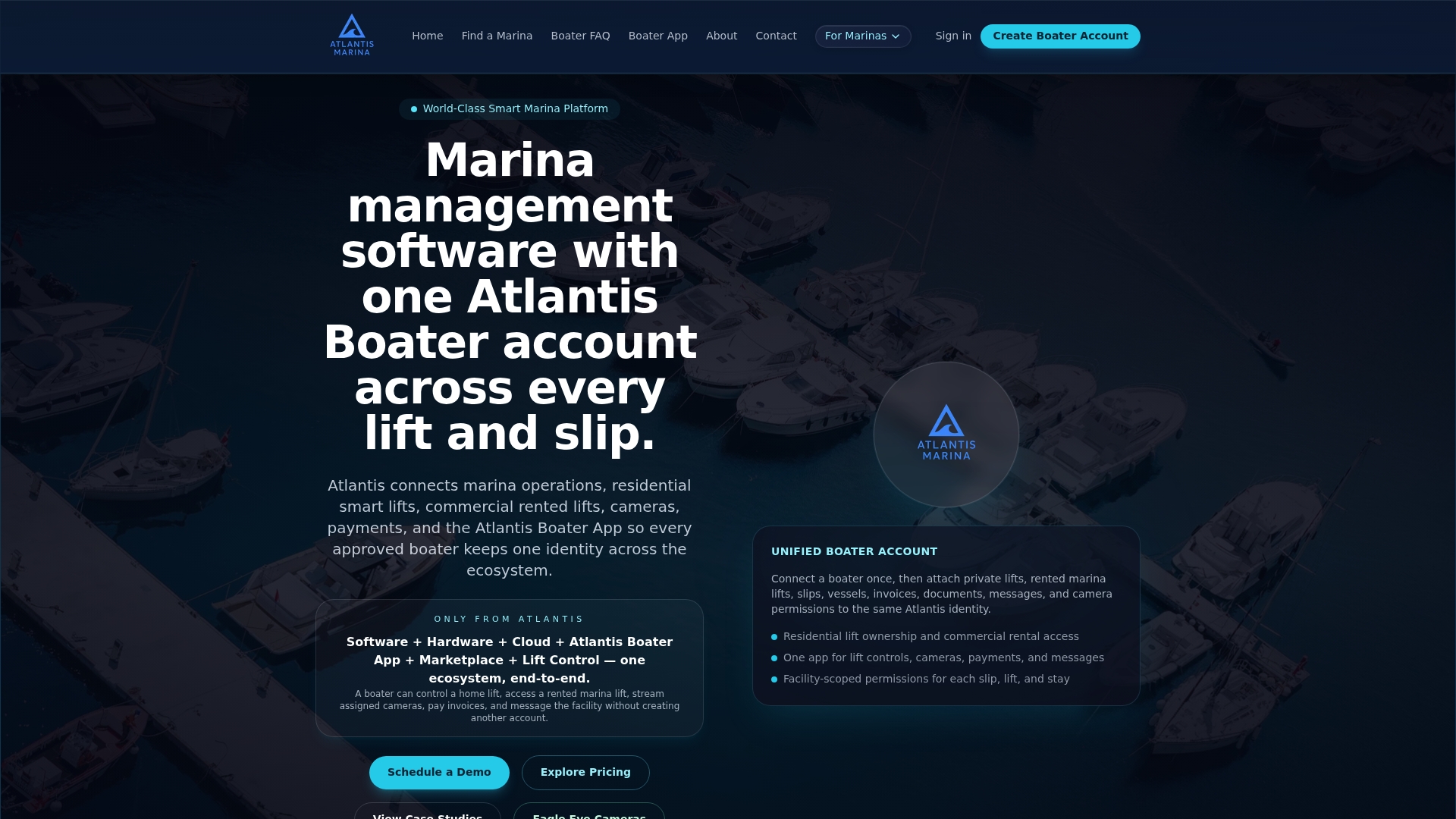
The Marina Management Solution page walks through how slip assignments, reservations, and billing connect to the same customer record, and the Atlantis Boater App shows the self-service side boaters actually use. If you're ready to see how a linked-account rollout would work at your marina, request a demo through Atlantis Marina's sales page or check current pricing and plans to scope out implementation for your size of operation.
Sources
- Account linking — Auth0
- Enable automatic linking of identity records to customer accounts - Commerce | Dynamics 365 | Microsoft Learn
- Account Linking — MojoAuth
FAQ
What Is Customer Account Linking for a Marina?
It's the process of mapping a boater's verified identifiers, like email, phone, or social sign-in, to a single customer record so invoices, payment methods, and reservation history all live in one place.
Should Linking Happen Automatically or Require User Action?
Use automatic linking for a single exact match on a verified identifier, and require user-initiated linking with OTP or re-authentication when multiple records could match, per Auth0's guidance.
What Happens to Billing When Two Accounts Merge?
Billing stays with whichever account is designated primary, so invoices, autopay, and stored payment methods should already sit on the account you intend to keep before the merge completes.
How Does Atlantis Marina Handle Account Merges?
Atlantis Marina's boater account platform gives staff admin tools to review multiple matches, merge or unmerge accounts, and track every action in an audit log without disrupting active autopay or reservations.
What's the Biggest Mistake Marinas Make With Account Linking?
Merging accounts without confirming which one holds the active subscription or deposit first, which can orphan billing data and cause failed lookups in accounting systems.