
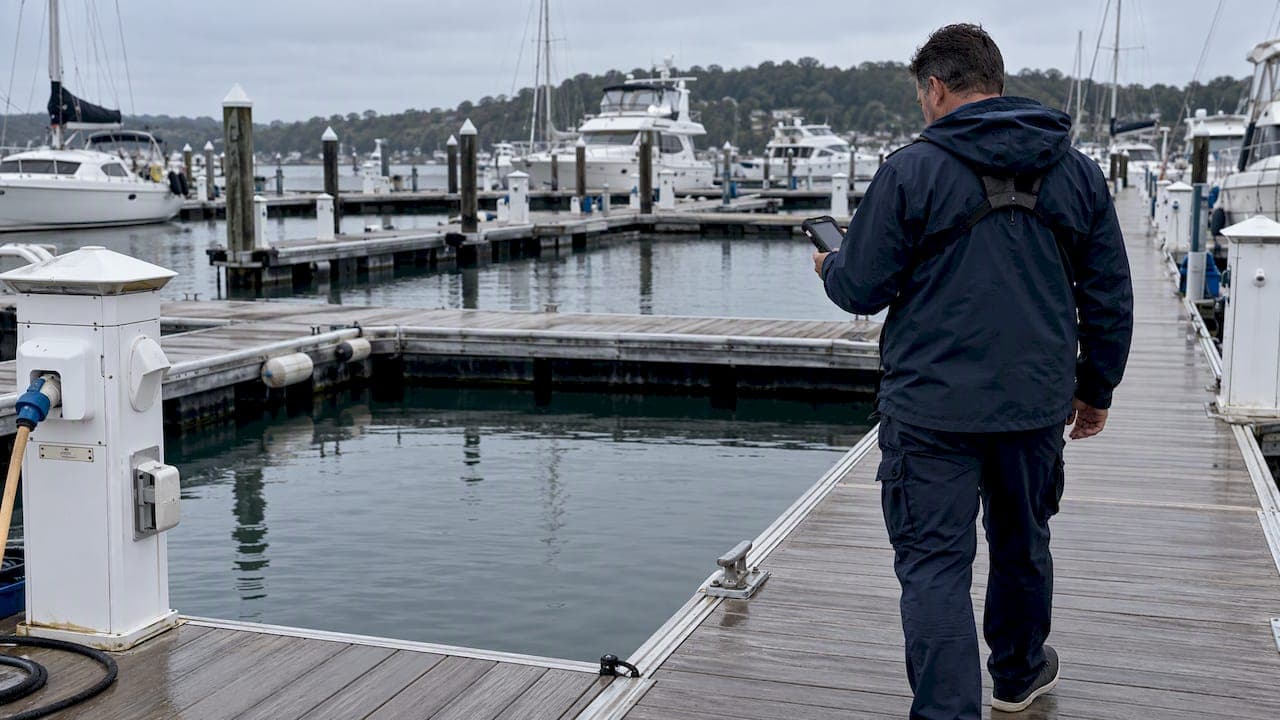
Dockmaster task scheduling works best when you run a rules based, map aware schedule that publishes staff task lists and supports mobile, time stamped logging. This approach cuts berth conflicts before they happen and gets arriving boats into clean, prepared slips faster. Platforms like Atlantis Marina already combine these pieces, giving dockmasters one connected view of berths, staff, and tasks instead of three disconnected systems.
TL;DR:
- Implementing a rules-based berth assignment engine with configurable constraints reduces conflicts caused by vessel size, utilities, permits, and arrival windows.
- Using a map view showing live berth occupancy and readiness flags helps staff spot availability issues before vessel arrivals occur.
- Building routine morning briefings and assigning clear ownership for tasks like berth updates and maintenance cuts down errors and improves coordination.
- Mobile workflows with QR code recognition and offline photo logging enable accurate, paperless check-ins and task confirmation on busy dock days.
- Regular safety meetings, staff training, and documented exception protocols ensure prepared response and continuity during high-pressure situations.
Table of Contents
- What dockmaster task scheduling actually involves
- Core features to require in a scheduling workflow
- How to set up daily scheduling and staff assignments
- Handling exceptions and change management on busy days
- Mobile workflows and dockside task logging
- Safety, training, and documentation tied to scheduling
- What to monitor on your operations dashboard
- A 30-day checklist after adopting a scheduling platform
- See how Atlantis Marina handles all of this in one place
- Sources
- FAQ
What dockmaster task scheduling actually involves
Dockmaster task scheduling sits on top of two related but separate things: bookings and berth assignments. A booking confirms a date and a vessel. A berth assignment is the operational decision about which physical slip that vessel goes into, and that decision depends on a ruleset covering vessel length, beam, draft, utility needs, arrival window, berth category, and permit status, according to a guide on building dock scheduling platforms. Skip any one of those parameters and you risk putting a 45-foot boat into a 38 foot slip or missing a shore power requirement at check in.
Operational readiness adds another layer. A berth can be free, assigned, prepared, blocked, or occupied, and a booking does not automatically mean the berth is ready. The same source notes that scheduling tools work best when they track these readiness states directly and tie them to prep tasks, rather than assuming a reservation date equals a ready slip.

When vessel records, reservation data, and berth rules live in one system, staff stop re-checking paper files or calling the office to confirm draft or beam before an arrival. That single source of truth is the real time saver, more than any individual feature.
Core features to require in a scheduling workflow
Whether you are evaluating software or writing a specification for your own team, a dockmaster scheduling workflow needs a defined feature set, not a loose collection of spreadsheets and group texts.
- A rules based berth assignment engine with configurable constraints for vessel size, utilities, arrival windows, and permits.
- Map based berth visualization showing live occupancy and readiness status at a glance.
- Role based dashboards with permissioned actions so dock hands, fuel staff, and office managers only see and change what applies to them.
- Mobile task logging with photo capture and offline support for areas with weak signal.
- Event driven notifications that fire automatically on arrival changes, cancellations, or reassignments.
- Integration with payments, permits, QuickBooks, and connected hardware like smart lift controllers.
Role based dashboards also matter for a simpler reason: fewer unrelated buttons mean fewer accidental changes, a point the same platform design research raises directly.
Pro Tip: Ask any vendor demo to show you a live map view with readiness flags, not just a reservation calendar. The calendar tells you who is coming. The map tells you whether you are actually ready for them.
How to set up daily scheduling and staff assignments
A dockmaster's day runs on repeatable structure, not improvisation. Build the routine once and the schedule carries itself.
- Open every shift with a fixed morning briefing covering overnight arrivals, scheduled departures, pending service requests, and any open safety items.
- Assign a named owner for each recurring function: berth status updates, arrival handling, fueling, and maintenance follow up.
- Build shift templates in your scheduling tool and publish staff task lists so everyone sees their assignments before the dock gets busy.
- Designate a data steward responsible for auditing vessel records and berth constraints so the rules engine keeps making correct decisions.
The morning briefing is where most conflicts get caught early, a habit shared by high performing dock teams that review arrivals, departures, and staffing needs before the first line gets caught. For more detail on structuring that routine, see this breakdown of daily workflows that fix marina task management.
Clear ownership matters just as much as the briefing itself. When berth updates, fueling, and maintenance each have one named person responsible, task duplication and missed handoffs mostly disappear, a point covered in more depth in this guide to coordinating marina staff tools.
Handling exceptions and change management on busy days
Exceptions are routine on a working dock, so build the response before the conflict happens rather than during it. A late arrival, a same-day cancellation, or a vessel that no longer fits its assigned berth should trigger a defined, ranked response instead of a scramble.
- Evaluate ranked alternatives by fit, utility availability, and downstream risk to other bookings before reassigning a berth.
- Keep readiness flags visible so staff never treat a confirmed booking as an automatically prepared slip.
- Prepare short notification scripts for boaters and a clear escalation path for staff when a decision needs a supervisor.
- Document standard rules for common conflict types, such as oversized vessels or overlapping departures, so staff decide faster.
This mirrors a principle common to structured scheduling in other operational fields: accountability and defined escalation steps reduce decision time under pressure, as outlined in this group scheduling comparison.
Pro Tip: Write your top five conflict scenarios down once, with the preferred resolution for each. New staff will handle exceptions correctly on day one instead of guessing.
Mobile workflows and dockside task logging
Clipboards fail the moment a dock hand needs both hands free or the paper gets wet. Mobile checklists for arrivals, launches, safety checks, and meter readings solve that, especially when they require a time stamped photo to confirm a task is actually done rather than just marked complete.
QR code account recognition speeds this further. A boater's account code pulls up their vessel, reservation, and billing status instantly, cutting the manual lookup that slows every check in. The Atlantis Boater App and its QR based workflows are built around exactly this pattern, and Atlantis Bot gives staff a way to confirm reservation or billing questions mid-task without leaving the dock. For the broader case on mobile-first operations, see this piece on why dockmasters need mobile management tools.
Safety, training, and documentation tied to scheduling
Safety belongs inside the schedule, not in a separate binder. New hire orientation tasks and safety checklists should appear as actual shift assignments in the first days of employment, with signed completion records kept on file.
Training status also belongs in each staff profile. If a task requires certification, such as handling a boat lift, only certified staff should ever appear as eligible for that slot. The Oak Harbor Marina Accident Prevention Plan demonstrates this well, with structured orientation checklists, recurring safety meetings, and signed records built into normal operations.
Recurring safety meetings deserve the same treatment: a scheduled, recurring task with posted minutes, not an occasional reminder. Staffing and reporting decisions during emergencies should follow a written policy too, as detailed in the Port of Edmonds marina emergency safety operations manual.

What to monitor on your operations dashboard
A dockmaster's dashboard should answer one question at a glance: are we ready for what is coming today? That means a specific set of widgets, not a generic activity feed.
- An occupancy heatmap showing free, assigned, and occupied berths by section.
- Upcoming arrivals grouped by time window, not just a flat daily list.
- Readiness flags that separate booked from prepared berths.
- A maintenance backlog view so overdue work does not quietly pile up.
- Staff task load so no single dock hand is overbooked while another sits idle.
Daily reports catch same-day problems; weekly reports reveal staffing gaps and waitlist pressure building over time. A quarterly audit by your data steward keeps berth logic accurate as vessels change, fleets turn over, and slips get reconfigured. Consolidating reservations, billing, maintenance tracking, and task management into one dashboard, the approach behind Atlantis Marina's operations dashboard, removes the need to cross-reference three separate systems before making a staffing call. For more on dashboard design, see this 2026 guide to marina operations dashboards.
A 30-day checklist after adopting a scheduling platform
Week one: map every berth, import vessel records, and run your first morning briefing straight from the dashboard. Week two: train staff on mobile workflows and lock in basic berth rules, nothing fancy yet. Weeks three and four: tighten exception handling, run arrival-window simulations during a busy weekend, and audit the data for gaps.
The most common pitfalls are incomplete vessel records, unclear task ownership, and rules built too complicated to maintain. Start simple, fix what breaks, and resist the urge to encode every edge case on day one.
— John R
See how Atlantis Marina handles all of this in one place
Everything covered here, rules based berth assignment, map views, mobile logging, and automated notifications, is built into Atlantis Marina's platform.

- Berth logic and map based visibility come standard in the reservations module.
- Mobile task logging and QR check-in run through the Atlantis Boater App, with Atlantis Bot answering routine staff questions.
- Billing, QuickBooks sync, and payment automation connect directly to the same scheduling data.
Plans run from Micro at $150 per month up to Large at $900 per month, with Enterprise pricing available on request, all listed on the pricing page. Visit the sales page to request a demo and see your own berths on the map.
Sources
For deeper material on the topics covered here, the Oak Harbor Marina Accident Prevention Plan and the Port of Edmonds safety operations manual cover safety orientation and staffing policy in detail. The dock scheduling platform design guide explains berth logic architecture, and Atlantis Marina's reservations page shows how one platform applies it.
- How to Build a Dock Scheduling Platform for Marinas
- Oak Harbor Marina Accident Prevention Plan
- Marina emergency safety operations manual — Port of Edmonds
FAQ
What is the difference between a booking and a berth assignment?
A booking confirms a date and vessel, while a berth assignment is the operational decision of which specific slip that vessel occupies based on fit, utilities, and permits. Treating the two as the same thing is a common cause of avoidable berth conflicts.
How often should dockmasters run safety meetings?
Safety meetings work best as a recurring scheduled task with posted minutes, following the structured, repeated cadence shown in the Oak Harbor Marina Accident Prevention Plan. The exact frequency should match your facility's own written safety policy.
What should a dockmaster check before reassigning a berth?
Check vessel fit, utility availability, and the downstream effect on other bookings before moving anyone to a new berth. Ranked alternative selection, rather than picking the first open slip, reduces the chance of creating a second conflict while solving the first.
Can mobile logging replace paper clipboards entirely?
Mobile logging with time stamped photos and offline support covers the core functions a clipboard handles, including arrivals, launches, and meter readings, and reduces lost handoffs between shifts. Most marinas phase out paper gradually rather than switching everything at once.
Does Atlantis Marina support mobile task logging for dock staff?
Yes, Atlantis Marina supports mobile task workflows through the Boater App and QR code account recognition, letting staff log tasks and confirm vessel details from the dock. Pricing for the platform starts at a monthly fee for the Micro plan, listed on the pricing page.