
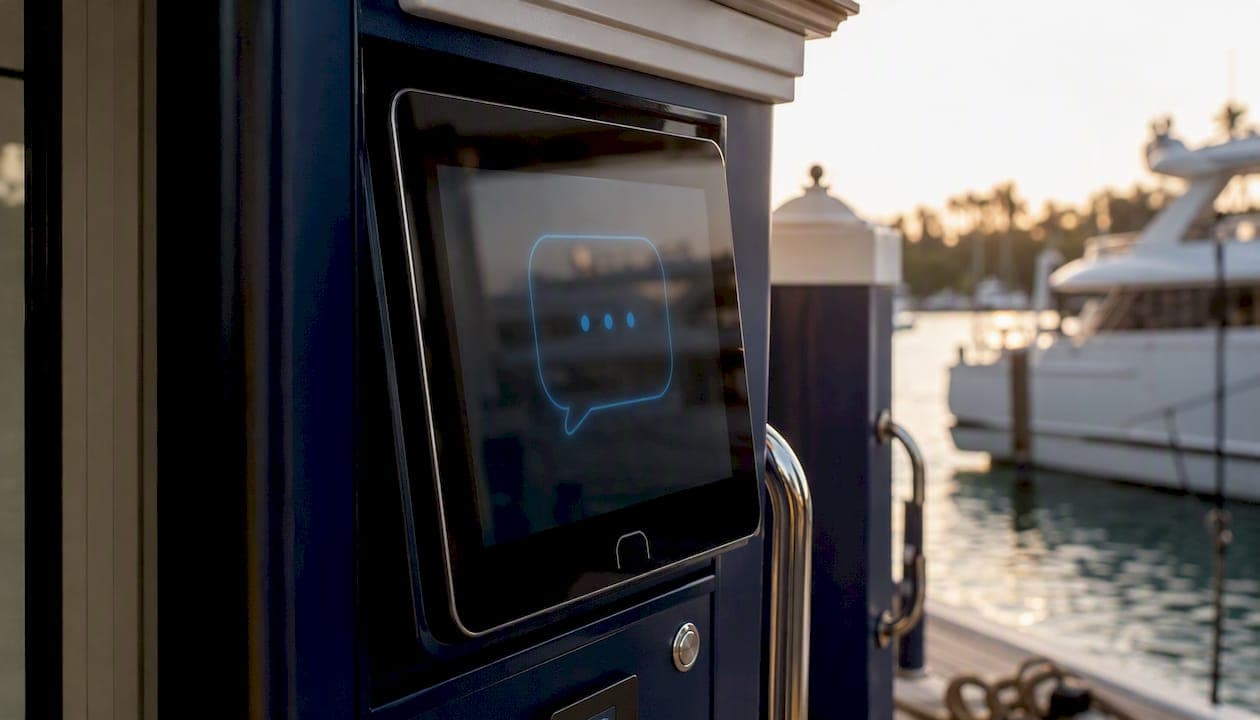
A marina website chatbot is the fastest way to automate 24/7 berth bookings, answer repetitive boater questions, and capture leads your staff would otherwise miss. If you already run on Atlantis Marina, Atlantis Bot is built directly into the platform and handles both boater self-service and staff workflows with safe, staff-confirmed actions. For operators evaluating options from scratch, the recommendation is the same: deploy a marina-specific chatbot that connects to your reservation system and payment processor before peak season, not after.
Here is what you can expect from day one:
- 24/7 availability for berth inquiries, transient booking requests, and arrival instructions
- Automated lead capture so no inbound inquiry goes unanswered at 11 PM on a Saturday
- Fewer routine calls to the office, freeing dockmasters for dock-side work
- Vendor case data shows marinas deploying a marina-focused chatbot reported 38% more slip bookings and 55% fewer office calls
- Some vendors advertise live in under 24 hours for a basic website widget. Demos are available on request
Pro Tip: Schedule a demo before you finalize your feature list. Seeing a live booking flow with LOA and beam checks in action clarifies requirements faster than any spec sheet.
Key Takeaways
A marina-specific website chatbot connected to your reservation system and payment processor is the single highest-ROI automation most operators can deploy before peak season.
| Point | Details |
|---|---|
| Deploy marina-specific flows first | Start with slip reservation and arrival instructions; add fuel and waitlist flows in phase two. |
| Expect 24–72 hours for no-code launch | Basic widget deployments can go live in under 24 hours; full integrations take one to four weeks. |
| ROI is measurable quickly | Vendor case data shows 38% more slip bookings and 55% fewer office calls after deployment. |
| Security requires explicit controls | Require tokenized payments, encrypted storage, and a human-in-the-loop for refunds and emergencies. |
| Atlantis Bot is the built-in option | Atlantis Marina includes Atlantis Bot natively, with live inventory sync and no separate integration needed. |
Table of Contents
- What can a marina website chatbot actually do for your operation?
- Why marinas see measurable returns quickly
- How do you add a chatbot to your marina website?
- What integrations and technical requirements should you plan for?
- What does a marina chatbot typically cost, and how long does it take to launch?
- How should you handle security and data privacy for boater information?
- How do you evaluate chatbot vendors and spot red flags?
- How Atlantis Bot handles marina chatbot deployment end to end
- When should a marina add a chatbot, and what should you pilot first?
- Atlantis Marina gives you a built-in chatbot from day one
- Sources
- FAQ
What can a marina website chatbot actually do for your operation?
A marina chatbot is not a glorified FAQ widget. When built for the waterfront, it handles the full pre-arrival and booking workflow that currently lands in your inbox or on your phone.
Core use cases:
- Berth and transient booking: Collect vessel LOA, beam, and draft, filter compatible slips, confirm availability, and present options in real time. Vendor flows also incorporate tide data to verify a slip is physically suitable at arrival time, which prevents incompatible bookings before they happen.
- Guest and vessel check-in: Guide boaters through document upload (insurance, registration), e-sign for slip agreements, and arrival instructions without staff involvement.
- Fuel and pump-out scheduling: Let boaters request a fuel dock appointment or pump-out service, with automated confirmation and staff notification.
- Waitlist management: Capture waitlist requests, collect vessel specs, and send automated notifications when a slip opens.
- Membership and boat-club flows: Walk prospects through membership tiers, collect contact details, and route qualified leads to the right staff member.
For operators thinking about AI marina operations use cases, the chatbot is often the highest-ROI entry point because it touches every boater before they ever set foot on the dock.
Automated task sequence for a transient booking:
- Boater enters vessel dimensions in chat
- Bot filters available slips by LOA, beam, and draft
- Boater selects preferred dates and slip type
- Bot presents pricing and collects a deposit via integrated payment processor
- Confirmation email and arrival instructions sent automatically
- Vessel record and reservation synced to marina management system
Multi-channel deployment matters here. A website widget handles pre-arrival research, while Google Business Profile messaging and SMS cover boaters already on the water. Some platforms also offer voice answering to close the gap for callers who never reach the website.
Why marinas see measurable returns quickly
The business case for a marina chat support tool is straightforward: most marinas field the same 15 to 20 questions repeatedly, and most of those questions arrive outside office hours. A chatbot answers them instantly, every time.
Operational gains:
- Staff spend less time on the phone and more time managing the dock
- Booking errors drop because the bot enforces slip rules automatically
- Waitlist handling becomes self-service, removing a manual tracking task
Customer experience gains:
- Boaters get consistent, accurate arrival instructions regardless of who is on duty
- 24/7 availability matches how boaters actually plan trips (evenings, weekends)
- Reduced friction at check-in when documents are already uploaded
Revenue impact:
- Higher conversion of inbound inquiries to confirmed reservations
- Fewer abandoned bookings from boaters who could not reach anyone
Vendor case data: Marinas using a marina-focused chatbot reported 38% more slip bookings and 55% fewer office calls — a result that reflects both the revenue gain and the staffing relief operators feel most acutely during peak season.
For a deeper look at how customer communication tools fit into a broader operational strategy, the patterns are consistent: faster response times correlate directly with higher booking conversion.
How do you add a chatbot to your marina website?
Deployment is simpler than most operators expect. The two paths are a no-code widget embed and a deeper API/webhook integration for full sync with your marina management software.
Preparation checklist (do this before you touch any vendor platform):
- Document all slip types, dimensions, and pricing rules
- List vessel-dimension limits (max LOA, beam, draft) per slip category
- Confirm payment methods and deposit policies
- Identify your staff escalation contacts and escalation triggers
- Compile your top 20 FAQ answers (hours, amenities, fuel pricing, pump-out availability)
- Decide which pages the widget will appear on (homepage, reservations page, contact page)
Step-by-step deployment timeline:
- Content preparation (Days 1–2): Load slip rules, FAQ content, and vessel-dimension logic into the bot's knowledge base. Some platforms crawl your existing website to seed the knowledge base automatically, cutting this step significantly.
- Configuration (Days 2–3): Build or customize conversation flows for booking, check-in, and fuel/pump-out. No-code builders let non-technical staff do this without developer help.
- Integrations (Days 3–7): Connect to your reservation system, payment processor, and CRM. Basic widget deployments skip this step initially.
- Testing (Days 7–10): Run edge-case flows: oversized vessels, fully booked periods, payment failures, and escalation triggers.
- Soft launch (Day 10–14): Go live on one page, monitor logs daily, and adjust responses based on real conversations.
- Full launch: Expand to all channels and hand off content ownership to a designated staff member.
For a basic widget with no deep integrations, some vendors deliver live in under 24 hours. Full integration with a marina management system typically takes one to four weeks depending on complexity.
What integrations and technical requirements should you plan for?
A chatbot that cannot talk to your reservation system is just a FAQ page with a chat interface. The integrations you plan upfront determine whether the bot becomes a real operational tool or an isolated widget.
Key integrations to design:
- Reservation and booking systems: Two-way sync so the bot reads live availability and writes confirmed reservations back to your calendar
- Payment processors: Stripe and ACH for deposit capture and full payment at booking; tokenized handling keeps card data off your servers
- CRM and messaging: Customer record sync so new boater profiles created in chat appear in your operations dashboard automatically
- Calendar and staff scheduling: Automated handoffs for fuel dock appointments, haul-out requests, and service jobs
- Tide and weather APIs: For draft-sensitive slips, tide integration prevents incompatible bookings by checking water depth at the boater's expected arrival time
- Analytics: Conversation logs, booking conversion rates, and escalation frequency fed into your reporting dashboard
For a full picture of how marina software integrations connect these layers, the key design principle is deciding early which syncs are two-way (reservations, customer records) and which are one-way notifications (service request alerts to staff).
Embedding options:
- Single-line JavaScript snippet pasted into your site's
<head>or before</body> - Google Tag Manager container tag for sites without direct code access
- Native plugin for WordPress or Webflow if your CMS supports it
Pro Tip: Use webhook logging from day one. Every booking confirmation, payment event, and escalation trigger should write to a log you can audit. It is the fastest way to catch integration failures before boaters do.
What does a marina chatbot typically cost, and how long does it take to launch?
Pricing varies by vendor and deployment scope, but the common structures are predictable.
Typical pricing models:
- Monthly subscription (tiered): Most vendors charge by conversation volume, active users, or feature tier. Entry-level plans for single-location marinas tend to be lower cost; multi-site or enterprise tiers add significantly.
- Setup fee vs. no setup fee: Some vendors waive setup fees for self-serve no-code deployments; custom integrations usually carry a one-time implementation charge.
- Platform percentage: A small number of vendors take a percentage of bookings processed through the bot rather than a flat monthly fee. This aligns vendor incentives with your revenue but can become expensive at high volume.
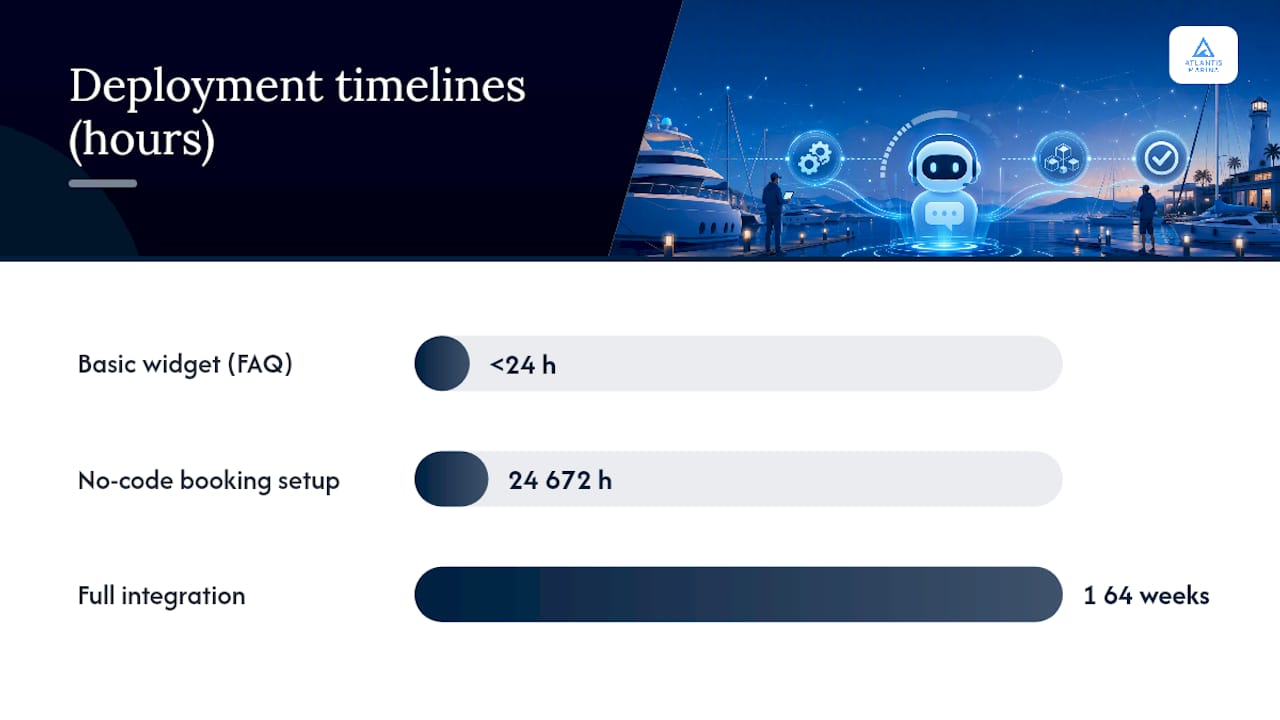
Timeline benchmarks (vendor-reported):
- Basic website widget with FAQ content: live in under 24 hours
- No-code setup with booking flows and payment capture: 24–72 hours
- Full integration with reservation system, CRM, and payment processor: one to four weeks
Factors that increase cost and time:
- Custom API integrations with legacy marina management systems
- Multi-site rollouts requiring separate knowledge bases per location
- Multi-language support for international boater markets
- Complex payment flows (split deposits, refund logic, membership billing)
Vendor benchmark: Some marina-focused platforms advertise live in under a day for basic deployments, with tiered pricing for single and multi-location operations — a useful baseline when comparing vendor proposals.
How should you handle security and data privacy for boater information?
A marina chatbot collects sensitive data: vessel details, contact information, payment credentials, and insurance documents. Treating this as an afterthought creates real liability.
Data your chatbot will likely store:
- Vessel LOA, beam, draft, and registration number
- Boater name, email, phone, and address
- Payment method tokens (never raw card numbers)
- Insurance certificates and registration documents
- Conversation transcripts and booking records
Practical controls to require from any vendor:
- TLS encryption in transit and AES-256 (or equivalent) at rest
- Tokenized payment handling via a PCI-compliant processor (Stripe handles this natively)
- Configurable data retention limits so old transcripts are purged automatically
- Signed webhooks with secret validation to prevent spoofed payloads
- Role-based staff access so dock staff cannot view payment tokens
Compliance checklist:
- PCI DSS compliance for any payment data flowing through the bot
- Secure file upload handling for insurance and registration documents
- Privacy notice displayed at chat initiation where required by applicable state law
- Human-in-the-loop for chargebacks, refunds, and emergency routing
Pro Tip: Never let the chatbot store raw card numbers or full insurance document text in conversation logs. Collect a payment token and a document upload confirmation only. The actual sensitive data lives in your PCI-compliant processor and secure document store.
How do you evaluate chatbot vendors and spot red flags?
Not every chatbot vendor understands marina operations. A general-purpose chatbot configured for a marina is not the same as a platform built for waterfront workflows.
Evaluation criteria (score each vendor against these):
- Marina-specific templates: Does the vendor offer pre-built conversation flows for slip booking, check-in, and fuel/pump-out, or do you build everything from scratch?
- Reservation and CRM integrations: Can the bot write confirmed reservations to your existing system, or does it only send an email notification?
- Payment support: Does it handle deposit capture and full payment natively, or does it redirect to an external page?
- Live-staff fallback: Is there a clear escalation path to a human, and does the handoff include full conversation context?
- Vessel-dimension capture: Can the bot collect LOA, beam, and draft and use those values to filter compatible slips?
- Security certifications: Is the vendor PCI-compliant? Do they provide a data processing agreement?
- SLA and uptime: What is the guaranteed uptime, and what is the support response time for critical failures?
Red flags to watch for:
- Vendor cannot show you a live demo with real marina booking flows
- No clear answer on where boater data is stored or how long it is retained
- Pricing is opaque or changes significantly after the trial period
- No references from actual marina operators
- Escalation to a human is manual and requires the boater to start a new conversation
Procurement checklist:
- Request a live demo with your actual slip inventory loaded
- Ask for sample conversation transcripts from a marina deployment
- Confirm the implementation timeline in writing
- Get at least two references from marina operators of similar size
- Clarify who owns the conversation data and what happens to it if you cancel
How Atlantis Bot handles marina chatbot deployment end to end
Atlantis Bot is built directly into the Atlantis Marina platform, meaning it shares the same data layer as your reservations, billing, vessel records, and customer accounts. There is no separate integration to maintain.
Features relevant to marina operators:
- Slip reservation flows with LOA, beam, and draft checks against live inventory
- Integrated payment capture via Stripe and ACH, with deposit and full-payment options
- Document upload and Atlantis E-Sign for slip agreements and insurance submission
- Waitlist automation with boater notification when a compatible slip opens
- Fuel dock and pump-out scheduling with staff notification
- Analytics dashboard showing conversation volume, booking conversion, and escalation rate
- Safe, staff-confirmed actions so the bot never takes a consequential step without the right authorization level
Deployment for Atlantis customers:
Because Atlantis Bot is native to the platform, operators skip the integration phase entirely. The bot reads live slip availability, writes reservations, and syncs customer records without a webhook or API key to configure. Typical go-live for Atlantis customers is measured in hours, not weeks.
Trust signals:
- Ready-made marina templates and persona scripts reduce content-build time
- No-code flow builder lets operations managers edit conversation flows without developer support
- Integrated payments, automated billing, and QuickBooks Online sync are already live on the platform
- Demo and pilot requests are handled through the Atlantis sales team
Atlantis Bot in practice: A mid-sized marina running Atlantis Marina activated Atlantis Bot on its reservations page and saw transient booking inquiries handled automatically overnight, with staff receiving only the escalations that required a human decision. Arrival instructions, deposit collection, and vessel record creation happened without a single phone call.
For operators who want to see how AI-assisted marina operations change daily workflows beyond the chatbot layer, the Atlantis platform covers the full operational stack.
When should a marina add a chatbot, and what should you pilot first?
The right time to deploy a marina chat support tool is before your next peak season creates the staffing gap you are already anticipating. If your office fields more than 20 inbound inquiries per day during summer, or if transient boaters regularly call after hours and reach voicemail, the chatbot pays for itself in the first month.
Start narrow. A slip reservation and arrival instructions flow is the highest-value pilot because it touches every new boater and eliminates the most common call type. Once that flow runs cleanly for 30 days, add fuel dock scheduling and waitlist automation as the second phase.
Operational readiness before you launch:
- Assign one staff member as content owner for the bot's knowledge base
- Define escalation rules: what triggers a handoff to a human, and who receives it
- Set KPIs for the first 90 days: bookings captured via chat, phone calls avoided, and escalation rate
Measure bookings captured versus phone calls avoided in the first 30 to 90 days. That ratio tells you whether the bot is handling the right conversations or deflecting boaters who actually needed a human. Adjust the escalation threshold based on what you see, not what you assumed at launch.
Atlantis Marina gives you a built-in chatbot from day one
Operators who want a marina website chatbot without a separate vendor contract, a separate integration project, or a separate data silo have one clear path: the Atlantis Marina platform with Atlantis Bot built in.
Every Atlantis Marina subscription includes Atlantis Bot alongside slip management, automated billing, Stripe and ACH payments, the Atlantis Boater App, e-sign, QuickBooks sync, and the full operations dashboard. There is no bolt-on chatbot to configure separately. The bot already knows your inventory, your pricing, and your boater records the moment you go live.
To see Atlantis Bot handling a live booking flow with your slip rules loaded, request a demo through the Atlantis sales page. The team can schedule a walkthrough, scope a pilot rollout, and give you a realistic go-live timeline for your marina's size and integration needs.
Sources
- AI Chatbot for Marinas & Boat Clubs: Slips, Fuel & Storage (2026)
- BluSynq | 24/7 AI Answering & Front Desk for Marinas
- AI Chatbot for Marinas | Slip & Service Support | Guzli
FAQ
How do you add a chatbot to a marina website?
Paste a single-line JavaScript snippet into your site's code, or use a Google Tag Manager tag if you do not have direct code access. Most marina-specific vendors also offer WordPress and Webflow plugins for CMS-based sites.
How quickly can a marina chatbot go live?
Basic widget deployments with FAQ content can launch in under 24 hours. No-code setups with booking flows and payment capture typically take 24–72 hours. Full integration with a reservation system and CRM runs one to four weeks.
Are AI chatbots legal to use on a marina website?
Yes, deploying an AI chatbot on a business website is legal. Operators should display a privacy notice at chat initiation and follow applicable state data-privacy laws governing how boater contact and payment information is stored and retained.
How does a marina chatbot connect to a reservation system?
The bot connects via API or webhook, reading live slip availability and writing confirmed reservations back to your management system. Platforms like Atlantis Marina use a native connection since Atlantis Bot shares the same data layer as the reservation and billing system.
How profitable is adding a chatbot to a marina operation?
The actual return depends on inbound inquiry volume and how many bookings were previously lost to after-hours voicemail.