
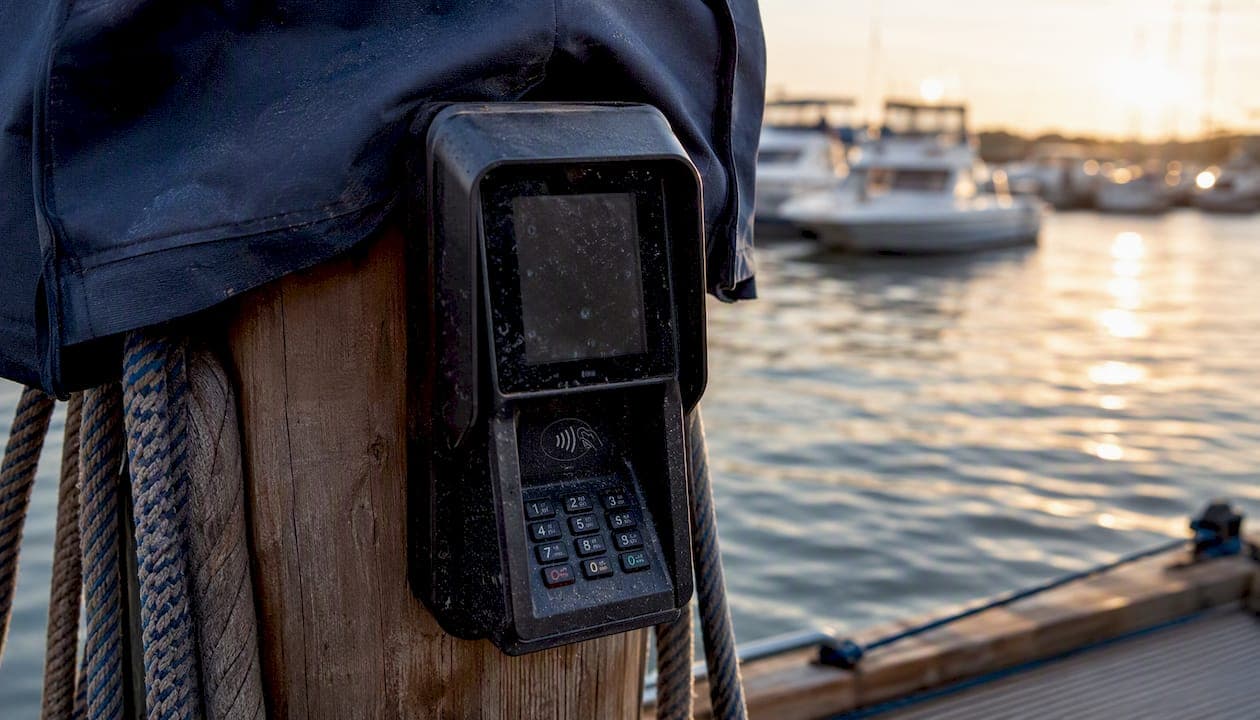
Yes. Most marinas should move to a primarily cashless setup with clearly defined fallback options for the small group of customers who still prefer cash. Cashless marina operations cut transaction times at the fuel dock, reduce cash-handling risk for staff, tighten reconciliation, and give operators reporting they simply cannot get from a cash drawer. The reasoning is straightforward: every cash transaction requires a physical handoff, a manual log entry, and a reconciliation step at close. Every digital transaction records itself.
The single next step is not a full rollout. It is a pilot. Run a 30 to 60 day dockside test using QR-code payments paired with contactless card readers, tied into your marina management system so payments update reservations and billing automatically. Atlantis Marina is built for exactly this kind of test, since it connects payment processing to slip records, billing, and accounting without a separate point-of-sale system bolted on the side. Start small, measure the results, then scale.

Key Takeaways
Cashless marina operations succeed when payment, billing, and reporting run on one connected platform instead of separate tools that require manual reconciliation.
| Point | Details |
|---|---|
| Start with a pilot | Test QR and card payments dockside for 30 to 60 days before a full rollout. |
| Test coverage first | Verify cellular and Wi-Fi signal at fuel docks and busy weekends before committing to hardware. |
| Keep a cash fallback | Use a voucher desk or limited cash window rather than blocking cash-preferred customers entirely. |
| Track completion and capture rates | Measure payment completion rate and revenue capture on transient slips throughout the pilot. |
| Consolidate on one platform | Atlantis Marina connects QR check-in, billing automation, Stripe/ACH processing, and QuickBooks sync in a single system. |
Curated Resources for Implementing Cashless Payments
- Windsor's Lakeview Park Marina goes cashless as 2026 season begins, a news case example of a municipal marina's cashless rollout and its stated reasoning.
- Marina QR Code Check-In: Your 2026 Operations Guide, a practical walkthrough of QR-based check-in and payment workflows.
- Marina Payment Processing Explained for Operators, covering processor basics and PCI-relevant reconciliation steps.
- Marina Management Solution, the product page detailing billing automation and accounting sync.
- Atlantis Boater App, showing how boaters pay, reserve, and manage documents from one account.
Table of Contents
- What Are the Core Benefits of Cashless Marina Operations?
- Which Payment Methods and Hardware Work Best Dockside?
- How Does Cashless Payment Connect to Billing and Accounting?
- Who Is Responsible for Security and PCI Compliance?
- How Do You Roll Out Cashless Payments Step by Step?
- How Should You Handle Customers Who Still Want to Pay Cash?
- What Do Cashless Payments Cost, and What's the ROI?
- Which KPIs Prove Cashless Payments Are Working?
- How Did Lakeview Park Marina's Cashless Switch Play Out?
- What Do Pilot Results Actually Show About Cashless Speed?
- What Rules Govern Cashless Payments at a Marina?
- What Integration Problems Come Up With Existing Marina Infrastructure?
- How Should Boater Experience Shape Cashless Rollout Decisions?
- What I Learned Running a Cashless Pilot at the Dock
- How Atlantis Marina Supports a Cashless Transition
- Sources
- FAQ
What Are the Core Benefits of Cashless Marina Operations?
The case for going cashless comes down to five measurable gains: speed, staffing, accuracy, revenue capture, and data.
- Faster transactions at fuel docks and slips. Card taps and QR scans clear in seconds instead of the minutes a cash exchange and paper receipt take, especially during weekend rushes.
- Less staff time spent handling cash. Dockhands and office staff stop counting drawers, making change, and walking deposits to a safe.
- Fewer reconciliation errors. Digital transactions post automatically, so nightly closing takes minutes instead of an hour of matching receipts to a till count.
- Better payment capture around the clock. A transient boater who arrives at 11 PM can pay online without waiting for a staffed office to open.
- Richer customer data. Every digital transaction reveals who is paying, when, and for what, which feeds directly into occupancy and marketing decisions.
Smartphone QR-code payment flows can complete in under 60 seconds for a first-time user and under 20 seconds for a returning boater who already has an account, which removes a real bottleneck at crowded fuel docks and boat ramps. Municipal operators have made the same calculation. The City of Windsor moved Lakeview Park Marina to a cashless-only policy at the start of the 2026 season specifically to cut transaction times, reduce staff cash-handling, and improve reporting on boat-ramp fees and other purchases.
Pro Tip: Tie payment confirmation directly to access provisioning. When a transient boater completes payment, trigger an immediate email or text with their Wi-Fi password, gate code, or shower-house PIN. That small design choice turns payment from an obligation into a shortcut, and it noticeably improves how quickly people actually pay.
Which Payment Methods and Hardware Work Best Dockside?
Marinas need a mix, not a single method, because boaters arrive with different habits and different phones. Contactless and NFC card readers handle the tap-to-pay crowd. Mobile wallets like Apple Pay and Google Pay serve boaters who no longer carry a physical card. QR-code payments work well for self-service check-in, since a boater can scan a code on a kiosk or dock sign and complete payment from their own phone without staff involvement at all.
Hardware choice depends on where the transaction happens. A ship store checkout can run on a tethered POS terminal connected to reliable power and internet. A fuel dock or a roaming dockhand needs a rugged, handheld terminal with cellular backup, because dock environments mean salt spray, sun exposure, and inconsistent Wi-Fi.
| Method or hardware | Coverage/reliability | Cost | Learning curve | Offline capability |
|---|---|---|---|---|
| Fixed POS terminal (ship store) | High, wired connection | Low to moderate | Minimal | None, requires connection |
| Handheld/rugged terminal (dock) | Moderate, depends on cellular signal | Moderate to high | Low | Limited, cached transactions |
| QR code smartphone payment | High, works on boater's own data | Low (software only) | Low for returning users | Requires boater's own signal |
| Mobile wallet (Apple Pay/Google Pay) | High where NFC hardware exists | Low incremental cost | Very low | None |
QR-linked platforms can also deliver value beyond payment itself. Some marinas already use booking platforms where paying online returns a Wi-Fi code and facility PIN automatically, a workflow German marina operators at Passathafen implemented for round-the-clock berth payments. Atlantis Marina's QR code check-in workflows follow the same principle, linking a scan to the correct account, vessel, and billing status instantly.
Pro Tip: Before committing to a fuel-dock-only terminal setup, test cellular and Wi-Fi coverage at that exact spot during a full-capacity weekend, not a quiet Tuesday morning. Dockside connectivity is the single most common point of failure in a cashless rollout.
How Does Cashless Payment Connect to Billing and Accounting?
The value of going cashless multiplies once payment data flows automatically into your billing and accounting systems instead of sitting in a separate payment app. The ideal flow looks like this: a boater pays at the dock or online, the system generates a receipt and updates the vessel record, recurring tenant billing runs on autopay, and the transaction syncs to your accounting software without anyone re-typing a number.
What to request from any vendor:
- Native Stripe and ACH support for both one-time and recurring payments.
- QuickBooks Online sync that posts transactions and payouts without manual export or import.
- Automated refund and chargeback workflows that do not require a phone call to support.
- Autopay for slip fees, dry storage, and service invoices, so tenant billing runs itself.
Atlantis Marina handles this chain directly, syncing billing automation with Stripe, ACH, and QuickBooks Online so revenue gets billed, collected, and booked without a staff member touching a spreadsheet. Integrated terminal setups at marinas like Stadshavens Medemblik have shown how connecting payment hardware directly to the management platform cuts daily closing time and manual keying errors.
Integration testing checklist:
| Test item | What to verify |
|---|---|
| Sample transaction reconciliation | Payment amount matches the ledger entry and bank deposit exactly |
| Timezone and tax handling | Receipts show the marina's local time and correct tax rate applied |
| Refund workflow | A refund posts back to accounting without a manual journal entry |
| Access provisioning | Gate codes, Wi-Fi, or facility access trigger immediately on successful payment |
Run every item on this list with real transactions before your pilot goes live, not after.
Who Is Responsible for Security and PCI Compliance?
Payment security in a marina setting splits into two lanes: what the payment processor handles and what the operator still owns. A payment provider using tokenization and a PCI-compliant hosted checkout absorbs most of the card-data risk, since raw card numbers never touch your local systems. That reduces your PCI scope substantially, but it does not eliminate your responsibilities.
Operators remain accountable for a few things regardless of vendor:
- Restricting staff access to payment dashboards and refund controls based on role.
- Keeping handheld terminal firmware updated and reporting lost or stolen devices immediately.
- Maintaining logged audit trails of who processed which transaction and when.
- Training seasonal staff on basic payment security practices before the season starts, not after an incident.
A marina operator's core PCI responsibility, even when using a tokenized, hosted payment provider, is restricting who can access payment data and refund tools, and keeping an auditable record of every transaction touchpoint on-site.
The payment processing fundamentals guide covers how tokenization shifts liability away from local hardware, which matters most for seasonal marinas that rotate staff every year and cannot afford a slow security learning curve each spring.
How Do You Roll Out Cashless Payments Step by Step?
A realistic rollout has five phases, and skipping straight to phase five is the most common mistake operators make.
- Vendor selection. Confirm the platform supports Stripe/ACH processing, QuickBooks sync, QR check-in, and hardware you can actually mount dockside.
- Site survey. Walk the docks and fuel points, testing cellular signal and Wi-Fi at the busiest hours you can schedule.
- Hardware install and pairing. Mount fixed terminals, provision handheld units, and confirm each device syncs to the correct account.
- Staff training and signage. Train dockhands on the new workflow and post clear signage before the pilot launch, not the week of.
- Pilot launch and full rollout. Run the pilot, review the metrics below, then scale to every dock and service point.
During the pilot, track payment completion rate, average transaction time, and revenue capture on transient slips specifically, since transient traffic is where cash slippage happens most.
| Phase | Suggested duration |
|---|---|
| Vendor selection and site survey | 2 to 3 weeks |
| Hardware install and staff training | 1 to 2 weeks |
| Pilot period | 30 to 60 days |
| Full rollout after pilot review | 2 to 4 weeks |
Pro Tip: Schedule your pilot to include at least one holiday weekend or the busiest event on your marina's calendar. A quiet pilot tells you almost nothing about how the system holds up under real load.
How Should You Handle Customers Who Still Want to Pay Cash?
Going cashless does not mean turning away a customer holding a $20 bill. A phased approach keeps the operation moving forward without alienating longtime slip holders who are used to paying the dockmaster directly.
- Keep a limited cash window during peak office hours for the first season, then reassess.
- Offer a prepaid voucher desk at the office where cash converts to an account credit usable at the fuel dock or ship store.
- Use a staffed kiosk with assisted card entry for boaters without a smartphone or a card of their own.
- Communicate the change early through signage, seasonal contracts, and direct messaging, not a sign posted the morning it takes effect.
Many operators find that the number of customers who insist on cash-only payment is small enough to handle with one of these fallback options, rather than a policy that blocks cashless adoption entirely.
Pro Tip: Write a one-line staff script for the transition: "We've gone digital-first this season, here's how it works, and here's your backup option if you need it." Consistent language across every dockhand prevents confusion during the first few confused weekends.
What Do Cashless Payments Cost, and What's the ROI?
Costs break into four categories: hardware, processing fees, platform fees, and installation or service costs. A rugged handheld terminal typically costs more upfront than a fixed POS unit, but it earns that cost back at a busy fuel dock where mobility matters. Processing fees apply per transaction regardless of provider. Platform fees vary by vendor. Atlantis Marina charges a 1% platform fee on digital payments processed through the system, layered on top of standard card processing rates.
Sample ROI logic over 12 to 24 months:
- Estimate current staff hours spent weekly on cash counting, deposit runs, and reconciliation.
- Multiply those hours by an hourly labor rate to get a monthly labor cost tied to cash handling.
- Compare that figure against platform subscription cost plus the 1% platform fee on projected digital volume.
- Add estimated revenue recovered from improved after-hours and transient payment capture, since unpaid or under-reported cash transactions disappear once payment is digital and logged automatically.
Questions to ask any vendor before signing:
- Does the platform fee apply to all payment types or only certain transaction categories?
- Is QuickBooks Online sync included, or does it require a separate integration fee?
- What is the total cost of hardware ownership including replacement and service?
The recurring billing guide for marina tenants breaks down how autopay adoption alone tends to reduce the labor hours spent chasing late payments each month.
Which KPIs Prove Cashless Payments Are Working?
Measuring success means watching a small set of numbers regularly, not drowning in a dashboard nobody checks.
- Average transaction time at the dock and in the ship store, compared to your pre-cashless baseline.
- Payment completion rate for transient boaters, meaning what percentage complete payment without staff intervention.
- Revenue capture rate, comparing paid transactions against actual occupancy to catch slippage.
- Chargeback and dispute rate, which should stay low if tokenization and clear receipts are in place.
- Staff hours saved on cash reconciliation and deposit runs each week.
| KPI | Review frequency | What it tells you |
|---|---|---|
| Average transaction time | Weekly during pilot, monthly after | Whether hardware and workflow are actually faster than cash |
| Payment completion rate | Weekly | How much staff intervention is still required |
| Revenue capture rate | Monthly | Whether occupied slips are actually being paid |
| Chargeback/dispute rate | Monthly | Whether tokenization and receipts are reducing disputes |
| Staff hours on reconciliation | Monthly | Direct labor savings from dropping cash handling |
Digital payments also create a paper trail that pays off diagnostically. Transaction logs and receipts let you trace exactly where a billing dispute or a missed payment happened, instead of relying on someone's memory of a cash exchange from three weeks ago.
How Did Lakeview Park Marina's Cashless Switch Play Out?
The City of Windsor's Lakeview Park Marina moved to a cashless-only policy for the 2026 season, covering boat-ramp fees and other on-site purchases. The city cited transaction speed, reduced staff cash-handling, and cleaner reporting as the driving factors, and it backed the change with seasonal notices and new dockside signage ahead of launch.
The marina's shift covered all standard purchases including boat-ramp fees, with signage and advance notice to seasonal boaters positioned as the key steps to reduce confusion at launch.
Municipal operations tend to move cautiously, so a public marina making this switch is a meaningful signal for private operators weighing the same decision. The lessons transfer directly:
- Notify seasonal customers well before the season starts, not at check-in.
- Install signage at every payment point, including the boat ramp itself, not just the main office.
- Monitor closely during the first full season, since edge cases show up during the busiest weekends, not the quiet weekdays.
What Do Pilot Results Actually Show About Cashless Speed?
Real-world figures on cashless conversion tend to come from three sources: controlled pilots, vendor-reported averages, and news coverage of live rollouts, and it matters which one you're looking at when you judge a claim.
| Metric | Reported figure | Source type |
|---|---|---|
| New user QR payment time | Under 60 seconds | Pilot/practitioner reporting |
| Returning user QR payment time | Under 20 seconds | Pilot/practitioner reporting |
| Municipal rollout driver | Transaction speed, reduced cash handling, better reporting | News-reported outcome (Windsor) |
| Terminal integration benefit | Fewer manual keying errors, faster daily closing | Vendor case example (Medemblik) |
The gap between a new user's first QR payment and a returning boater's second one is the clearest signal that friction in a cashless system drops fast once someone has an account set up.
Treat vendor-reported averages as directional rather than guaranteed, since your own dock layout, cellular coverage, and customer mix will shift the numbers. That is exactly why the pilot period matters more than any published benchmark.
What Rules Govern Cashless Payments at a Marina?
Marinas sit at an unusual regulatory intersection: waterfront and maritime operating rules on one side, standard consumer payment and data protection law on the other. There is no single federal rule that mandates or bans cashless payment at a marina, but a few areas deserve specific attention. If your marina operates on municipal or state-leased waterfront property, check whether your lease or operating permit requires you to accept a minimum form of payment, since some public-facing facilities carry cash-acceptance requirements tied to their permit terms. Payment card data protection follows the same PCI DSS expectations that apply to any merchant, regardless of the maritime setting. Consumer protection rules around refunds and disputed charges also apply the same way they would at any retail business. Because permit and lease terms vary significantly by municipality and state, confirm your specific obligations with your local port authority or a qualified attorney before finalizing a cash-elimination policy, rather than assuming the general trend toward cashless applies uniformly to your facility.
What Integration Problems Come Up With Existing Marina Infrastructure?
Marinas rarely start from a blank slate. Most already run some mix of legacy mooring management, a separate fuel pump system, and possibly an older point-of-sale terminal in the ship store, and none of it was built to talk to a modern payment platform.
Fuel pumps present the trickiest case, since many older pump controllers use proprietary protocols that were never designed for third-party payment integration. In many cases, the practical fix is a bridge terminal at the pump that captures payment separately, then syncs the transaction back to the marina management system rather than trying to force a direct pump-to-platform connection. Mooring and slip-assignment systems built on spreadsheets or standalone software create a different problem: payment data updates in one system while occupancy data sits in another, which quickly causes billing mismatches. Consolidating slip assignments, billing, and payment into one platform like Atlantis Marina's management solution removes that gap entirely, since a payment event and a vessel record update are the same action instead of two systems trying to sync later.
How Should Boater Experience Shape Cashless Rollout Decisions?
Boaters are not office workers checking out at a register. They arrive by water, often to a dock with patchy cell coverage, sometimes carrying a phone that has not seen a signal bar since they left the marked channel. Designing a cashless system around a typical retail customer ignores that reality.
Offline payment contingencies matter more here than in almost any other retail environment. A handheld terminal with local transaction caching, one that queues a payment and syncs once connectivity returns, prevents a dead zone at the fuel dock from turning into a stalled line of boats. Network coverage should be mapped, not assumed. A marina's main office might have solid Wi-Fi while the outer fuel dock sits in a dead spot fifty yards away, and that gap needs a documented fallback before launch, not a discovery during a busy Saturday. The mobile access guide covers how to pair payment confirmation with immediate access provisioning, which matters even more when a boater is standing at a gate with a phone that has one bar of signal.
What I Learned Running a Cashless Pilot at the Dock
Coverage testing comes before anything else. Every other decision, terminal choice, staffing changes, customer messaging, depends on knowing exactly where your signal drops on the property, and most operators skip this step because it feels like busywork before the "real" rollout.
Staff roles shift more than people expect. Dockhands who used to spend twenty minutes an hour handling cash and making change suddenly have that time back, and the marinas that plan for it, reassigning that time to guest services or maintenance checks, get more value from the switch than marinas that just let the time evaporate.
Common pitfalls show up in the same order almost every time:
- Insufficient signage. A boater who does not know the policy changed will assume they can still pay cash, then feel blindsided.
- Ignoring offline contingencies at fuel docks. The fuel dock is the worst possible place for a payment system to fail, since a line forms fast and boats cannot simply wait at a curb.
- Poor reconciliation setup. If nobody tests refunds and chargebacks before launch, the first dispute becomes a fire drill instead of a routine ticket.
Pro Tip: Schedule the pilot across your marina's busiest expected weekend of the season, not a slow stretch. A pilot that only sees calm traffic will pass every test and still fail the first time real pressure hits the docks.
How Atlantis Marina Supports a Cashless Transition
Atlantis Marina gives you the payments, billing automation, QR check-in, and hardware integration this guide has walked through, all inside one platform instead of five disconnected tools.
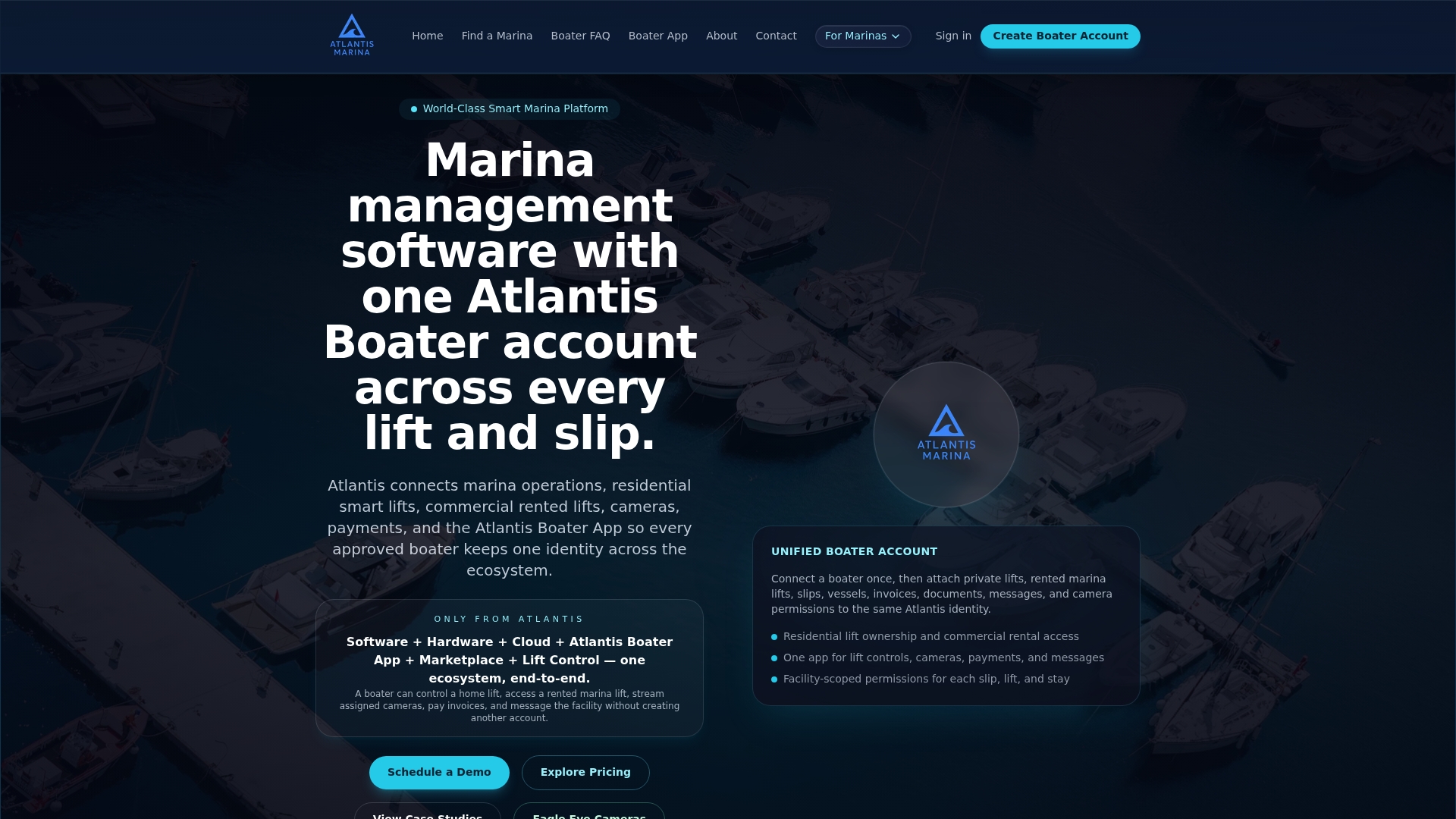
The features map directly onto the implementation checklist above: QR-based check-in for instant account and vessel lookup, ship store POS integrated with the same billing engine, Stripe and ACH payment processing, automatic QuickBooks Online sync, and smart lift and hardware integrations for marinas running connected equipment. Onboarding typically covers data migration from your existing spreadsheets or legacy software, hardware pairing for dockside terminals, and staff training before your pilot launch date, so your team is not learning the system live in front of customers.
If you're ready to run the 30 to 60 day pilot outlined earlier in this guide, the next step is straightforward: schedule a demo with Atlantis Marina to see how payment, billing, and QR workflows fit your specific dock layout and customer mix.
Sources
- Windsor’s Lakeview Park Marina goes cashless as 2026 season begins – CTVNews
- Berths in Passathafen can now be paid for online around the clock. | BOOTE
FAQ
Is Cashless Marina Operation Actually More Profitable?
A well-run marina's profitability depends on occupancy, fees, and cost control more than payment method alone, but cashless systems tend to improve revenue capture by reducing missed or under-recorded transactions, particularly from transient traffic paying after hours.
What Is the Best Marina Management Software for Cashless Payments?
The strongest option connects payment processing, billing automation, and QR check-in in one system rather than three separate tools. Atlantis Marina does this by pairing Stripe and ACH processing with QuickBooks Online sync and boater self-service through the Atlantis Boater App.
How Much Do Marina Fees Typically Cost Per Month?
Marina fees vary widely by location, slip size, and amenities, so there is no single national figure that applies across facilities. Operators should check rates directly with individual marinas or regional marina associations for accurate local pricing.
Do PCI Rules Apply to Marinas the Same Way They Apply to Retail Stores?
Yes. Marinas accepting card payments fall under the same PCI DSS expectations as any merchant, and using a tokenized, hosted payment provider reduces but does not eliminate the marina's own security responsibilities around staff access and audit trails.
Can Boaters Without Smartphones Still Pay at a Cashless Marina?
Yes, through fallback options like a staffed kiosk with assisted card entry or a prepaid voucher desk at the marina office, which keeps the operation accessible without requiring every customer to carry a smartphone.
This article provides general operational guidance and is not a substitute for legal or regulatory advice. Confirm permit, lease, and compliance requirements with your local port authority or a qualified professional before finalizing a cashless policy.