

The most effective approach to handling marina guest reservations is a digital-first workflow: publish your cancellation and payment terms, enable online booking with pre-arrival forms, and set pre-authorization rules before a single guest arrives. Three actions to start today:
- Publish your reservation terms (cancellation windows, deposit amounts, no-show fees) on your booking page.
- Enable online slip reservations with a pre-arrival form that captures vessel details, insurance, and power requirements.
- Configure pre-authorization holds so payment is secured before arrival, not argued about at the dock.
When you combine online booking with automated communications and PCI-compliant payment processing, the typical on-site check-in time drops from 5–15 minutes to under 2 minutes for guests who completed pre-arrival registration. Refunds on card charges process through standard banking channels within a standard banking period; pre-authorization holds typically release within a few days after checkout. Platforms like Atlantis Marina unify all of this in one cloud-based system, from the initial booking request through QuickBooks Online sync.
Table of Contents
- Why traditional reservation handling fails marinas today
- How to handle marina guest reservations step by step
- Payments, pre-authorizations, cancellations, and refunds
- Automated messages and templates that reduce staff time
- How dock teams should handle arrivals and edge cases
- What must your marina reservation system actually do?
- U.S. legal considerations for marina reservation contracts
- How Atlantis Marina implements this workflow
- What to measure so you know the reservation process is working
- Key Takeaways
- Why automation actually improves the guest experience at the dock
- Atlantis Marina handles guest reservations so your staff can focus on the dock
- Sources and further reading
- FAQ
Why traditional reservation handling fails marinas today
Most marina reservation problems trace back to the same root cause: the guest arrives at the dock and the staff member is seeing their vessel details for the first time. That moment, repeated dozens of times a week, creates a cascade of operational failures.

Long arrival queues form when every check-in requires manual verification of insurance cards, registration documents, and payment methods. A single missing document can hold up a slip assignment for 20 minutes while the dock line grows. Mismatched vessel dimensions, discovered only at arrival, force last-minute slip reassignments that ripple through the day's schedule. Manual payment handling, whether a staff member writing down a card number or running a terminal, introduces both security risk and dispute exposure.
Inconsistent cancellation handling is a particular revenue leak. When cancellation terms live only in a staff member's memory, guests dispute fees they claim they were never told about. Without a signed acknowledgment at booking, the marina has no documentation to support its position. The same problem applies to no-show fees: without a written policy presented and accepted at the time of reservation, collecting them is difficult.
Edge cases expose every gap in a manual process. Walk-in boaters during peak season compete with pre-booked guests for the same slips, and without a real-time slip status view, overbooking happens. Winter layover bookings, which span months and involve different billing cycles, are especially prone to documentation gaps when managed on spreadsheets. Duplicate bookings, where a guest calls the dock and also submits an online form, create billing confusion that takes staff time to untangle.
The operational impact compounds: staff time spent on arrival administration is time not spent on dock service, maintenance coordination, or handling genuine emergencies. Negative reviews frequently cite slow check-in and billing confusion, not the quality of the facility itself.
How to handle marina guest reservations step by step
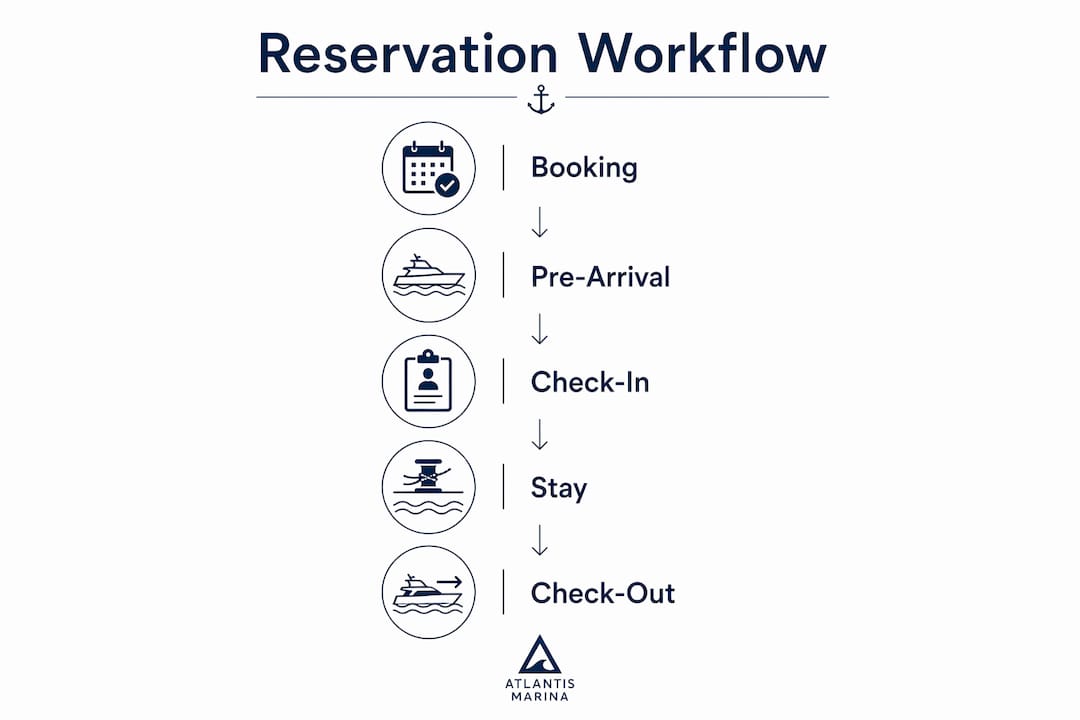
A repeatable reservation workflow has nine distinct phases. Each phase has a responsible party, a set of required data fields, and a defined handoff point.
The nine-phase workflow
-
Booking request. Guest submits a reservation via online portal or phone. Capture: guest name, contact (email + mobile), vessel name, LOA, beam, draft, vessel type, registration number, arrival date/time, departure date, shore power requirements (30A/50A/100A), special requests, and payment method. Present cancellation terms at this step and require explicit acceptance.
-
Booking confirmation. System sends an automated confirmation email and SMS within minutes of booking. The confirmation includes reservation ID, slip type, arrival instructions, and a link to the pre-arrival registration form.
-
Pre-arrival registration. Guest completes the digital form: uploads proof of insurance (current year, minimum liability coverage per your policy), vessel registration, and any outstanding documents. The Atlantis customer portal handles document upload and e-signature for reservation terms.
-
Document and insurance verification. Staff reviews uploaded documents before arrival, ideally 24–48 hours out. Flag any missing or expired documents and trigger an automated follow-up message. Do not assign a slip until insurance is verified.
-
Pre-authorization. Run a pre-authorization hold for the estimated stay amount plus an incidental buffer (typically one night's rate or a fixed deposit amount). Pre-authorization confirms the card is valid and funds are available without charging the guest. This step happens at booking or 24–48 hours before arrival.
-
Arrival check-in. Staff greets the guest, scans their account QR code or looks up the reservation by name/vessel, confirms slip assignment, verifies the vessel matches the booking dimensions, and hands off dock orientation. With pre-arrival complete, this step takes under 2 minutes.
-
Slip assignment. Assign the specific slip based on vessel size, power requirements, and availability. Update real-time slip status in the operations dashboard. If the requested slip is unavailable, offer the nearest equivalent or place the guest on a waitlist with an estimated availability time.
-
During-stay operations. Automated billing runs for multi-day stays. Staff handle service requests, maintenance flags, and any mid-stay changes (departure extension, power upgrade). Guests can message staff through the Atlantis Boater App.
-
Check-out and deposit release. Staff confirms departure, inspects the slip, and closes the reservation. Final charges are applied, the pre-authorization hold is released (typically within 24–72 hours), and an automated departure message with receipt and review request goes to the guest.
Booking fields to capture at reservation
- Guest full name, email, and mobile number
- Vessel name, type, LOA, beam, draft, and registration number
- Arrival date/time and estimated departure date
- Shore power requirements (30A, 50A, or 100A)
- Special requests (accessibility, preferred dock section, fuel, pump-out)
- Payment method and billing address
- Explicit acceptance of cancellation and deposit terms
Waitlist and overbooking handling
When all slips of the requested type are booked, place the guest on a waitlist with an automated confirmation that states their position and expected notification timeline. Set a slip-hold window (typically 15–30 minutes after a cancellation opens a slot) before offering it to the next waitlisted guest. Never verbally promise a specific slip without confirming availability in the system first.
Pro Tip: Send a pre-arrival reminder 72 hours out and again 24 hours out. Guests who receive two reminders complete pre-arrival registration at a significantly higher rate than those who receive only one, which means fewer documentation gaps at arrival.
Payments, pre-authorizations, cancellations, and refunds
Payment policy clarity at the time of booking is the single most effective way to prevent billing disputes. Guests who accept written terms before arrival rarely dispute charges they agreed to in writing.
Policy language managers can use
The following snippets are designed to be dropped into reservation confirmation emails and booking terms pages:
Pre-authorization: "A pre-authorization hold equal to [amount] will be placed on your card [X hours/days] before arrival to confirm payment availability. This hold is not a charge and will be released within 24–72 hours of checkout."
Deposit: "A deposit of [amount or X% of total stay] is required at booking to secure your slip. This deposit is applied to your final balance at checkout."
Cancellation: "Cancellations made more than [72 hours / 7 days] before arrival receive a full refund of the deposit. Cancellations within [48 hours] of arrival forfeit the deposit. No-shows are charged the full first night's rate."
Refund timing: "Refunds are processed within 5–10 business days through your card issuer. Pre-authorization holds typically release within 24–72 hours of checkout."
Pre-authorization vs. charge: when to use each
| Scenario | Recommended approach | Typical hold amount |
|---|---|---|
| Advance reservation, arrival 7+ days out | Deposit charge at booking | 1 night or 25–50% of stay |
| Reservation, arrival within 48 hours | Pre-auth hold at booking | Estimated full stay + incidentals |
| Walk-in guest | Pre-auth hold immediately | Full estimated stay |
| Multi-week or seasonal slip | Deposit charge + monthly autopay | First month + security deposit |
| No card on file at arrival | Collect card and pre-auth before slip assignment | Full estimated stay |
Payment options and when to accept each
Card on file (via Stripe or ACH) is the default for pre-arrival bookings. ACH is appropriate for long-term leaseholders and seasonal contracts where recurring billing is set up in advance. Cash is acceptable for walk-in day visitors but should always be receipted and logged. Never accept cash for multi-day reservations without also collecting a card on file for incidentals.
PCI DSS compliance applies to every marina that stores, processes, or transmits cardholder data. In practice, this means using a payment processor (such as Stripe) that handles card data in a compliant environment, storing payment tokens rather than raw card numbers, and maintaining audit logs of every transaction. The billing audit log is your primary defense in a chargeback dispute: it shows the authorization timestamp, the amount, and the guest's acceptance of terms.
Automated messages and templates that reduce staff time
Automation does not replace communication. It replaces the repetitive, time-sensitive messages that staff currently send manually, often inconsistently. The goal is that every guest receives the same information at the right moment, regardless of which staff member is on duty.
Message timing and triggers
| Message | Trigger | Channel | Timing |
|---|---|---|---|
| Booking confirmation | Reservation created | Email + SMS | Immediate |
| Pre-arrival registration link | Booking confirmed | Immediately after confirmation | |
| Document upload reminder | Registration incomplete | Email + SMS | 72 hours before arrival |
| Arrival instructions | Registration complete | Email + SMS | 24 hours before arrival |
| Arrival confirmation | Check-in completed | SMS | At check-in |
| Departure notice and receipt | Check-out completed | At check-out | |
| Refund/release notice | Deposit released | When processed | |
| Review request | 24 hours post-departure | 24 hours after checkout |
What each message should include
- Booking confirmation: reservation ID, slip type, arrival date/time, marina address and contact, link to pre-arrival form, and a summary of cancellation terms.
- Pre-arrival registration link: direct URL to the form, list of required documents (insurance, registration), and a deadline for completion (e.g., 48 hours before arrival).
- Arrival instructions: gate access code or QR code, dock location, parking, fuel and pump-out locations, shore power connection notes, and staff contact number.
- Departure notice: itemized receipt, refund timeline statement (5–10 business days for charges; 24–72 hours for pre-auth release), and a direct link to leave a review.
SMS vs. email guidance
SMS is best for time-sensitive messages: arrival instructions, arrival confirmation, and urgent alerts (weather delays, dock closures). Email handles document-heavy communications: booking confirmations, pre-arrival forms, receipts, and policy terms. Always collect opt-in consent for SMS at booking, with a one-line statement such as: "By providing your mobile number, you agree to receive reservation-related text messages from [Marina Name]. Reply STOP to opt out."
Mobile check-in workflows and digital keys have been shown to improve throughput and guest satisfaction by letting guests bypass the front desk entirely when pre-arrival is complete. The Atlantis Boater App delivers this experience for marina guests: QR-code check-in, real-time messaging, and document management from one account.
Automation rules checklist:
- Trigger confirmation immediately on booking (no manual step required)
- Trigger registration reminder if form is incomplete at 72 hours pre-arrival
- Trigger arrival instructions only after registration is marked complete
- Flag incomplete registrations to staff at 48 hours pre-arrival for manual follow-up
- Trigger departure message and receipt automatically at check-out
- Escalate missing insurance documents to the dockmaster at 24 hours pre-arrival
How dock teams should handle arrivals and edge cases
Automation handles the information flow. Dock staff handle the human moment. The two should never compete.
Standard arrival verification steps
When a vessel approaches, the dock hand should:
- Greet the guest by name (pulled from the reservation on the operations dashboard or QR scan).
- Confirm vessel name and dimensions match the booking.
- Verify pre-arrival status: registration complete, insurance on file, payment authorized.
- Assign the slip and walk the guest to it, noting any dock-specific instructions (power pedestal location, cleat configuration, tide considerations).
- Confirm shore power connection and meter reading if applicable.
- Hand off the marina contact number and hours for the guest's stay.
With pre-arrival complete, steps 1–3 take under 2 minutes. The standard check-in procedure for straightforward reservations runs 3–5 minutes; pre-arrival registration compresses this to under 2 minutes.
Handling edge cases
Late arrivals: Set a slip-hold policy (e.g., hold until midnight unless the guest notifies staff of a delay). Send an automated check-in status message if the guest has not arrived by 2 hours past their stated arrival time. Staff should attempt one direct contact before releasing the slip.
Walk-ins: Collect all booking fields manually or via a tablet intake form before assigning any slip. Run a pre-auth hold immediately. Do not assign a slip until payment is authorized.
Mismatched vessel documentation: If insurance is expired or registration does not match the vessel on file, do not assign the slip. Inform the guest politely: "We need a current insurance certificate before we can assign your slip. Can you upload it through the app or email it to us now?" Give a 2-hour window before offering the slip to the next guest.
Payment declines: Attempt the card on file once, then ask for an alternate payment method. If no valid payment is available, the reservation cannot be honored. Document the attempt and outcome in the audit log.
Accessibility needs: Flag accessibility requests at booking and confirm slip assignment in a section with appropriate dock access. Brief dock staff before arrival.
Dispute resolution script
When a guest disputes a charge at the dock: "I understand your concern. Let me pull up your reservation and the authorization record so we can review it together." Show the guest the audit log entry, the terms they accepted at booking, and the charge timestamp. If the dispute cannot be resolved on the dock, escalate to the marina manager and document the interaction. Never reverse a charge at the dock without manager authorization.
What must your marina reservation system actually do?
Not every marina management platform handles the full workflow. Before selecting or configuring a system, verify it covers every must-have capability below.
Must-have features
- Online booking portal with real-time slip availability, vessel dimension validation, and mobile-friendly design
- Pre-arrival forms and document upload (insurance, registration, e-signature for terms)
- PCI-compliant payment processing with pre-authorization, card-on-file storage, and ACH support
- Reservation and waitlist management with real-time slip status and overbooking prevention
- Operations dashboard for dockmasters: reservation list, vessel details, billing status, document status, and messaging
- Audit logs and transaction history for every payment, authorization, and document event
- Automated communications (email and SMS) with configurable triggers
- Reporting exports for occupancy, revenue, and pre-arrival completion rates
Nice-to-have features
- Mobile boater app (Atlantis Boater App) for self-service check-in, document upload, payments, and staff messaging
- QR-code check-in for express arrival without manual lookup
- Hardware integrations (power meters, gate access controllers, boat lift controllers)
- AI assistant (Atlantis Bot) for answering common boater questions on the marina website and supporting staff with billing and operational queries
- Marketplace for ancillary services (fuel, pump-out, provisioning, repairs)
- Multi-property management for marina groups
Integration priorities
Test these integrations before going live:
- QuickBooks Online for accounting sync (revenue, refunds, and adjustments post automatically)
- Stripe and ACH for payment processing and pre-authorization
- Hardware APIs for power metering and gate access, if applicable
Atlantis Marina covers all must-have and nice-to-have features in one platform. The marina reservations software handles online booking, pre-arrival forms, and waitlist management. The Atlantis Boater App delivers the guest-facing experience: document upload, e-signature, payments, and real-time messaging. Atlantis Bot handles FAQ traffic on your marina website, reducing inbound calls for hours, rates, and availability. The full operations suite connects reservations, billing, slip assignments, and reporting in one dashboard.
U.S. legal considerations for marina reservation contracts
Marina reservation agreements are contracts. The terms you present at booking, and the guest's acceptance of them, determine your ability to enforce cancellation fees, retain deposits, and defend against chargebacks. This section covers the operational steps, not legal advice. Consult local counsel for jurisdiction-specific requirements.
Suggested contract clause language
Reservation acceptance: "Submission of this reservation request and payment of the required deposit constitutes acceptance of the marina's reservation terms and conditions."
Deposit and hold language: "A deposit of [amount] is required to confirm this reservation. The deposit is applied to the final balance at checkout. The marina reserves the right to place a pre-authorization hold on the card on file for the estimated stay amount."
Cancellation and no-show fees: "Cancellations received more than [X] hours/days before the scheduled arrival date will receive a full deposit refund. Cancellations within [Y] hours of arrival forfeit the deposit. No-shows are charged the full first night's rate."
Damage liability: "The vessel owner is responsible for any damage to marina property, docks, or adjacent vessels caused by the guest's vessel during the reservation period."
Insurance and vessel registration requirements
Require proof of current marine liability insurance (minimum coverage per your policy, typically $100,000 or more) and current vessel registration at the time of booking. Verify both documents before arrival, not at the dock. An expired insurance certificate is not coverage. If a guest cannot provide current insurance, the reservation should not be honored.
Data handling and PCI best practices
Store payment tokens, not raw card numbers. Use a PCI-compliant processor that handles card data in its own secure environment. Collect only the personal information you need to fulfill the reservation: name, contact, vessel details, and payment token. Keep audit logs of every document submission, payment event, and communication for a minimum of 12 months. These logs are your primary evidence in a chargeback or liability dispute.
How Atlantis Marina implements this workflow
The following implementation path maps the nine-phase workflow to specific Atlantis Marina features. Marinas can realistically complete the core setup in one week and reach full automation within 30 days.
Step-by-step Atlantis setup
- Step 1: Enable online reservations. Activate the marina reservations module, configure slip types and availability, and embed the booking widget on your marina website. Set vessel dimension validation rules to prevent overbooking by size.
- Step 2: Configure pre-arrival forms. Build your pre-arrival registration form in the platform: required fields, document upload prompts (insurance, registration), and Atlantis E-Sign for reservation terms. Set the form to trigger automatically on booking confirmation.
- Step 3: Set pre-authorization and deposit rules. In the billing module, configure pre-auth hold amounts by slip type and stay duration. Connect Stripe for card processing and ACH for long-term leaseholders. Set autopay rules for multi-day and seasonal stays.
- Step 4: Connect payment gateway and QuickBooks Online. Link your Stripe account and enable QuickBooks Online sync so every charge, refund, and adjustment posts to your books automatically.
- Step 5: Enable Atlantis Boater App onboarding. Invite guests to create an Atlantis Boater App account at booking. The app gives guests a single place to complete pre-arrival registration, upload documents, sign contracts, make payments, and message staff. The boater account platform travels with the guest across the Atlantis Marina Network.
- Step 6: Activate Atlantis Bot. Deploy Atlantis Bot on your marina website to handle common questions: rates, availability, check-in times, power options, and cancellation policy. Bot answers reduce inbound calls and let staff focus on operational tasks.
- Step 7: Configure automated communications. Set up the message sequence from the timing table above: confirmation, pre-arrival link, document reminder, arrival instructions, departure receipt, and review request. Test each trigger before going live.
Implementation timeline
| Week | Priority actions |
|---|---|
| Week 1 (pilot) | Enable online booking, configure slip types, set up pre-arrival forms, connect Stripe, test with 3–5 internal reservations |
| Week 2 | Go live with online bookings, activate automated communications, onboard dock staff to operations dashboard |
| Week 3–4 | Enable Atlantis Bot, connect QuickBooks Online, configure reporting dashboard, review first-week metrics |
| Month 2 | Add QR-code check-in, hardware integrations (if applicable), and marketplace services |
Realistic outcomes for marinas that complete this setup: arrival check-in time under 2 minutes for pre-arrival guests, near-elimination of documentation disputes at the dock, and a measurable reduction in inbound calls for basic reservation questions once Atlantis Bot is live.
What to measure so you know the reservation process is working
A reservation workflow that cannot be measured cannot be improved. Track these KPIs weekly during the first 90 days, then monthly once the process stabilizes.
| KPI | Definition | Target threshold | Action if off-target |
|---|---|---|---|
| Average arrival check-in time | Minutes from vessel approach to slip assignment | Under 5 minutes (under 2 min for pre-arrival complete) | Review pre-arrival completion rate; add staff at peak times |
| Pre-arrival completion rate | % of guests who complete registration before arrival | 80%+ | Audit form length and reminder timing; simplify fields |
| No-show rate | % of reservations where guest does not arrive | Under 5% | Tighten cancellation terms; add 24-hour reminder |
| Cancellation rate | % of reservations cancelled | Track trend; no universal target | Review cancellation window policy if rate spikes |
| Refund disputes | Number of chargebacks or disputed refunds per month | Zero or near-zero | Review audit log coverage; verify terms acceptance at booking |
| Revenue per slip per day | Total slip revenue divided by occupied slip-days | Set baseline in month 1 | Investigate pricing or occupancy gaps |
| Automation completion rate | % of reservations where all automated messages sent without manual intervention | 95%+ | Check trigger configuration; review failed sends |
| Guest satisfaction score | Post-stay survey score or review rating | 4.5+ stars | Review check-in experience and communication timing |
Audit logs and transaction history feed directly into dispute workflows. When a guest disputes a charge, pull the audit log entry for that reservation: it shows the authorization timestamp, the amount, the terms-acceptance event, and every communication sent. This record is the difference between winning and losing a chargeback.
The staff coordination dashboard in Atlantis Marina surfaces these metrics in real time, so dockmasters can spot a pre-arrival completion rate drop on Tuesday morning and fix the reminder trigger before the weekend rush.
Key Takeaways
A digital-first reservation workflow, backed by written payment and cancellation terms and automated pre-arrival communications, is the most reliable way to reduce check-in time, prevent billing disputes, and increase repeat bookings at any marina.
| Point | Details |
|---|---|
| Start with three actions | Publish terms, enable online booking, and set pre-auth rules before opening reservations. |
| Pre-arrival cuts check-in time | Digital pre-arrival registration reduces on-site check-in from 5–15 minutes to under 2 minutes. |
| Refund timing is standard | Card refunds process in 5–10 business days; pre-auth holds release in 24–72 hours after checkout. |
| Measure pre-arrival completion | A completion rate below 80% signals friction in your forms or reminder timing, not guest indifference. |
| Atlantis Marina unifies the workflow | Online booking, pre-arrival forms, Atlantis Boater App, Atlantis Bot, billing, and QuickBooks sync run in one platform. |
7-day action plan
- Day 1 (urgent): Publish your cancellation, deposit, and no-show policy on your website and booking page.
- Day 2 (urgent): Enable online slip reservations with vessel dimension fields and terms acceptance at booking.
- Day 3 (urgent): Activate pre-arrival forms with document upload for insurance and registration.
- Day 4 (this week): Connect your payment gateway (Stripe or ACH) and configure pre-authorization hold rules.
- Day 5 (this week): Set up automated confirmation, pre-arrival reminder, and arrival instruction messages.
- Day 6 (this week): Train dock staff on the operations dashboard: how to pull up a reservation, verify pre-arrival status, and scan a guest QR code.
- Day 7 (this week): Run 3–5 test reservations end-to-end with staff before opening to guests. Identify any gaps in the form, the automation triggers, or the slip assignment flow.
Optional (month 2): Deploy Atlantis Bot on your website, add QR-code check-in, connect QuickBooks Online, and configure the weekly KPI report.
Why automation actually improves the guest experience at the dock
The conventional wisdom in marina operations is that technology distances staff from guests. The opposite is true when the technology is configured correctly.
When a dock hand no longer needs to ask for an insurance card, manually enter a card number, or look up a vessel in a spreadsheet, that person has 10–15 minutes per arrival to do something more valuable: walk the guest to their slip, point out the fuel dock, mention the pump-out schedule, or simply have a real conversation. That kind of attention is what generates five-star reviews, not the speed of the Wi-Fi.
The practical example is the express check-in moment. A guest who completed pre-arrival registration arrives at the dock, the dock hand scans their QR code, confirms the vessel, and says, "You're in slip C-14, let me walk you over." The guest, expecting the usual paperwork shuffle, is visibly surprised. That surprise is the review. The paperwork was handled two days ago, invisibly, by a form and an automated reminder.
Automation also makes the staff's job more consistent. A dock hand who follows the same verified checklist for every arrival makes fewer errors than one who relies on memory during a busy Saturday afternoon. Fewer errors mean fewer disputes, fewer refunds, and fewer apology calls. The measurable outcome is a lower refund dispute rate and a higher guest satisfaction score, both of which show up in the weekly KPI report.
Atlantis Marina handles guest reservations so your staff can focus on the dock
Marinas that still manage reservations through phone calls, email threads, and paper logs are spending staff time on tasks a platform can handle in seconds. Atlantis Marina replaces that entire administrative layer with one connected system: online slip reservations, pre-arrival forms and document collection, PCI-compliant payment processing with pre-authorization, automated guest communications, and real-time slip management, all in one operations dashboard.
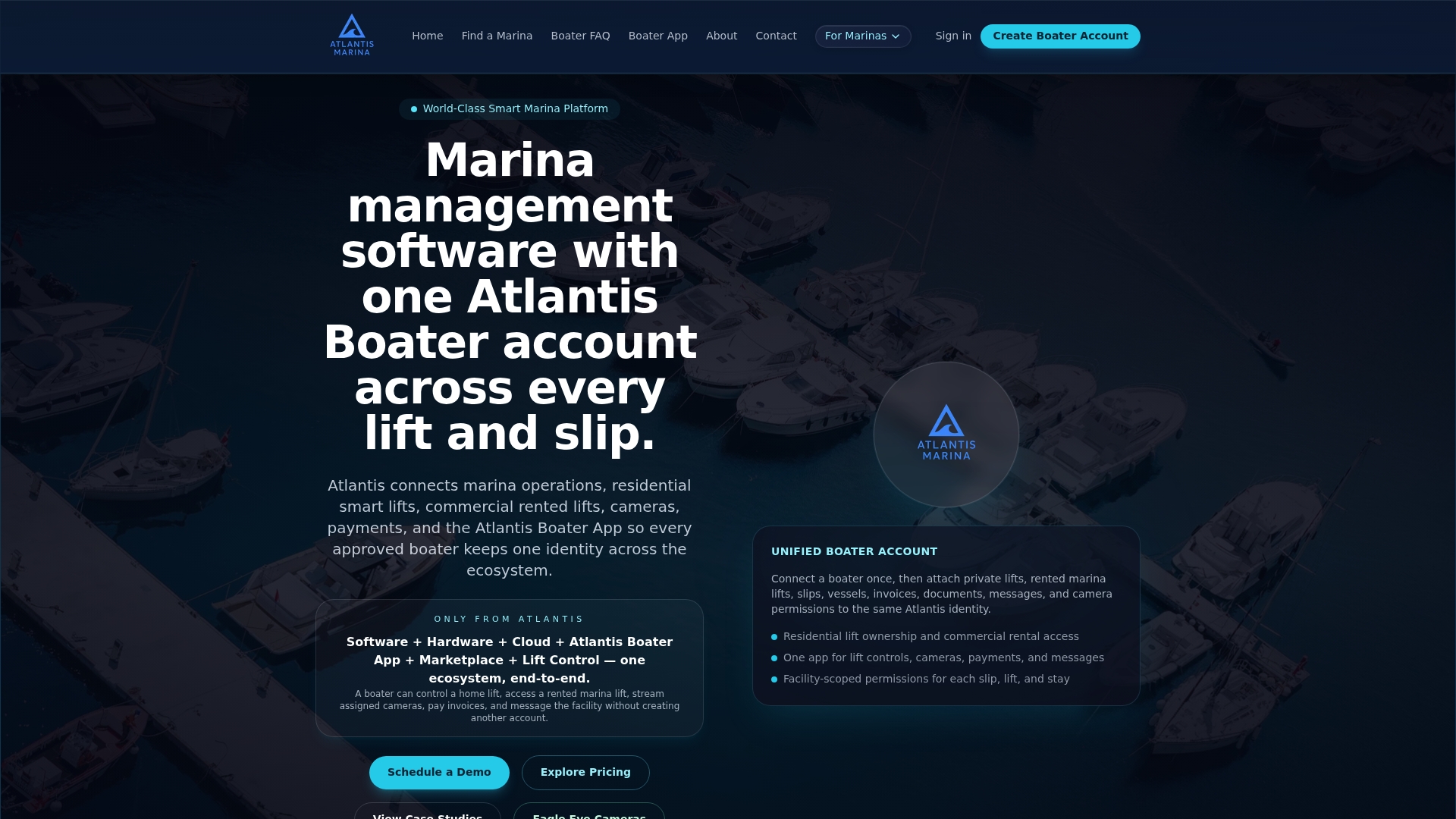
The Atlantis Boater App gives guests a self-service account that travels with them: they complete registration, upload insurance, sign contracts, and pay before they ever reach the dock. Atlantis Bot handles the FAQ traffic on your marina website, so staff are not answering the same rate and availability questions 20 times a day. QuickBooks Online sync means every charge and refund posts to your books without manual entry. The result is a reservation process that runs predictably, generates an audit trail for every transaction, and frees your dock team to deliver the kind of hospitality that builds a loyal guest base.
See how the full workflow runs on the marina management platform or go directly to the reservations module to configure online booking for your marina. Schedule a demo at atlantis-marina.com/sales and have your first test reservation running within a week.
Sources and further reading
- Hotel Check-In Procedures: Step-by-Step Guide — covers pre-arrival digital workflows, pre-authorization standards, and refund timing (5–10 business days for charges; 24–72 hours for pre-auth release).
- Hotel Guest Check-In Procedure Checklist — standard check-in steps and the operational case for digital pre-arrival.
- The Perfect Guest Check-In Experience: A Step-by-Step Guide — mobile check-in, digital workflows, and guest satisfaction outcomes.
- Streamlining the Hotel Check-In Process — front office checklists and the rule against assigning a room or slip before payment authorization.
- Hotel Guest Check-In SOP & Checklist — standard check-in time benchmarks (3–5 minutes) and peak-time staffing strategies.
- Atlantis Marina Reservations Software — platform feature details for online booking, pre-arrival forms, and waitlist management.
- Atlantis Marina Management Suite — full operations dashboard, slip management, billing, and reporting.
- Atlantis Marina Billing Software — pre-authorization, refunds, autopay, and QuickBooks Online sync.
- Atlantis Boater Account Platform — guest-facing app for document upload, e-signature, payments, and messaging.
- Consult local maritime counsel for jurisdiction-specific contract requirements, insurance minimums, and lien rights applicable to your state.
FAQ
How do you handle a marina guest reservation from booking to check-out?
Collect vessel details, insurance, and payment at booking, send automated pre-arrival forms for document upload and e-signature, run a pre-authorization hold before arrival, and complete check-in by verifying documents and assigning the slip. At check-out, release the hold and send an automated receipt. With pre-arrival complete, on-site check-in drops to under 2 minutes.
Are marina guest reservations legally binding?
Yes. A reservation accepted with a deposit or pre-authorization and written terms constitutes a contract in U.S. hospitality operations. Presenting cancellation and no-show terms at booking, and requiring explicit acceptance, is what makes those terms enforceable. Consult local counsel for state-specific requirements.
What is the standard procedure for guest check-in at a marina?
Greet the guest, confirm the vessel name and dimensions match the booking, verify pre-arrival status (insurance on file, payment authorized), assign the slip, and walk the guest to it. The standard check-in for a straightforward reservation runs 3–5 minutes; pre-arrival registration compresses this to under 2 minutes.
How long does it take to get a refund from a marina reservation?
Card refunds typically process in 5–10 business days through standard banking channels. Pre-authorization holds, which are not charges, usually release within 24–72 hours after checkout. State the expected timeline in your departure message so guests are not surprised.
What should a marina require at the time of booking?
Require vessel name, LOA, beam, draft, registration number, proof of current marine liability insurance, arrival and departure dates, shore power requirements, payment method, and explicit acceptance of cancellation and deposit terms. Atlantis Marina's pre-arrival forms collect and store all of these digitally before the guest reaches the dock.