
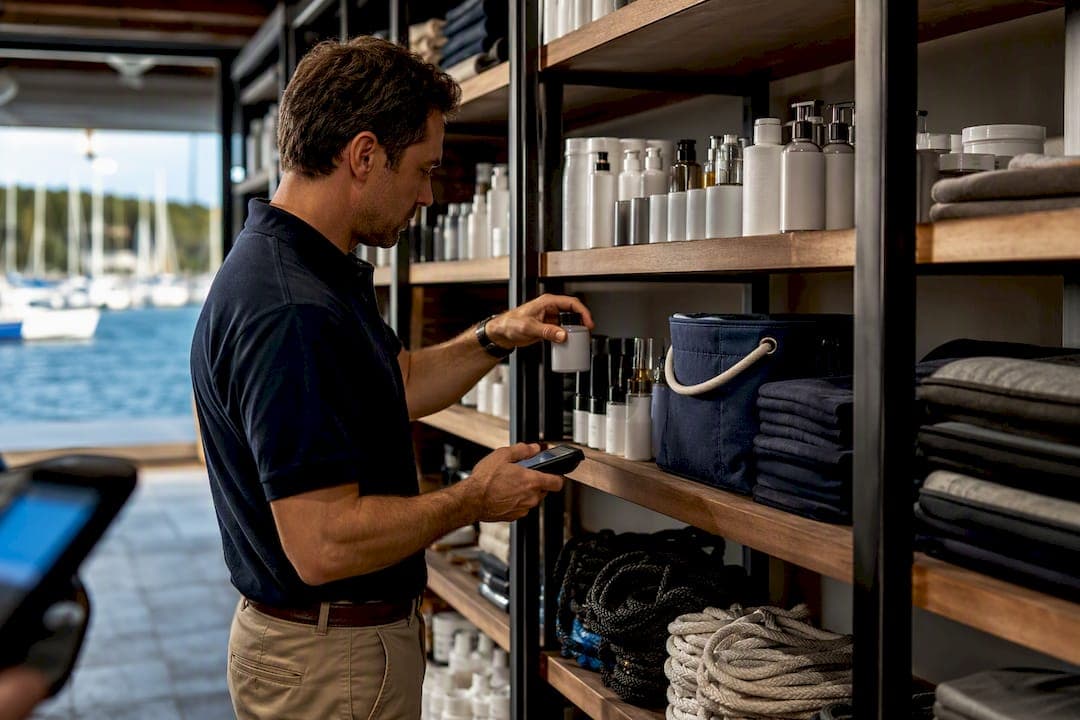
The most reliable way to cut stockouts and shrinkage in a marina is to stop running inventory on spreadsheets and clipboards and put it on an integrated platform that connects inventory, ship store POS, purchasing, and mobile scanning. Managers who make that switch see real-time on-hand counts, fewer emergency parts runs, tighter purchase order workflows, and one billing system instead of three disconnected tools. The immediate next step is to evaluate platforms that centralize stock visibility, support mobile counts, and connect directly to your point-of-sale and billing systems.
TL;DR:
- Centralizing inventory data with an integrated platform that connects POS, purchasing, and mobile scanning reduces stockouts and shrinkage effectively.
- Using a standardized item catalog and supporting up to five tracking dimensions improves accuracy and management of scattered marina locations.
- Implementing ABC classification, regular cycle counts, and mobile workflows helps ensure fast-moving items are always in stock, especially during seasonal peaks.
- Ensuring seamless integration between inventory, POS, fuel dispensation, and accounting systems prevents discrepancies and manual data entry errors.
- Starting with a pilot at high-volume locations and cleaning data beforehand minimizes the risk of misconfiguration and accelerates successful system adoption.
Table of Contents
- What Does Effective Marina Inventory Management Look Like?
- Best Practices for Controlling Marina Inventory
- How Should Inventory Connect to POS, Purchasing, and Fuel Systems?
- Implementation Checklist for Rolling Out a New System
- How Atlantis Marina Supports Marina Inventory Workflows
- What Marinas Get Wrong About Inventory Software
- Get Your Marina's Inventory Under One Roof
- Sources
- FAQ
What Does Effective Marina Inventory Management Look Like?
Marina inventory management is the practice of tracking parts, fuel, ship store retail goods, and safety equipment across every physical location on your property, from the dry stack warehouse to the fuel dock to the mechanic's truck. Unlike a retail store with one stockroom, a marina runs inventory across scattered locations: slips, lifts, service bays, the ship store, and sometimes multiple properties under one management group. The core capabilities that solve this problem overlap heavily with what the maritime software industry already calls marine inventory control, and the terms are functionally interchangeable for a marina operator.
A working system needs to answer three questions at any moment: what do we have, where is it, and when do we need more. Here's what that requires in practice:
- Real-time on-hand visibility across shore warehouses, the ship store, service vehicles, and vessel-assigned stock, so a dockhand and a purchasing manager see the same numbers at the same time. Navatom's inventory module builds this around dedicated journal types for arrivals, counting, movement, and transfers, which gives every stock change a documented trail instead of a silent edit.
- A standardized item master using recognized coding conventions like IMPA or ISSA codes, so "3/4 inch bronze hose clamp" isn't logged five different ways by five different staff members. A coded item catalogue cuts down on duplicate orders and wrong-item mistakes that spreadsheets never catch until the invoice arrives.
- Purchase order creation, receiving, and matching with approval workflows that route through accounting and sync to QuickBooks, so nobody is re-typing vendor invoices into a separate ledger.
- Barcode and QR scanning through mobile apps, letting staff run stock counts, field checkouts, and receiving from a phone instead of a paper clipboard that gets updated once a week if you're lucky.
- Fuel dock integration that ties dispenser meter readings directly to inventory records, so fuel reconciliation doesn't depend on someone manually copying numbers off a pump display.
- Kits and bundles for service jobs, plus POS integration for ship store sales, so a service ticket or a retail sale automatically deducts the right parts from stock.
- Inventory valuation, low-stock alerts, and automated reorder recommendations that flag a shortage before it becomes a customer complaint, not after.
Multi-dimensional tracking matters more in a marina than most operators expect. Navatom notes that maritime platforms often support up to five tracking dimensions per item, including batch, serial number, owner, and status, which matters when you're managing everything from owner-supplied parts to shared safety equipment with expiration dates.
Best Practices for Controlling Marina Inventory
Software alone doesn't fix inventory problems. The operational habits around it decide whether stockouts and shrinkage actually go down.
- Centralize the master catalogue first. Before adding any new system, deduplicate SKUs and adopt a consistent coding approach. A coded catalogue standardizes ordering across suppliers and is the single highest-leverage fix available, more effective than tweaking reorder points on a messy item list.
- Classify inventory using ABC or 80/20 logic. A small share of items, usually fast-moving fuel filters, oil, and common hardware, drives most of your transaction volume. Set tighter min/max thresholds on those items and looser ones on slow movers, then adjust both for seasonal swings between peak boating months and winter layup.
- Schedule cycle counts by ABC class. High-velocity items get counted weekly or biweekly; low-velocity stock might only need a quarterly check. Run occasional blind audits, where the counter doesn't see the system's expected quantity first, to verify the numbers are actually trustworthy and not just self-confirming.
- Turn on mobile scanning and QR-code workflows. Fast check-in and check-out at the ship store or parts counter, tied to a customer's account, closes the gap between what left the shelf and what got billed.
- Link inventory to work orders and POS transactions. When a service ticket or a retail sale consumes stock automatically, you eliminate the manual step where shrinkage usually hides.
- Separate handling for hazardous items and fuel. Chemicals, batteries, and fuel need their own tracking workflow with expiration and batch monitoring, partly for accuracy and partly because international conventions like the IMO's Hong Kong Convention underline the documentation expected for hazardous materials aboard and around vessels.
Pro Tip: Run your first blind cycle count on the ship store's top 20 SKUs only. It takes a short amount of time, and it will tell you immediately whether your data is trustworthy before you invest time auditing the whole warehouse.
Configurable journal types with reason codes for every adjustment give operational teams a way to trace recurring losses back to a specific process, rather than writing them off as unexplained shrinkage every quarter.
How Should Inventory Connect to POS, Purchasing, and Fuel Systems?
An inventory system that doesn't talk to your other tools just becomes one more spreadsheet with a nicer interface. The integrations matter as much as the tracking itself.
- POS and ship store integration: a sale at the register should instantly consume the matching stock, which keeps sales margins accurate and prevents double-selling the same item to two customers before anyone notices the count was off. POS integration is consistently flagged across maritime inventory vendors as the piece that makes real-time accuracy possible.
- Purchase-to-receive workflow: PO creation, receiving against that PO, invoice matching, and routing to accounting, ending in a QuickBooks sync so nobody re-enters the same invoice twice.
- Fuel workflow: dispenser integration feeds metered records straight into reconciliation reports, closing the loop between what pumped out and what inventory says is left in the tank.
- Work order linkage: reserving parts against a scheduled service job and auto-consuming them at completion avoids the classic discrepancy where a mechanic grabs a part Friday afternoon and nobody logs it until Monday, if ever.
- Mobile and QR workflows for transient boaters and quick parts lookups let staff pull item location and pricing on the spot instead of walking back to a terminal.
Requisition-to-PO workflows with shore-side approval chains, the kind used across fleet and cruise operations, let shore teams centrally manage purchasing instead of every dock manager ordering independently.
Implementation Checklist for Rolling Out a New System
Moving off spreadsheets works best as a staged rollout, not a single flip-the-switch weekend.
- Pre-launch audit. Do a full physical count, clean up the item master, and assign clear storage locations and units of measure before any data gets imported.
- Configuration. Set min/max thresholds and ABC classifications, build approval rules and PO templates, and map items correctly into POS categories.
- Hardware selection. Choose barcode or QR scanners, mobile devices for staff, and confirm fuel dispenser interface compatibility.
- Training and governance. Build role-based training paths, write short runbooks for common tasks, and define escalation rules for when a count doesn't match the system.
- Go-live in stages. Pilot with one high-transaction location, typically the ship store or the busiest fuel dock, before expanding property-wide. Piloting a single location first exposes mapping errors and hardware issues while the stakes are still low.
Where rollouts fail: skipping the data cleanup step, launching everywhere at once instead of piloting, and ignoring seasonal demand swings when setting reorder points. A marina that sets its min/max levels in January based on winter usage will be scrambling for oil filters and life jackets by Memorial Day. The 80/20 principle applied to inventory means roughly a fifth of your SKUs will drive most transaction volume, so get those configured correctly before worrying about the long tail.
How Atlantis Marina Supports Marina Inventory Workflows
A platform is only as good as how completely it covers the daily grind of dock operations. Atlantis Marina was built around that grind rather than around a generic inventory template borrowed from retail.
- Ship store POS that consumes inventory automatically at the point of sale, so a transaction and a stock deduction happen in the same motion. See the ship store POS software for how that mapping works.
- Mobile access for cycle counts, field checkouts, and QR-code lookups, letting dockhands scan and confirm stock from a phone rather than walking a printed sheet around the property, detailed in the mobile access guide.
- Automated billing with QuickBooks Online sync, so PO receiving and invoice matching feed straight into the books, described on the marina billing page.
- An operations dashboard covering occupancy, maintenance, and daily task management alongside inventory status, outlined in the operations dashboard guide.
- Document management for storing supplier invoices, vendor certificates, and delivery records tied to specific items, as covered in marina document management.
Vintage Marina in Oxnard, California, represents the kind of property this approach was designed for: a working waterfront facility juggling slip operations, a retail counter, and service work under one roof, the exact combination where disconnected tools create the most friction.
The gap between a spreadsheet and a connected platform isn't features. It's the moment a sale, a work order, or a receiving event updates every downstream record without anyone re-typing a number.
What Marinas Get Wrong About Inventory Software
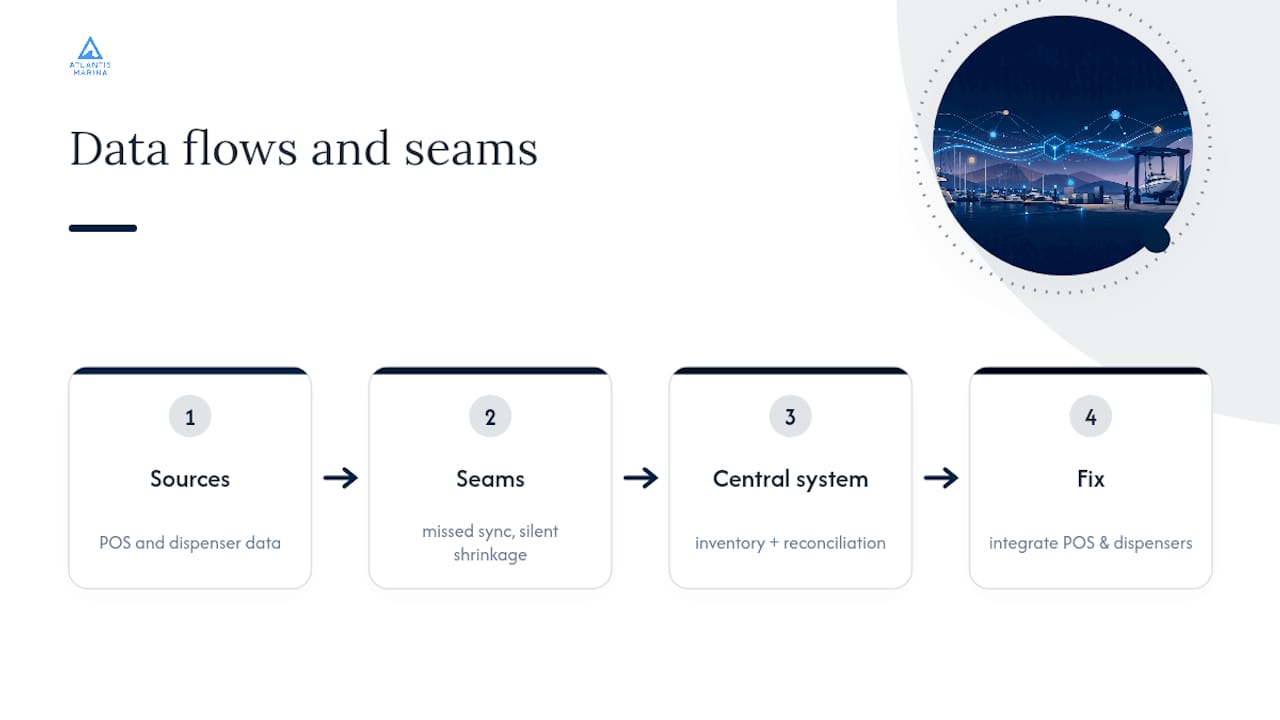
Most marina managers treat inventory software as a parts-counting problem. It isn't. The real failure point is almost always the seam between systems, the moment a ship store sale doesn't touch inventory, or a fuel reading never makes it into reconciliation. Fix those seams and the counting mostly takes care of itself.
The conventional advice, "just buy inventory software," undersells how maritime-specific the problem actually is. A marina isn't a warehouse with one door. It's fuel meters, slip-level parts consumption, seasonal demand that swings harder than almost any retail category, and safety gear with expiration dates that carry real liability if ignored. Generic inventory tools built for a single-location shop miss all of that.
If there's one place to focus first, it's the ship store and fuel dock integration, not the warehouse. Those two locations generate the highest transaction volume and the most opportunity for silent shrinkage. Get POS and dispenser data flowing into inventory correctly, and the rest of the rollout gets noticeably easier. Waiting until "everything is perfect" before piloting is the most common way marinas stall out and go back to spreadsheets within a month.
— John R
Get Your Marina's Inventory Under One Roof
Running separate tools for parts tracking, ship store sales, and fuel reconciliation means someone on your team is manually reconciling three systems every week, and that's where discrepancies hide. Atlantis Marina replaces that patchwork with one connected platform: ship store POS that consumes stock automatically, mobile scanning for cycle counts, purchase order workflows that sync straight to QuickBooks, and a fuel dock tie-in that keeps meter readings and inventory records aligned.
It's built for marinas at exactly the stage this article describes, moving off spreadsheets and clipboards without needing an enterprise IT rollout to get there. Whether you run a single ship store counter or a multi-property marina group, the marina management solution scales with your footprint instead of forcing you into a rebuild later. Boaters get their own side of the connection too, through the Atlantis Boater App, which ties account, billing, and purchase history to one QR-linked profile that staff can pull up instantly at the counter.
Start by reviewing the full platform overview and mapping your current ship store or fuel dock workflow against it. That single-location comparison is usually enough to see exactly where the gaps are.
Sources
- Inventory | Navatom
- Maritime Inventory Management System & Marine Stores | Tidal
- Cruise inventory management software - cruisePAL
- The Hong Kong Convention — IMO
FAQ
What Is the Best Marina Management Software?
The best option is one that unifies inventory, ship store POS, billing, and reservations rather than treating them as separate tools, since disconnected systems are where most marinas lose accuracy. Platforms like Atlantis Marina were built specifically to combine those functions for waterfront operations.
What Is the 80/20 Rule in Inventory?
The 80/20 rule, also called ABC analysis, holds that a small share of your items, often around 20 percent, account for the large majority of transaction volume or value. Applying it to a marina's item catalogue means setting tighter reorder controls on that critical fifth first.
What Are the Four Types of Inventory Management?
Inventory is generally grouped into raw materials, work-in-progress, finished goods, and maintenance/repair/operating (MRO) supplies. A marina's version maps closely to MRO and finished goods: parts and consumables for service work, and retail stock in the ship store.
What Are the Top Features to Look for in Inventory Software?
Look for real-time multi-location visibility, barcode or QR scanning, POS and billing integration, automated purchase order workflows, and fuel dispenser tie-ins. Real-time on-hand tracking across every location is the feature that most directly reduces stockouts.
How Do I Manage Seasonal Inventory Swings at a Marina?
Adjust min/max thresholds by season rather than setting one static reorder point year round, since usage in peak boating months can be several times higher than winter layup. Reviewing ABC classifications quarterly helps catch these swings before they cause a stockout.