

A correct marina refunds workflow ends in five places at once: the refund posts in the payment processor, the clearing account reflects it, QuickBooks Online syncs the entry, the account record updates, and an audit trail ties every step to an approver. Atlantis Marina is built to carry a refund through all five without a staff member touching a spreadsheet.
TL;DR:
- Most reconciliation errors stem from batching multiple partial refunds into one entry or date mismatches between Stripe and QuickBooks.
- Accurate account mapping and verifying the clearance account balance before issuing refunds prevent negative payout issues and ledger discrepancies.
- Maintaining an audit trail requires recording approver details, timestamps, the refund reason, and attaching supporting documents directly to each refund record.
- Automated sync tools and Atlantis Marina’s platform streamline refund posting, approvals, and notifications, reducing manual work and minimizing errors.
- Card refunds generally reach boaters within five to ten business days, while ACH refunds can take longer and require clear communication.
Table of Contents
- What Is the Marina Refunds Workflow, Exactly?
- Pre-Flight Checklist Before You Issue a Refund
- How Do You Process a Refund Step by Step?
- How Should Refunds Post in QuickBooks Online?
- What Records Do You Need for an Audit Trail?
- Common Refund Errors and How to Fix Them
- Running This Workflow Inside Atlantis Marina
- Why a Disciplined Refund Process Pays Off
- Put the Workflow on Autopilot With Atlantis Marina
- Sources
- FAQ
What Is the Marina Refunds Workflow, Exactly?
"Marina refund policy" usually means the customer-facing rules a boater reads before requesting money back. The marina refunds workflow is different. It is the internal sequence billing staff run inside a marina management software platform to approve, issue, track, and reconcile that refund once it's been decided. Both matter, but only one determines whether your books tie out at month-end.
Pre-Flight Checklist Before You Issue a Refund
Skipping any one of these steps is how a $340 dockage refund turns into a two-hour reconciliation hunt three weeks later.
- Locate the original charge ID and confirm which reservation, lift ticket, or dry stack event it's linked to.
- Get sign-off from whoever your policy designates, and make sure the platform records that approver by name.
- Decide full or partial, and note whether the processing fee gets absorbed by the marina or passed through.
- Check the clearing account balance so the refund won't create a negative payout before the next settlement cycle.
- Confirm the QuickBooks account mapping ahead of time, not after the sync runs and posts to the wrong ledger line.
Miss step three and you'll spend more time explaining the fee discrepancy to a boater than you spent processing the refund itself.
How Do You Process a Refund Step by Step?
Every marina refund request follows a version of this sequence, whether it starts as a canceled reservation, a lift ticket dispute, or a ship store return.
- Log the reason and link the event. Tie the refund record to the reservation, lift appointment, or dry stack entry that generated the original charge. An unlinked refund is an orphaned transaction the moment anyone tries to audit it.
- Run the approval workflow. Route the request to the person your internal controls require, and capture their identity and timestamp automatically rather than in a side email.
- Issue the refund in Stripe. Full or partial, this generates a distinct Stripe refund ID. Note that Stripe's own documentation confirms processing fees aren't returned to the marina when a charge is refunded, so budget for that loss on the books.
- Handle ACH or offline refunds separately. Mark these as manual entries and attach proof of the bank transfer, since they won't show up in Stripe's automated feed the way card refunds do.
- Notify the boater. Send confirmation with the refund ID and a realistic timeline. Boaters who paid by card typically see funds within a week or two; ACH reversals often take longer and should be communicated clearly.
- Flag the transaction for QuickBooks sync and check that it posts to the correct clearing account rather than sitting unresolved.
Pro Tip: Never issue a refund and walk away before confirming the sync actually completed. A refund that's live in Stripe but stuck outside QuickBooks is the single most common source of month-end mismatches marinas report.
Handled this way, dockage fee refunds, ship store returns, and boat lift billing adjustments all run through the identical six-step spine, which is exactly what makes the workflow auditable.
How Should Refunds Post in QuickBooks Online?
Getting the accounting entry right matters as much as issuing the refund correctly in the first place.
- Use a Refund Receipt when no invoice exists for the original charge, and a Credit Memo when there is one to apply against.
- Post every refund against the Stripe clearing account, never the operating bank account, so the clearing balance ties directly to Stripe's payout reports, a method Acodei's bookkeeping guide lays out clearly for Stripe-specific reconciliation.
- Leave the original fee entry alone. Stripe fees stay recorded as an expense because the processor doesn't return them on a refund, even a full one.
- Date the entry to match Stripe's actual refund date, not the date staff got around to entering it.
Marinas running manual CSV exports between Stripe and QuickBooks routinely lose hours to this step alone every month. Automated sync tools listed on the QuickBooks App Store's Stripe integrations exist specifically to remove that manual transfer, cutting the chance of a duplicate entry or a date mismatch that throws off your clearing balance at close.
Where the time actually goes: most reconciliation delays trace back to one root cause, a refund entered in the operations platform that never synced cleanly to the accounting system, leaving two records of the same event that don't agree.

What Records Do You Need for an Audit Trail?
Auditors and your own accountant will ask for the same handful of fields every time, so build the habit of capturing them at the moment of refund, not after the fact.
- Approver name, timestamp, stated reason, original charge ID, and the resulting refund ID — the five fields that make a refund traceable end to end.
- Supporting documents, including signed contracts, written cancellation requests, or bank transfer receipts for ACH reversals.
- Communication history, meaning the email or SMS notification sent to the boater, attached directly to the refund record rather than buried in a separate inbox.
- Automated audit reports you can pull as a packet for month-end close or an external review, without reconstructing the trail by hand.
A refund record missing even one of these fields is a flag waiting to be raised the next time someone reconciles the books.
Common Refund Errors and How to Fix Them
- Date mismatches between Stripe and QuickBooks. Correct the QuickBooks entry date to match Stripe's actual refund date, not the entry date.
- Refund posted to the wrong account. Reclassify it against the Stripe clearing account and confirm the mapping so it doesn't recur.
- Partial refunds batched into one entry. Record each partial refund as its own dated line. Batching multiple refunds together is a well documented cause of clearing balance mismatches because Stripe posts each one on its own processing date.
- Negative payouts. When refunds exceed the current payout, record the offsetting bank transfer explicitly so the clearing account balance normalizes rather than sitting negative indefinitely.
Pro Tip: If your clearing account balance looks wrong at month-end, check partial refunds first. Nine times out of ten, someone batched three small refunds into a single QuickBooks entry instead of three.
Running This Workflow Inside Atlantis Marina
The software platform maps directly to the sequence above instead of asking staff to bridge two disconnected systems.
- Approval roles are configurable, so a refund above a set dollar amount routes to a manager automatically, and the approver's identity gets recorded in the platform's audit logs without a separate note.
- Atlantis E-Sign attaches signed cancellation requests or contract amendments directly to the refund record, so the documentation lives where the transaction does.
- Stripe and ACH integrations sync with QuickBooks Online automatically, so a refund issued in the platform appears on the clearing account and posts to the ledger without a manual export.
- Atlantis Bot can pre-fill boater notification text and surface pending refunds awaiting manager review, keeping approvals from stalling in someone's inbox.
Staff configure it once through Atlantis Marina's billing solution and the workflow runs the same way on every refund after that.
Why a Disciplined Refund Process Pays Off
Marinas that link every refund to its originating reservation or service event stop treating month-end as a forensic exercise. The reconciliation gap most operators fight, refunds logged in one system but invisible in the general ledger, disappears once operational events sync directly to accounting rather than getting re-typed. Marinas that automate this connection report saving dozens of staff hours a month that used to go into manual invoice matching and CSV cleanup. Fewer disputes follow naturally, because a boater who gets a refund ID and a clear timeline rarely calls back to ask where their money went.
— John R
Put the Workflow on Autopilot With Atlantis Marina
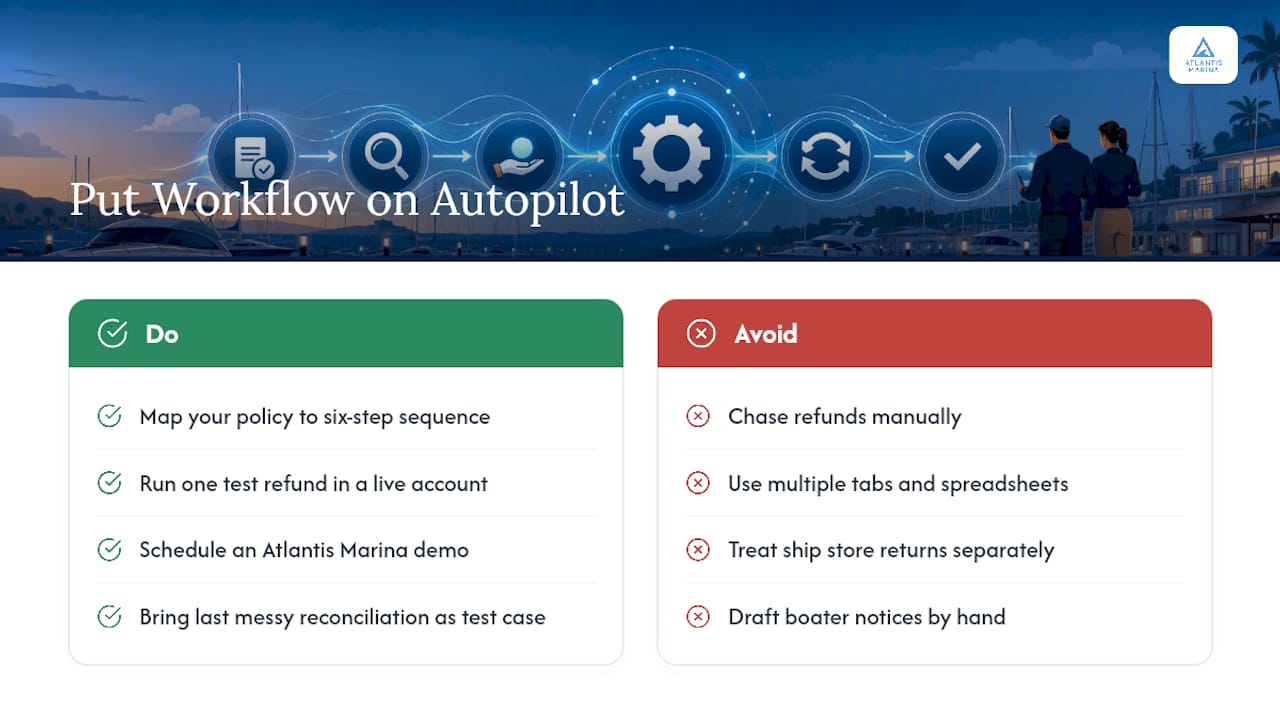
This software replaces the manual refund chase, multiple tabs, and spreadsheets to track approvals with one connected system where a refund issued at the dock can show up correctly in your books in real time.
The platform's billing automation handles Stripe and ACH refund issuance, syncs bidirectionally with QuickBooks Online, and logs every approval with a timestamped audit trail, while Atlantis Bot keeps boater notifications moving without staff drafting each one by hand. Ship store returns run through the same logic via the ship store POS solution, so refunds outside slip billing don't need a separate process.
Start by mapping your current refund approval policy against the six-step sequence above, then run one test refund through a live marina management account before rolling it out fleet-wide. If you're ready to see it running on your own accounts, schedule a demo with Atlantis Marina and bring your last messy reconciliation as the test case.
Sources
For the technical mechanics behind the steps above, these three references are worth bookmarking:
- Accounting integrations | Stripe
- Record Stripe Refunds in QuickBooks Online (Full & Partial) | Acodei
- QuickBooks App Store — Stripe sync listings
FAQ
What's the difference between a Refund Receipt and a Credit Memo?
Use a Refund Receipt when no invoice exists for the original charge, and a Credit Memo when you're crediting against an existing invoice, both should post against the Stripe clearing account.
Do Stripe processing fees get refunded along with the charge?
No. Stripe does not return processing fees on a refund, even a full one, so that fee stays on the books as an expense entry.
How long should a marina refund take to reach a boater?
Card refunds through Stripe typically reach the boater in five to ten business days, while ACH reversals often take longer and should be communicated clearly in the notification.
What causes most QuickBooks reconciliation errors after a refund?
The two most common causes are date mismatches between the Stripe refund date and the QuickBooks entry date, and batching multiple partial refunds into a single ledger entry instead of recording each one separately.
Can Atlantis Marina automate the sync between refunds and QuickBooks?
Yes. Atlantis Marina's billing automation issues Stripe and ACH refunds and syncs them bidirectionally with QuickBooks Online, removing the manual export step that causes most reconciliation mismatches.