
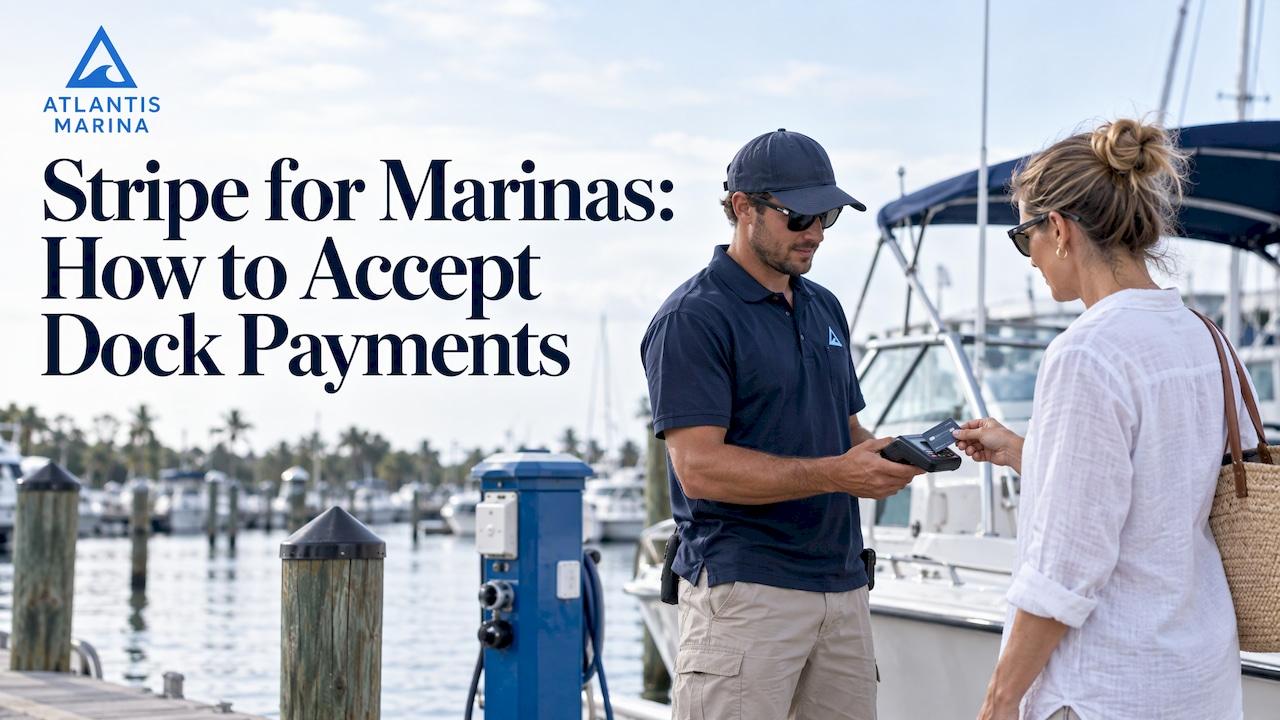
A marina can use Stripe to take card and ACH payments online, at the dock and at the ship store counter. Stripe is the payment layer, though. It moves the money. Slip contracts, recurring invoices, waitlists, fuel tickets and reconciliation against your books still need marina software on top. Atlantis Marina runs Stripe and ACH processing inside one platform, so the payment lands on the right boater account, invoice and ledger without re-keying.
This guide covers what Stripe does for a marina, what it costs, how to set it up safely, and how to handle refunds, failed payments and disputes.
TL;DR
- Stripe supports online checkout, invoices, recurring payments, and in-person payments through Terminal. Together these cover most marina payment moments.
- Typical U.S. pricing is 2.9% + $0.30 online, 2.7% + $0.05 in person, and 0.8% for ACH Direct Debit capped at $5. ACH is the cheapest route for large rent payments.
- Stripe does not manage slips, contracts or boater records. Software connected to Stripe has to do that.
- Keep API keys on a backend, verify webhooks, and confirm your PCI obligations. Stripe's certification does not make you compliant by itself.
- Atlantis Marina combines Stripe and ACH processing, autopay, Instant Pay and QuickBooks Online sync in one system.
Table of Contents
- What Stripe actually does for a marina
- Stripe is the engine, not the whole system
- Which marina payments Stripe can handle
- What Stripe costs a U.S. marina
- Setting up Stripe for a marina, step by step
- Refunds, failed payments and chargebacks
- Where a Stripe-only approach breaks down
- Promo: Stripe, ACH and billing in one platform
- Our perspective
- Choosing a setup that fits your marina
- FAQ
- Sources
What Stripe actually does for a marina
Stripe is a payment processor with a set of tools around it. According to Stripe's payments feature page, those tools include online checkout, invoicing, recurring payments, Terminal for in-person payments, fraud and dispute tools, and financial reporting. For a marina, that maps to familiar jobs:
- Seasonal and annual slip rent: invoices with payment terms, paid by card or ACH.
- Monthly dockage: recurring billing with automated retries.
- Transient reservations: hosted payment pages that take a deposit at booking.
- Fuel dock, ship store and service counter: in-person card readers or tap-to-pay on a phone.
- Boater requests: payment links sent by email or text.
What Stripe does not know is that Slip C-14 belongs to a 42-foot vessel, that the contract renews on April 1, that the boater has a $600 balance from haul-out, or that the lift was used twice this week. Stripe sees payments. A marina runs on accounts, assets and schedules. The gap between those two is where most manual work and billing errors come from.
Stripe is the engine, not the whole system
Think of the stack in three layers:
- Processor (Stripe): authorizes cards, debits bank accounts, handles payouts, disputes and card-data security.
- Marina operations software: knows who owes what, for which slip, lift, storage space or service, and when.
- Accounting (for example QuickBooks Online): needs every charge, fee and deposit categorized correctly.
Stripe's own documentation for point-of-sale and property-management applications describes the arrangement. The Terminal integration guide says a deployment consists of the POS or property-management application, a backend, a Stripe reader and the Terminal SDK. That SDK connects the application, the reader firmware and the Stripe API. In other words, Stripe expects software like a marina platform to sit in the middle and own the business logic.
If your marina opens a bare Stripe account and builds its own process, someone on staff becomes the integration. They match payouts to invoices, chase failed cards by hand and export spreadsheets for the bookkeeper. A platform that already speaks Stripe removes that work. Our marina payment processing guide lays out the full flow of money from boater to bank.
Which marina payments Stripe can handle
Recurring slip and storage billing
Stripe's recurring-billing features include flat-rate and tiered subscriptions, automated retries for failed payments, expired-card updates, customer self-service, proration, reminders and analytics, per Stripe's feature page. Proration matters at a marina: boaters arrive mid-month, leave early or move slips. Reminders and retries cut the number of past-due phone calls your dockmaster makes.
The harder part is the contract side. A recurring charge should come from a signed agreement, tied to a specific slip and rate. Atlantis Marina connects contracts signed with Atlantis E-Sign to autopay, so billing follows the agreement. For a manager's view of the process, read our guide to recurring billing for marina tenants.
Online reservations and invoice payments
Stripe supports invoices with payment terms, and card or ACH payments. It also offers hosted payment pages through Payment Links and Checkout, per the same feature page. Hosted pages mean your website never handles raw card numbers.
In Atlantis Marina, boaters pay from the Atlantis Boater App or web portal, or from a link in an email or text. Our support article on Pay Now and Instant Pay links shows what the boater sees. Boaters can also review invoices, balances and payment status in one account, which cuts down on "what do I owe?" calls.

Fuel dock, ship store and service counter
Stripe Terminal supports in-person payments alongside online payments, using supported readers or Tap to Pay through compatible mobile SDKs, according to Stripe's Terminal documentation. Stripe's FareHarbor case study describes Tap to Pay accepting contactless payments with only a supported iPhone or Android device, without extra hardware, subject to device and app support. That is useful for a dockhand taking payment at a slip or a fuel pump at the end of a long pier.
Offline conditions matter on the water. Stripe's documentation says supported mobile SDKs can support offline store-and-forward, while JavaScript and server-driven integrations do not support offline mode. Ask your software provider which integration it uses before you plan a remote fuel dock around it. We cover the details in Stripe Terminal for marina POS and card-present marina payments. Atlantis also offers ship store POS, so retail sales and slip charges can sit in the same system.

What Stripe costs a U.S. marina
Processing cost is the line item every operator asks about. Published U.S. rates, as summarized in a 2026 breakdown of Stripe fees, are:
| Payment type | Typical U.S. rate |
|---|---|
| Online card payment | 2.9% + $0.30 |
| In-person (Terminal) card payment | 2.7% + $0.05 |
| ACH Direct Debit | 0.8%, capped at $5 |
| International card surcharge | +1.5% |
| Currency conversion | +1% |
The same source notes that optional products such as Billing and Tax cost extra. Confirm current figures on Stripe's own pricing page before you budget, because rates change.
Worked example: why ACH matters for rent
Take a $2,400 monthly slip rent.
- Online card at 2.9% + $0.30: about $69.90 in processing.
- ACH Direct Debit at 0.8%, capped at $5: $5.00.
Over a 100-slip marina billing monthly, the difference compounds quickly. A flat-rate cap helps most on large payments. The reverse is true for small ones. Another 2026 pricing breakdown points out that the fixed online fee weighs more on small payments, so model your average ticket size. A $12 bag of ice and a $4,800 annual contract do not cost the same percentage to process.
This is why we built split tender payments, which route rent to ACH while keeping cards available for fuel and incidentals. Our overview of marina payment processing walks through how to read a processing statement.
Software cost on top of processing
Stripe's rates are only part of the picture. Your marina software has its own subscription. Atlantis Marina plans are published at our pricing page: Micro at $150 per month, Small at $300, Medium at $500 and Large at $900, with Enterprise quoted separately. Add-ons include dry-stack operations ($79 to $299 per month), automated fuel operations ($50 per month), and Eagle Eye smart cameras and utility monitoring ($30 to $150 per month each). Setup is a one-off $100 to $1,000, and the pricing page lists the platform fee on digital payments. Budget for the full stack, not just the card rate.
Setting up Stripe for a marina, step by step
1. Decide what the software will handle
Before you open anything, list your payment moments: annual contracts, monthly rent, transient stays, fuel, ship store, service work, lift or launch fees, and deposits. Match each one to a channel (portal, link, reader, phone). If your platform already supports all of them with Stripe and ACH, you avoid building separate processes.
With Atlantis Marina, there is no need to design this from scratch. Stripe and ACH processing, autopay, Instant Pay and refunds and adjustments are part of the platform, along with QuickBooks Online sync.
2. Create and verify the account
Stripe's documentation says to create a Stripe account, retrieve the API keys and account ID, and register readers to locations, per its Terminal integration guide. Have your legal business name, EIN, bank account details and an authorized owner ready. Register each physical location where a reader will live, such as the fuel dock, ship store and dockmaster office, so reports can be separated by site.
3. Protect your keys and webhooks
The same guide recommends keeping secret keys on a backend where possible. If a device must hold a secret, it recommends encrypted storage, restricted access and an audit trail for changes. It also says to configure webhooks and verify their signatures. Webhooks are how your software learns that a payment succeeded or failed. An unverified webhook is a way for a forged message to mark an invoice paid.
This is a place where a managed platform takes work off your hands. You should not be storing live API secrets on a dock tablet or in a spreadsheet.
4. Know what PCI compliance still requires of you
Stripe-hosted payment collection can reduce card-data exposure. But Stripe's PCI certification does not automatically make a merchant compliant. Confirm the validation that applies to your marina with your acquirer or compliance-accepting entity. In practice, avoid writing card numbers on paper, in email or in text messages, and take payments through hosted pages or readers.
5. Connect to accounting
Every payment should flow into your books with its fees separated from revenue. Stripe provides financial reports and transfer reports to help reconcile transactions, fees and deposits, per its feature page. With Atlantis Marina, QuickBooks Online sync keeps revenue billed, collected and booked without manual entry.
6. Train staff on the exceptions
Write one page on refunds, failed autopays and disputes, and put it where the dockmaster and office staff will see it. The next section gives you the content.
Refunds, failed payments and chargebacks
Stripe lets users initiate refunds and manage disputes in the Dashboard. It also offers retries and card-account updating for failed recurring payments, per its payments features. A routine that works for most marinas:
- Failed autopay: let automated retries run, send the boater a reminder with a payment link, and flag the account for the dockmaster only after the retry window ends.
- Refunds and adjustments: issue them against the original invoice, not as a separate manual payment, so the boater's balance and your books agree.
- Disputes: keep the signed contract, the invoice, the vessel record and any message history in one place. A dispute response is only as strong as the records behind it. One 2026 summary puts the fee to receive a dispute at $15, with another $15 if you respond, refunded if you win.
- Fraud: tokenization, EMV and 3D Secure reduce exposure. See our guide to stopping marina payment fraud.
The common thread is records. When contracts, invoices, documents and payments are tied to one boater account, a disputed charge takes minutes to document, not an afternoon.
Where a Stripe-only approach breaks down
Marinas that run Stripe alone, without operations software, usually hit the same problems:
- Two sources of truth. The boater list sits in one system and the payment list in another.
- Manual matching. A $1,250 deposit shows up in the bank and someone has to work out whose it is.
- No contract link. Autopay exists but nothing proves the boater agreed to the amount.
- Disconnected field payments. Fuel and service charges are rung up on a reader and never reach the boater's account.
- Hardware silos. Lifts, cameras and utilities live in separate tools from billing.
A unified platform removes these seams. For a closer look at the trade-off, read marina management software vs. platform.
Promo: Stripe, ACH and billing in one platform
Atlantis Marina brings Stripe and ACH processing, autopay, Instant Pay, refunds and adjustments, contracts signed with Atlantis E-Sign, and QuickBooks Online sync into one cloud-based system. Boaters pay from the Atlantis Boater App or web portal. Staff see slips, invoices, ship store sales and service in the same place. Dry stack operators, boat lift facilities and multi-property groups use the same platform.
See plans starting at $150 per month, or explore marina management software to see how it fits your docks.

For a quick look first, the seven-minute platform overview walks through the product.
Our perspective
Payments are the part of marina operations where small gaps cost real money. Every manual step, from re-entering a payment to matching a deposit, is a chance for an error that a boater notices.
We built Atlantis Marina around one idea: the boater's account should be the center of everything. A payment should know which slip, contract, lift or fuel ticket it belongs to. That is why Stripe and ACH processing, autopay, Instant Pay and QuickBooks sync live inside the platform, not in separate tools.
It is also why our platform connects to smart marine hardware, including lift controllers, cameras and utility monitoring. When billing and devices share one account context, staff work from one record instead of several.
If you are choosing how to take payments, start from the workflow you want: contracts, autopay, field payments and clean books. Then pick the system that delivers all of it together.
John R
Choosing a setup that fits your marina
A few criteria narrow the decision quickly:
- Size and volume. A 40-slip marina and a 600-slip yacht club have different billing loads. Tiered plans exist so the software scales with you.
- Payment mix. If most revenue is rent, favor ACH. If most is fuel and retail, prioritize in-person acceptance.
- Dry stack or lifts. Launch queues and lift use produce frequent small charges. Billing should connect to those events. Our dry stack marina software and smart boat lift control pages explain how.
- Boater experience. Boaters expect to pay from a phone. The Atlantis Boater App puts reservations, documents, contracts and payments in one account.
- Accounting. Confirm the platform syncs to your ledger so month-end is a review, not a rebuild.
To compare features across the category, see our guide to the best marina management software. If you want a single starting point for operations, the marina management solution page covers the whole platform.
FAQ
Can a marina use Stripe for both online and in-person payments?
Yes. Stripe Terminal supports in-person payments alongside online payments, using supported readers or Tap to Pay on compatible devices. The software connected to Stripe decides which devices and modes are available, so check the integration your platform uses.
What does Stripe cost a U.S. marina?
Typical U.S. rates are 2.9% + $0.30 for online cards, 2.7% + $0.05 for in-person cards, and 0.8% capped at $5 for ACH Direct Debit. International cards and currency conversion add surcharges. Confirm current rates on Stripe's pricing page.
Is a marina PCI compliant if it uses Stripe?
Stripe's hosted collection reduces how much card data you touch, but its certification does not automatically cover your business. Confirm the validation that applies to you with your acquirer or compliance-accepting entity.
Does Atlantis Marina work with Stripe?
Yes. Atlantis Marina supports Stripe and ACH payment processing, along with autopay, Instant Pay, refunds and adjustments, and QuickBooks Online sync. Plans start at $150 per month on the pricing page.
Sources
- Stripe Payments: Features and Process
- Integrate Stripe Terminal into point-of-sale and property-management applications
- FareHarbor case study, Stripe
- Stripe fees 2026: every rate and what a $100 sale nets you
- Stripe pricing breakdown: fees, features and plans in 2026
- Stripe PCI compliance: what Stripe covers, what you own