
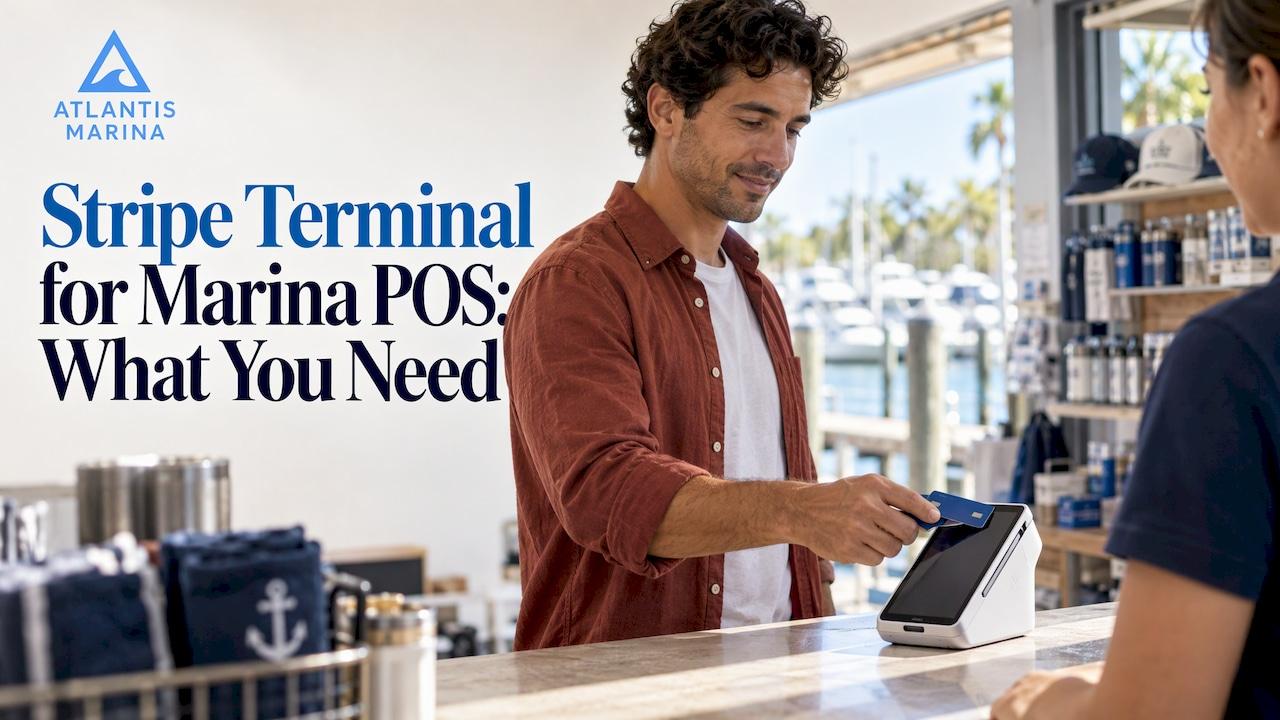
Stripe Terminal is the card-reader and payments layer, not a finished marina POS. To take in-person payments at a ship store, fuel dock or dockmaster office, you pair a Stripe reader with POS software that handles items, slips, accounts and reporting. Atlantis Marina's ship store POS is built to be that software layer, and it sits inside the same platform as your reservations, billing and boater accounts.
This guide explains what Stripe Terminal is, which readers U.S. marinas can use, what your network must support, what it costs, and how to decide between wiring it up yourself and running it from a marina platform.
TL;DR
- Stripe Terminal connects card readers to Stripe's payment processing. It does not include a POS app, so a marina still needs software to ring up sales, post charges and reconcile.
- In the U.S., Stripe Terminal supports smart readers, a mobile reader and Tap to Pay on iPhone and Android. All transactions are in U.S. dollars.
- Smart readers need IPv4, a private IP address and a password-protected WiFi or Ethernet connection. Dock-side coverage is the usual marina problem.
- Published in-person pricing is 2.7% + $0.05 per successful charge, with readers bought separately.
- Atlantis Marina gives you the marina-specific POS, billing and boater account layer, so card-present sales land in one system. See pricing.
Table of Contents
- What Stripe Terminal actually is
- Why a marina POS has different needs than a retail counter
- Which Stripe readers U.S. marinas can use
- Network requirements: the dock is not an office
- How a card-present payment flows
- Fees, security and compliance
- No-code options and where they stop
- Perspective: why the POS layer matters more than the reader
- How Atlantis Marina approaches in-person payments
- See Atlantis in action
- Choosing your setup: a short decision guide
- FAQ
- Sources
What Stripe Terminal actually is
Stripe describes Terminal as a way to accept in-person payments that works with its online payments platform, so one Stripe account can cover both channels. In Stripe's own explanation of merchant POS systems, Terminal pairs hardware and software with your existing Stripe setup.
A Terminal deployment has four parts, according to Stripe's documentation for POS and property management systems:
- Your POS or property management application (web, mobile or desktop).
- Your backend.
- A Stripe Terminal reader.
- The Terminal SDK, which carries messages between your app, the reader firmware and the Stripe API.
The reader and the SDK are the payment hardware and plumbing. Items, price lists, slip charges, fuel, tax, receipts, customer accounts and end-of-day reporting all live in the application. NerdWallet's Stripe Terminal review makes the same point: Terminal has no POS app or standard POS features of its own, and custom hardware integrations take coding.
For a marina, that means the real question is not "which reader?" but "which system sits behind the reader?"
Why a marina POS has different needs than a retail counter
A marina rarely runs a single register selling single items. A typical day can include:
- A ship store sale of rope, ice and a fuel additive.
- A transient boater paying for a night's slip.
- A seasonal member charging a pump-out, electric or a lift launch to their account.
- A dry stack customer paying a launch fee.
- A fuel dock sale with a card on file.
- A service appointment deposit.
Each of those should post to the right vessel and customer account, hit the right revenue category and end up in your books. A card reader that only moves money leaves staff re-keying the sale into reservation and accounting tools. That duplicate entry is where mistakes and missed charges come from.
Atlantis Marina connects the ship store, reservations, customer accounts, billing and QuickBooks Online sync, so a sale made at the counter belongs to the same account the boater sees in the Atlantis Boater App and web portal.
Which Stripe readers U.S. marinas can use
Stripe's regional documentation for the United States lists these options:
| Category | Readers or method | Typical marina use |
|---|---|---|
| Smart readers | BBPOS WisePOS E, Stripe Reader S700 and S710, Verifone readers (public preview) | Ship store counter, dockmaster office, fuel dock kiosk |
| Mobile reader | Stripe Reader M2 | Dock walks, events, boat show booths |
| Phone-based | Tap to Pay on Android and iPhone | Quick dockside checkout by roaming staff |
Stripe supports Visa, Mastercard, American Express and Discover in the U.S., and all Terminal transactions must be in U.S. dollars.
Stripe's reader selection guide adds useful detail for waterfront sites:
- Smart readers connect over WiFi or Ethernet. Mobile readers pair to a phone or tablet by Bluetooth, or by USB on Android.
- The S710 supports 4G LTE cellular, which helps in places without reliable WiFi.
- The Verifone UX700 is a compact reader with weatherproof protection aimed at self-service use cases, which is worth a look for unattended or semi-outdoor points of sale.
- The Reader T600 is a continuously powered countertop and pole-mount unit with an 8-inch customer-facing display.
On hardware cost, NerdWallet reports prices from $59 for the Stripe Reader M2, $249 for the BBPOS WisePOS E and $299 for the S700 and S710. Confirm current prices on Stripe's site before you budget.
Network requirements: the dock is not an office
Most failed reader rollouts at marinas come down to connectivity, not payments. Stripe's network requirements are specific:
- Smart readers need IPv4 support. IPv6-only networks do not work.
- The reader needs a private IP address and the ability to reach Stripe's infrastructure.
- WiFi must be password protected and use WPA, WPA2 or WPA3 Personal, or WPA2/WPA3 EAP-PEAP Enterprise encryption.
- Terminal readers do not support WiFi 6 (802.11ax).
Then there is the integration style. With an SDK integration where the POS talks to the reader over the local network, both must be on the same network, and the POS device's DNS must resolve internet-routable hostnames to local IP addresses. With a server-driven integration, the reader talks to Stripe directly over the internet, and WiFi and Ethernet both work without that local DNS dependency. Stripe recommends the server-driven approach for smart readers, and notes it can be simpler in complex network environments. A marina with a mix of office, shop, fuel dock and pier networks is exactly that kind of environment.
A practical dock-side checklist
- Walk each point of sale and test signal at counter height, not at the router.
- Put the reader on a dedicated, password-protected network segment with IPv4.
- Avoid WiFi 6-only access points for reader networks.
- Use Ethernet for fixed counters whenever you can run a cable.
- For mobile checkout on long piers, plan for cellular-capable hardware or a phone-based option.
- Decide in advance what happens when the connection drops.
On that last point, Stripe's Terminal SDK has offline mode. It activates automatically when the reader loses connectivity, stores encrypted transactions on the reader and forwards them once the connection returns. The reader must stay on that network while offline. Check the Stripe documentation on how your integration handles it before relying on it during a busy weekend.
How a card-present payment flows
Under the hood, an in-person sale follows a consistent pattern, described in Stripe's integration guide:
- The POS creates a PaymentIntent to start the payment session.
- The PaymentIntent is sent to the reader to collect payment details.
- The customer taps, inserts or swipes a card.
- The payment is confirmed, and the PaymentIntent moves to "succeeded" in the Stripe Dashboard.
Before launch, you create a Location in the Stripe Dashboard or through the API and register each reader to it. Stripe's design guide for custom integrations also recommends testing with a simulated reader before you connect real hardware.
Stripe's Terminal feature update describes capabilities that fit marina work well: on-reader tipping, incremental authorization to adjust an amount without a second transaction, flexible authorization windows for bookings and reservations, and saving a card used in person for later online use. The last one matters for seasonal accounts, where a boater pays at the counter once and the marina bills recurring charges afterward. For how that works on the Atlantis side, see our walkthrough of card on file for U.S. marinas.
Fees, security and compliance
Published U.S. pricing for in-person card transactions was 2.7% + $0.05 per successful charge with no monthly fee, as FrontDeskReview recorded after checking Stripe's pricing page on November 1, 2026. Readers are bought separately. Rates can change, so confirm on Stripe's pricing page before you model margins.
On security, Stripe's documentation says Terminal readers are pre-certified for PCI and EMV compliance. They accept EMV, contactless and swiped payments and encrypt card data so your application never handles raw card numbers. Stripe's Terminal overview states that payments are protected with end-to-end encryption by default, and that an optional, paid, PCI-audited point-to-point encryption solution exists for certain industries.
Two account rules are worth knowing. The Stripe account receiving funds and the reader's location must be in the same country, and you accept only local currency. For a U.S. marina that means a U.S. account and U.S. dollars.
Readers are one layer of fraud defense. Our guide to marina payment fraud prevention covers EMV 3DS, tokenization and QR-linked receipts for the card-not-present side of the business.

No-code options and where they stop
Stripe also offers no-code ways to accept in-person payments: standalone mode (public preview) on a compatible reader such as the S700, S710 or Verifone V660p, the Stripe Terminal app (private preview) using Tap to Pay on iPhone and Android, and Tap to Pay in the Stripe Dashboard mobile app. Those cover card, NFC wallet and some other payment methods.
They are payment acceptance tools. A marina running a ship store, fuel dock, slips, dry stack and service appointments needs the sale to attach to a vessel, a slip, an account and a ledger. That is the job of marina management software.
Perspective: why the POS layer matters more than the reader
We see the same pattern at marinas that start with a card reader and work backward. The reader works. The money moves. Then the office spends every Monday matching receipts to slip accounts, fuel tickets to members and store sales to QuickBooks.
Atlantis Marina was built to remove that gap. Our platform brings the ship store POS, reservations, vessel records, customer accounts, contracts, billing and QuickBooks Online sync into one system, with Stripe and ACH processing behind it. When a boater pays, the payment belongs to the right account without a second entry.
That is also why we pair payments with the rest of the waterfront. The same account that holds a boater's insurance document and signed contract can carry their ship store purchases and their lift launches. Staff see one record, and boaters see one account in the Atlantis Boater App.
If you are choosing payment hardware, start with the workflow you want at the counter, the dock and the fuel pump. Then choose the hardware that serves it. We are glad to walk through that with you.
John R
How Atlantis Marina approaches in-person payments
Atlantis Marina is cloud-based marina operations software from Atlantis Control Systems. For counter and dock-side sales, these parts matter most:
- Ship store POS: sell merchandise and supplies, with restocking support from Atlantis Bot, our built-in AI assistant, using staff-confirmed actions. See the ship store POS page.
- Payments: Stripe and ACH processing, autopay, Instant Pay, refunds and adjustments.
- Accounting: QuickBooks Online sync, so revenue is booked without manual entry. If you are weighing options there, read our comparison of QuickBooks integration alternatives.
- Split payments: route rent to ACH and other charges to card with split tender payments.
- Boater self-service: boaters reserve, sign contracts, upload documents and pay from one account. QR flows are covered in our QR scan pass and payment support article and the QR code check-in guide.
- Smart hardware: smart boat lift control and device integrations sit in the same platform as billing, so a lift launch can be a billable event on the boater's account.
For a broader view of how card-present and contactless acceptance fit together, read our U.S. operator's guide to card-present marina payments, contactless payments for marinas and marina payment processing explained.
See Atlantis in action
Plans are tiered by marina size: Micro at $150 per month, Small at $300, Medium at $500 and Large at $900, with Enterprise available without a published price. Setup is a one-time fee of $100 to $1,000, and the published platform fee is 3% per transaction. Add-ons include dry-stack operations at $79 to $299 per month, automated fuel operations at $50 per month and Eagle Eye smart cameras at $30 to $150 per month. Review the full list on the Atlantis Marina pricing page.

If you want to see how card-present sales, slips and boater accounts fit together, watch the 7-minute platform overview or talk to our team about marina management software. Tell us which counters, docks and fuel points you run, and we will show you how they connect.
Choosing your setup: a short decision guide
| Your situation | What to prioritize |
|---|---|
| Single ship store counter, stable Ethernet | A fixed smart reader with a server-driven integration and a POS tied to customer accounts |
| Fuel dock with spotty WiFi | Cellular-capable hardware or a wired connection, and a plan for offline payments |
| Roaming staff on long piers | A mobile reader or phone-based tap to pay, charging to the boater's account |
| Seasonal members and transients | Card on file, autopay and split tender for rent versus extras |
| Multiple properties | One account and one reporting view across locations |
Whatever you choose, write down who owns each piece: the Stripe account, the reader fleet, the network, the POS and the accounting sync. Clear ownership makes troubleshooting a ten-minute call instead of a week of finger pointing.
FAQ
Is Stripe Terminal a POS system for marinas?
Not by itself. Stripe Terminal connects readers to Stripe's payment processing, and it does not include POS features such as item catalogs, staff management or inventory. A marina pairs it with POS and management software that handles those jobs.
Which Stripe Terminal readers work in the United States?
Stripe lists the BBPOS WisePOS E, Stripe Reader S700 and S710, and Verifone readers (public preview) as smart readers, plus the Stripe Reader M2 and Tap to Pay on iPhone and Android. Transactions must be in U.S. dollars. Check Stripe's regional page for the current list.
What network does a marina need for a smart reader?
You need IPv4, a private IP address and a password-protected WiFi network using WPA, WPA2 or WPA3, or a wired Ethernet connection. WiFi 6 is not supported by Terminal readers. For tricky dock networks, a server-driven integration avoids the local DNS requirement of the SDK approach.
What does Stripe Terminal cost per transaction?
Published in-person pricing was 2.7% + $0.05 per successful charge with no monthly fee, and readers are bought separately. Confirm the current rate on Stripe's pricing page. Atlantis Marina's own subscription tiers and 3% platform fee are listed on our pricing page.
Can boaters pay at the counter and see it in their account?
With Atlantis Marina, payments, contracts, documents and reservations are tied to one boater account that appears in the Atlantis Boater App and web portal. That keeps counter sales, slip charges and autopay on the same record.
Sources
- Integrate Stripe Terminal into point-of-sale and property management systems
- Merchant POS systems 101, Stripe
- Stripe Terminal Review, NerdWallet
- Stripe Terminal regional availability, United States
- Select a reader, Stripe Documentation
- Terminal network requirements, Stripe Documentation
- Design a custom POS integration, Stripe Documentation
- Streamline in-person payments with recent Stripe Terminal upgrades
- How Terminal works, Stripe Documentation
- Accept in-person payments without writing code, Stripe
- Stripe pricing (2026), FrontDeskReview