
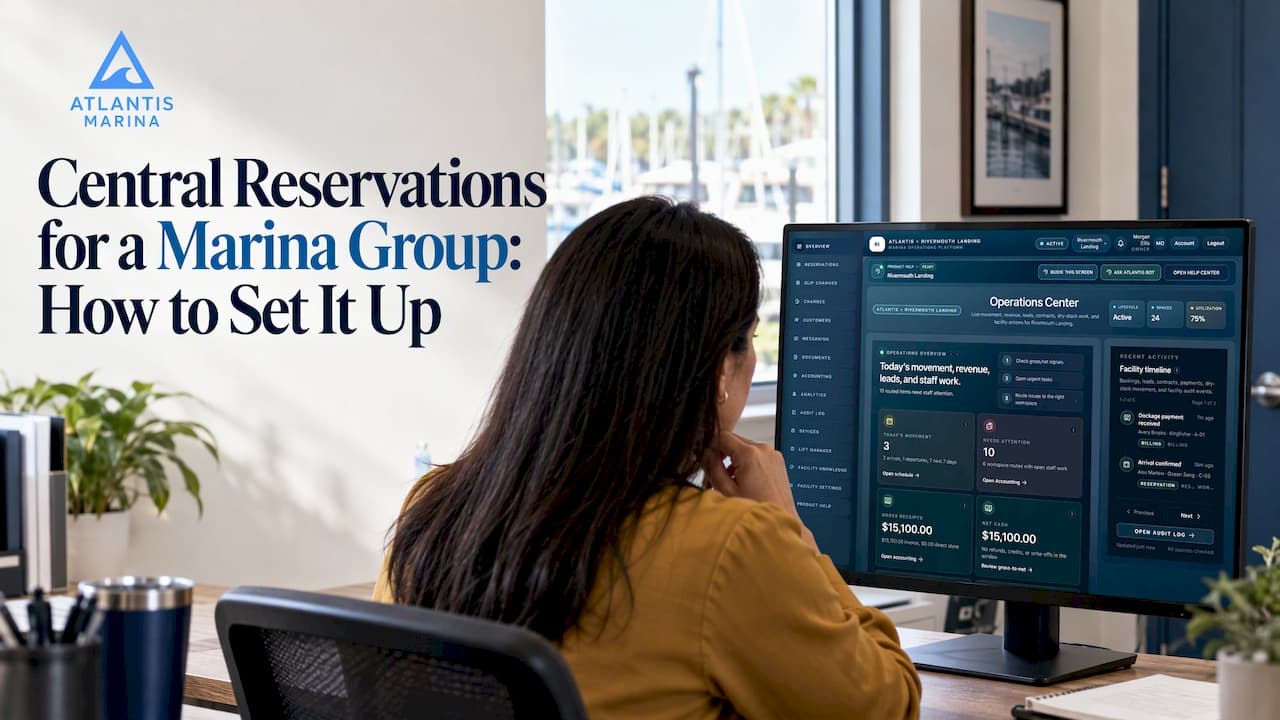
Central reservations means every property in your marina group takes, changes and bills bookings from one system, using one customer record and one view of berth inventory. Done well, a boater books any of your marinas in a single session, staff at any site see the same account, and the group office sees occupancy and revenue without collecting spreadsheets. This guide covers what to centralize, what to leave to each site, how to connect payments, and how to roll it out.
TL;DR
- Centralize the data and the rules (inventory, vessel and customer records, rates, contracts, billing). Leave local judgment (dock layouts, tides, seasonal quirks) with each marina.
- Give each property its own configuration and permissions, and give group staff a single view across all of them.
- Put payments, contracts and accounting in the same workflow as the booking, so nothing is re-keyed.
- Roll out in phases: clean the data, pilot one site, then migrate the rest with written change and cancellation rules.
- Track a short set of group reports: occupancy, booking pace, cancellations, revenue per slip and collections.
Table of Contents
- What central reservations does for a marina group
- Decide what is central and what stays local
- How to consolidate berth availability across properties
- What the reservation workflow should hold
- Coordinating bookings, changes, cancellations and waitlists
- Connecting reservations to payments and accounting
- Rolling out central reservations step by step
- Reports a marina group should watch
- Our perspective: central does not mean uniform
- What Atlantis Marina offers a group
- FAQ
- Sources
What central reservations does for a marina group
A single-site marina can get by with a good dockmaster and a spreadsheet. A group cannot. Once you operate several properties, the same boater may keep a seasonal slip at one site, ask for a transient stay at another and rent dry storage at a third. Without a shared system, each of those is a separate phone call, a separate form and a separate invoice.
Central reservations fixes three problems at once:
- Fragmented inventory. Each site tracks availability its own way, so nobody can answer "where can this 52-foot boat go next weekend?" without calling around.
- Duplicate customers. The same owner exists as three records with three insurance documents and three payment methods.
- Blind spots at the top. Group management sees results only after each site closes its books.
The industry is moving this direction. In a January 2026 Boating Industry piece, one executive noted that boaters increasingly expect seamless digital tools from marinas, citing a group operating more than 90 properties. The same article quotes a software executive who says marina management tools provide data-driven insights, support premium pricing, improve retention and free staff from administrative work. Those are the outcomes a central system is meant to deliver for a group.
Decide what is central and what stays local
The most common mistake is treating centralization as all or nothing. Pick the layers deliberately.
| Layer | Central | Local |
|---|---|---|
| Customer and vessel records | One account per boater, shared across sites | Notes about local history or conduct |
| Documents | Insurance, registration and signed contracts stored once | Site-specific rules and addenda |
| Inventory | One searchable view of slips, dry storage and lifts | Dock maps, slip dimensions, restrictions |
| Rates and policies | Group templates for stay types and deposits | Seasonal overrides, local fees |
| Billing | Shared payment methods, autopay and accounting sync | Site-level reconciliation and refunds approval limits |
| Reporting | Group dashboards and comparisons | Daily dock and arrival lists |
The principle: centralize anything where a mismatch costs you money or confuses a customer, and keep local anything that depends on physical conditions only the dockmaster sees.
How to consolidate berth availability across properties
Consolidating inventory is more than putting all slips into one list. The booking engine can only promise what the data supports, so the structure has to be consistent.
Standardize the vessel and slip data
Every slip needs the same fields at every site: length, beam, depth where relevant, power, amenities, slip type (seasonal, transient, annual) and any restrictions. Every vessel record needs length overall, beam, draft and type. Fit checks only work when both sides are filled in. A scheduling approach that enforces fit and billing prevents the double bookings that creep in when staff judge fit by eye.
Keep each marina its own space inside the group
Group access should sit on top of site-level permissions, not replace them. A dockmaster at one marina should manage that marina's slips, lifts and customers, while regional and executive roles see across sites. In Atlantis Marina, staff manage slip assignments, boat lifts, dry storage and launch queues, reservations, waitlists, vessel records, customer accounts, documents, billing and facility maps in one place, and the platform is built for multi-property marina groups as well as single sites. Our multi-property playbook goes deeper on structuring roles and portfolios.
Let boaters see and request inventory online
Boaters now expect to look at a map and ask for a berth at any hour. Baltimore's Harbormaster Office, when it launched an online system for its municipal piers, described 24/7 map-based docking requests on desktop or mobile, with rates varying by vessel length and stay type. A marina group should offer the same, with one front door rather than one per site.
With Atlantis, boaters discover marinas through Atlantis Marina Search, request or reserve slips online, submit vessel details, upload insurance and registration, sign contracts electronically and pay from one account that travels with them across the Atlantis Marina Network. The Atlantis Boater App and web portal put that experience on a phone. For the operator side of that experience, see our overview of the boater self-service portal.

What the reservation workflow should hold
A central booking is only as useful as the record behind it. For every reservation, capture:
- Customer: contact details, communication preferences, linked accounts, history across all properties.
- Vessel: dimensions, registration, insurance with expiry dates, and any attached documents.
- Stay: property, slip or storage type, dates, stay type, source of the booking and assigned staff member.
- Payment: deposit, balance, payment method on file, autopay status and any adjustments or refunds.
- Property context: arrival instructions, access workflows, utilities and restrictions that apply at that site.
On payments, the Baltimore launch is a useful reference point: the city's system follows PCI standards for card handling and supports deposit payments with final billing on departure. Whatever you choose, deposits at booking and final billing at departure are a sensible default pattern for transient stays.
Coordinating bookings, changes, cancellations and waitlists
This is where centralization either shines or creates friction. The fix is policy plus tooling.
Write the rules once
Define group-level templates for deposit amounts, change windows, cancellation terms and no-show handling. Let sites override only what they must, and record why. Boaters who book at several of your marinas should not need to learn several rulebooks.
Route changes through the booking record
Every change, such as new dates, a different boat, an extended stay or a cancellation, should happen on the reservation itself, not in email threads. That keeps the audit trail intact and lets billing adjust automatically. Boaters can review and manage their own reservations and arrival details through the portal, as described in our support guide on reservations and arrival details, which cuts routine calls to the front office.
Run waitlists as a group asset
A waitlist at a full marina is lost revenue if a sister property has space. A shared waitlist lets staff offer an alternative location when the first choice is full, and move people up when a cancellation opens a slip. Set a written priority rule (date joined, membership status, vessel fit) so every site applies it the same way.
Automate arrival
Check-in is where reservations meet reality. Pre-arrival documents, signed contracts and payment already on file mean dockhands handle a boat, not paperwork. See why automating the check-in process pays off, and how mobile access lets staff work from the dock.
Connecting reservations to payments and accounting
A central reservation that ends in a manual invoice is only half a system. Link the booking to money from the start.
- Contracts. Signed electronically at booking so a contract exists before the boat arrives. Atlantis E-Sign handles this inside the platform.
- Payments. Card and bank transfers through Stripe and ACH processing, with autopay for recurring slip fees and Instant Pay for faster settlement.
- Refunds and adjustments. Handled on the reservation, with permission limits by role.
- Accounting. QuickBooks Online sync so billed and collected revenue is booked without re-entry.
For a closer look at the mechanics, read our explainer on marina payment processing and the piece on routing rent to ACH with split tender payments. If card fraud is a worry, the guide to payment fraud prevention covers tokenization and EMV 3DS.
Other revenue lines should tie into the same account: the ship store POS charges to the boater's account, and boat lift and service requests land in the same record. For groups with lifts, smart boat lift control adds remote monitoring and mobile control to the same platform, so reservations and equipment sit in one place.
Rolling out central reservations step by step
- Audit what you have. List every site's slips, rates, contract templates, customer lists and payment tools. Note where the same boater appears more than once.
- Clean and standardize the data. Merge duplicate customers, fill in missing vessel dimensions and align slip types and naming across properties.
- Set group policy. Agree on deposit, change and cancellation rules, waitlist priority and who may approve refunds.
- Define roles. Site managers, front-desk staff, accounting and group executives each get the access they need and no more.
- Pilot one marina. Pick a site with a willing manager and a mix of stay types. Run a full booking-to-billing cycle before expanding.
- Migrate the rest in waves. Sequence by size or season, and avoid cutovers at your busiest weeks.
- Train and publish. Short, role-based training and a one-page cheat sheet per role. Tell boaters about the new booking path ahead of time.
- Review after 30 and 90 days. Compare reports with the old process, then adjust rules and templates.
Problems to plan for
- Inconsistent data. Missing beam or draft values break fit checks. Fix them before go-live.
- Staff workarounds. If the front desk keeps a paper log "just in case," the central view will be wrong. Make the system the only source of truth and say so.
- Local exceptions that multiply. Every override weakens the group model. Require a reason for each.
- Payment cutover. Moving stored payment methods and recurring charges needs a clear plan so no one is double charged or missed.
- Boater confusion. Keep messaging simple: one account, one place to book, email and SMS updates after each change.
Reports a marina group should watch
You do not need fifty dashboards. Start with these:
| Report | Why it matters |
|---|---|
| Occupancy by property and slip type | Shows where you are full and where capacity sits idle |
| Booking pace vs. prior period | Early signal for seasonal demand and pricing moves |
| Cancellations and no-shows | Tests whether your deposit and change rules work |
| Revenue per slip or per foot | Compares sites fairly across different sizes |
| Waitlist length and conversion | Reveals demand you could serve at another property |
| Collections, autopay share and outstanding balances | Tracks cash health and billing automation |
| Ship store, fuel and service attach rate | Shows what each stay is worth beyond the slip |
Review group numbers monthly and site numbers weekly in season. The point of reporting is to change a rate, a rule or a staffing decision, so assign an owner to each report.
Our perspective: central does not mean uniform

We build Atlantis Marina around one idea: a marina is a physical operation and a digital one, and both should live in the same system. For groups, that means a boater's account, a slip's availability, a lift's status and an invoice should be connected, not stitched together afterward.
We also see groups go wrong by forcing sameness. Central reservations should make the common work common, such as records, contracts, billing and reporting, and let each dockmaster keep authority over the water and the docks. When the software handles the repeat data entry, staff have time for guests and operations. That is the practical benefit: fewer re-keyed entries, fewer silos and a single account context that follows the boater and the boat.
— John R
What Atlantis Marina offers a group
Atlantis Marina combines reservations, waitlists, vessel records, documents, billing, ship store POS, service appointments and connected infrastructure in one cloud-based platform, with the Atlantis Bot assistant helping boaters and staff with safe, staff-confirmed actions. Plans are tiered by marina size: Micro is $150 per month, Small $300, Medium $500 and Large $900, with Enterprise available for larger portfolios (no published price). Add-ons include dry-stack operations ($79 to $299 per month), Eagle Eye smart cameras and utility monitoring ($30 to $150 per month each), automated fuel operations ($50 per month) and premium smart lift automation ($1 per month per lift). Atlantis setup is a one-off $100 to $1,000, and a 3% platform fee applies per transaction. See the full breakdown on the pricing page.

Ready to see how it works across several properties? Talk to our team about marina management software, or watch the product walkthroughs. You can also see how working marinas present themselves on the platform, such as Marlin Bay Resort & Marina in Marathon, Florida.
FAQ
Do all my marinas need the same rates to use central reservations?
No. Use group templates for stay types, deposits and cancellation terms, then let each property set its own rates and seasonal overrides. What must match is the structure: the same fields, naming and rules, so reports compare cleanly.
Can a boater have one account across several of my properties?
Yes, that is the goal of a shared customer record. With Atlantis, one account holds vessel details, documents, contracts and payment history, and it travels with the boater across the Atlantis Marina Network.
How long does it take to move a group onto central reservations?
It depends on the data quality and number of sites, so plan around phases rather than a single date. Clean the data first, pilot one marina through a full booking-to-billing cycle, then migrate the others in waves outside your peak weeks.
How does a central system handle payments and accounting?
Payments run through Stripe and ACH processing inside the booking workflow, with autopay, refunds and adjustments on the reservation. QuickBooks Online sync then books the revenue without manual entry.
Who should see group-level data?
Give group executives, regional managers and accounting cross-property views, and keep site staff scoped to their own marina. Set refund and rate-change approvals by role so control stays clear.
Sources
- The evolving expectations for marinas, Boating Industry
- Harbormaster Office announces live launch of municipal piers reservation system, City of Baltimore